
Oslo
Members
-
Joined
-
Last visited
Everything posted by Oslo
-
From the album: Oslo is patrolling down street
-
Few pictures taken during my patrol in LSPD. Various agency but always the same dedication.
-
Grand Theft Auto V Screenshot 2019.11.17 - 13.54.11.21.png
-
 Grand Theft Auto V Screenshot 2019.11.17 - 13.51.35.69.png
-
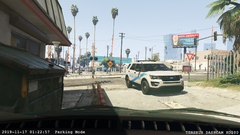 Grand-Theft-Auto-V-Screenshot-2019.11.17---13.44.58.92.png
-
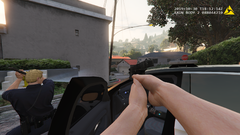 Grand-Theft-Auto-V-Screenshot-2019.10.30---18.11.14.81.png
-
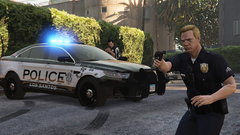 Grand Theft Auto V Screenshot 2019.10.30 - 18.13.40.45.png
-
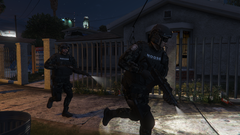 Grand Theft Auto V Screenshot 2019.10.23 - 22.55.12.29.png
-
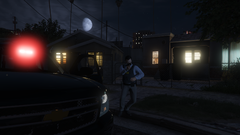 Grand Theft Auto V Screenshot 2019.10.23 - 22.50.05.14.png
-
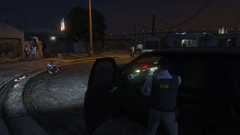 Grand Theft Auto V Screenshot 2019.10.23 - 22.48.08.68.png
-
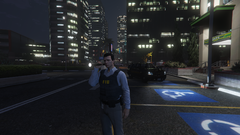 Grand Theft Auto V Screenshot 2019.10.23 - 22.11.31.02.png
-
-
From the album: Oslo is patrolling down street
-
From the album: Oslo is patrolling down street
Investigation for a suspicious parked car in an alley -
 I've never saw an Ultra pack title so true. We litteraly have any possible departement in this pack and a lots more to come if we read the road map. This is amazing keep up the great work !
- 215 comments
- 38 reviews
-
-

- 1
-
-
Does anyone have a version of this SpecialUnits.xml file compatible with EUP ? I don't understand how to edit this
- 215 comments
- 38 reviews
-
From the album: Oslo is patrolling down street
-
From the album: Oslo is patrolling down street
-
-
 Hey ! That's a greet mod but the only thing I wish wasn't there (At least for me) Is all those weapon attachement. With modded weapons it make things look weird and bugged. So if yoy could add a version without those weapon attachement it would be anwsome. Thanks for your work.
- 170 comments
- 11 reviews
-
From the album: Oslo is patrolling down street
-
From the album: Oslo is patrolling down street
-
From the album: Oslo is patrolling down street
-
From the album: Oslo is patrolling down street
-
 This callout is so amazing ! All those callout are really well made and well scripted. I had a good time trying all of them and i'm still enjoying to respond to them when they appear from the dispatch. Also I have to notice the amazing rebuild you made from scratch , it's just amazing ! And what can i say about the work you dedicate to this ? I see almost one update and it's always with a new call, here again it's really great and i can't wait to see more 10/10 must have for your experience.
- 200 comments
- 27 reviews
-
-
- 1
-
-
-