



Hellcat007
Members
-
Joined
-
Last visited
Everything posted by Hellcat007
-
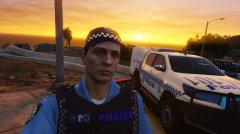
From the album: WAPOL LSPDFR - Hellcat007
© Hellcat007
-
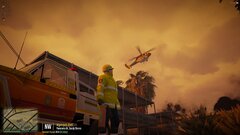
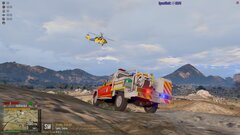
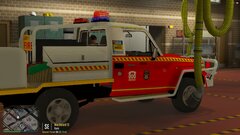 I do not own this vehicle or the DFESRP server. These images are merely a showcase of what goes on in DFESRP. For questions about models, you will need to talk to the owners of DFESRP. The Discord server is linked to this gallery.
 -
This topic is still open for comments or solutions. I tried reinstalling GTAV to see if the issue was a corrupt install after the last update (F you R*) and now I can't even load into storymode without the game crashing and giving me a memory error. I've tried literally every solution and nothing is working. Even went as far as disabling patchday22 where my cars are stored to see if my modded cars were causing issues. They weren't. Gameconfig has been increased, GPU drivers were updated. -safemode didn't help. It's getting to the point where it'll sit uninstalled for months on end.
-
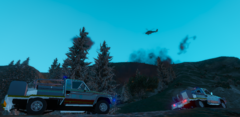
From the album: DFESRP
© Hellcat007
-
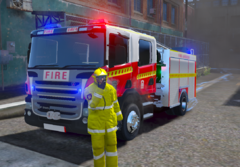
From the album: DFESRP
© Hellcat007
-
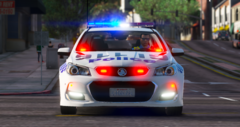
From the album: DFESRP
© Hellcat007
-
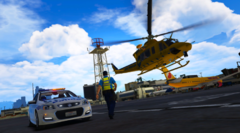
From the album: DFESRP
© Hellcat007
-

From the album: DFESRP
When off duty, the boys like to cruise around WA in their commodores.© Hellcat007
-
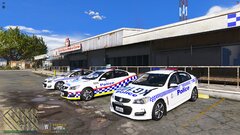
From the album: DFESRP
© Hellcat007
-
From the album: DFESRP
© Hellcat007
-
From the album: DFESRP
© Hellcat007
-
From the album: DFESRP
© Hellcat007
-
-
After replacing the update file in the mod folder again, verifying the files, and reinstalling LSPDFR again, I no longer get the "can't spawn new vehicle" error. However, I am getting new errors. Here's my last 3 crash logs. I'm starting to think there's something wrong with LSPDFR itself. anyway, take a look. RagePluginHook_08092020_090728.log RagePluginHook_08092020_154157.log RagePluginHook.log
-
Alright. I went through and took out all my modded cars. LSPDFR still crashes with the same error. I wonder if the game itself has corrupted? I'll do some file verifying then get back to you guys. RagePluginHook.log
-
It's not. It's trying to load an ambient event that I cannot turn off. Scenemanager just allows me to create custom AI paths around incidents. I just wish the damn thing would tell me what vehicle it was trying to spawn. RagePluginHook.log
-
Ok, I'm in game now after changing out my game config with something allowing for more vehicles and it appears to be working. That CrimeStageEncounterInVehicle trigger has gone off once and it has not crashed. I might have solved it. I'll give it 5 minutes to see if I have. EDIT: Didn't even need 1 minute. This is a new log this time. This time, not only did LSPDFR crash, it took the whole game with it. RagePluginHook.log
-
Could it also be that my Game config doesn't allow for another vehicle?
-
Alright, I have removed all my callouts and it still occurs within the base LSPDFR mod. I wonder if it's that new ambient red blip chase thing? I really want to get rid of that but putting Ambient.DisableEscapedSuspectEncounter = True in my LSPDFR.ini file doesn't change that. RagePluginHook.log
-
I mean, that's what it says, but I'm 100% sure every vehicles I have installed is working. I always install then test everything. I'm not sure what could be the issue. EDIT: Yea, I've just gone through all my added and replaced cars and they all work.
-
I only have it specified in Rage advanced settings, so I don't know how that happened. RagePluginHook.log
-
Will do. I'll get back to you shortly
-
Thank you. I really appreciate the help!
-
I have, yes. After updating it, I tried reloading. Crashed again but it did not spit out a log that I could attach.
-


