



WildManDan
Members
-
Joined
Everything posted by WildManDan
-
That's really helpful advise actually, thank you. Any chance you could direct me in the right direction as to where I can edit the key binding for reporting a crime?
-
It does come up with that on screen, I've tried and it does neither of those things, It just comes up with the option to record the game menu because I'm using an xbox one controller
-
When a vehicle fails to stop after you pull them over, For some reason its not blipping the car, and the pursuit red and blue flashy thing does not come up on the minimap, It gives me pursuit options in the backup menu just like it should for a pursuit but again, nothing blips or comes up, For some reason, Once you've caught them and arrested them and the whole scene is clear, the pursuit options do not go so it's almost as if even after the pursuit you're just stuck in a pursuit mode. This only happens with vehicles that you pull over for something like no insurance etc, Not vehicles that are part of callouts, anytime you pull someone over thats part of a callout, in example "possible stolen vehicle" everything works fine, even when it goes into pursuit, you can see the pursuit stuff come up, and it concludes itself when you've placed the suspect under arrest. What's going on?
-
I'd like info on this too please.
-
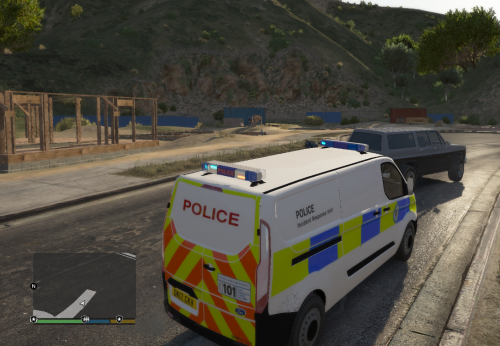 Thank you, I really appreciate it! I'll make sure to screenshot it better next time
 -
Okay, I will do. I've uninstalled all the mods including LSPDFR, I'm reinstalling it all from scratch starting with lspdfr
-
Sometimes when I load into GTA5 on the new LSPDFR my police character I created will be showering in the apartment, Once you select to stop shower the character is shown in a cinematic mode camera and there is no escape from the shower whatsoever so initially it means I have to either try and load the save again, or completely reload gta. Is this a common problem? I don't have many plugins installed and the ones I do have been specifically updated to work with 0.4, I'll list the ones I know I have below in case its relevant and I've definitely installed the correct versions as I had to check a few times myself: Traffic policer Computer+ Search warrant Callout manager Stop The ped (Was installed at the time of the issue, I've recently removed it) LSPDFR Comes alive I already understand this may be a known glitch, or it could just be an error I've made somewhere along the line of installation. Any advice is greatly appreciated.
-
I would definitely have to agree.
-
I had similar issues, I managed to fix it after I removed literally every single plugin, I only installed plugins that have been updated to work with 0.4 and now it all works fine.
-
Ive had this issue a few times where it'll seem like there's another police car nearby with its lights on, you'll search the entire area, No police cars in sight.
-
 I really hope this could be updated soon to work with all these new updates to everything.
- 302 comments
- 66 reviews
-
-

- 1
-
-
Thank you so much for your help. I've managed to resolve the issue now, I had to reinstall my vehicles folder and then change the tint
-
-
 Hi, This does not work for me at all.
 -
 I'm having issues with this specific mod, Whenever I have this installed, The courts system part of the LSPDFR+ mod stops working, It wont show any pending cases or results even after waiting days after summoning someone to court, The only time the courts work is when you arrest drug runners and you get the cutscene to present your evidence. I love this mod and would really like to know how to fix this so I can continue using it.
- 203 comments
- 29 reviews
-
Recently with the PSNI Astra Justice by british gamer I've had problems with tinted windows, I was able to fix the windows using the meta file as instructed via multiple tutorials by people with similar issues online, I also know you can do the same thing with a trainer, However once this is done its like the lightbar is still blacked out, Its really dim and buggy, Once the tints have been removed the lightbar flashes blue but is really dim even with my settings including POSTFX on ultra, I've tried increasing the car.default values in the visual settings however this does increase the lights, but a little too much, when the visual settings get increased the lights start bugging, they look orange and then if you move they show red, they might show blue depending on what angle you're in, and most of the time the light looks white, not blue, So essentially I can only use the car with dim lights otherwise its unusable completely. I've had the same problem with other models too so I'm wondering if there's a universal fix or if anyone else has had this issue, Reinstalling everything is the last thing I want to to.

