GCode2k1
Members
-
Joined
-
Last visited
Everything posted by GCode2k1
-
-
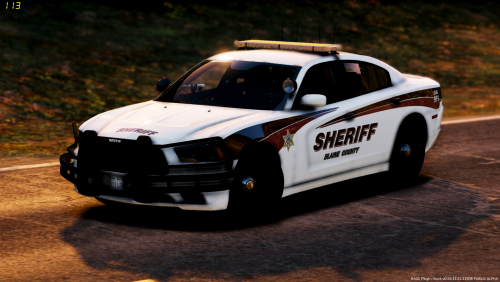
 @GeneralFord1 Would you be so kind and do this pack? I tried paint.net and gimp. I tried cutting out the red textures and then adding the blue instead of just pasting over the red. I still mess up the light bar somehow. Those MX27000's or any old school light bars absolutely kill me trying to change them smh lol
- 380 comments
- 31 reviews
-
-
Ahh ok, had no idea. Thank you. Now everything makes sense 🙂
-
In order to install the mod in the link below I have to get into the "menyoo and spooner" folders. I have no clue where to find these folders. I did a search in open IV and it returned no results. The modder didn't include a pathway. I've attempted to contact the modder but have received no response. Any help on how to install the mod in the link below would be great. Thanks.
-
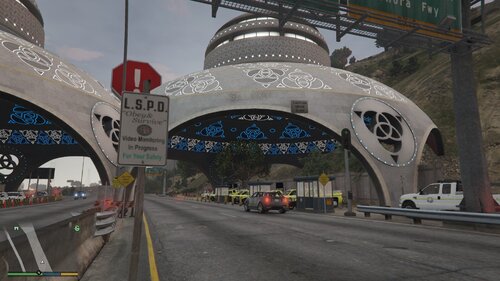 Can't wait to try this. Would someone please supply the pathway to the Menyoo folder?
- 7 comments
- 1 review
-
Thanks so much! I'll give it a shot
-
<Vehicle chance="70">sheriff</Vehicle> <Vehicle chance="30">sheriff2</Vehicle> Above is an example the lspdfr website gives. I'm referring to the lspdfr custom folder "agency" xml. How would I write a command if I wanted "sheriff livery 3" to have a 70 percent loadout and " sheriff2 livery 1" to have a 30 percent loadout? Is this even possible? Let's say there are 5 liveries for sheriff and sheriff2 hypothetically. Thanks for any help PS..... I don't know how to write a loadout command for a specific livery of a vehicle slot if that makes more sense. Ex. Slot - Sheriff Ex. livery - 3 of the sheriff slot.
-
-
-
Thanks so much! that's the one that was giving me issues. For some reason when I drag and drop the blue texture on the red texture in paint.net it changes the lightbar texture to blue blue but it completely blocks the lights in the lightbar. Do you have any idea what I was doing wrong? Yours worked perfectly as usual lol
- 380 comments
- 31 reviews
-
-

- 1
-
-
@GeneralFord1 Your work is awesome and you've inspired me to learn how to do this myself. Thank you so much. I only struggle with these old school lightbars. I use paint.net but everytime I change the glass color on the lightbar to blue blue it messes up the entire lightbar and the light won't shine through the glass. Please help. If you have time to share what you did to change this to blue blue without messing up the lightbar I'd love to know. Thanks. PS, I'm strictly talking about the lightbar texture. I already know how to edit the VCF and the other light textures to show blue blue.
- 380 comments
- 31 reviews
-
-
 Really like this mod. For some reason the court cases don't show up in the "active cases"section for the lite computer system. I have the ini file set for 1 day. Not sure what to do to fix this. Please assist someone. Thanks
- 1,005 comments
- 68 reviews
-
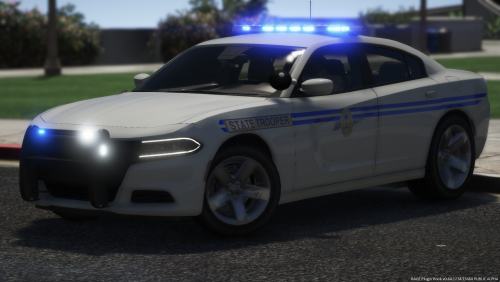 I don't know what to say. The work that was put into this is something I feel we all can aspire to. I'm from Greer, SC. Way to rep SC!
- 83 comments
- 19 reviews
-
-
- 1
-
-
 @PieRGud Hello mate, This is an awesome mod and I've been using every since it came out. Only issue is that it constantly crashes my game when I do a vehicle ped search. This only started when LSPDFR updated to 0.42. Please update so it's compatible with LSPDFR 0.42.
- 1,743 comments
- 172 reviews
-
-
- 2
-
-
-
Thank you very much TreadRed
-
I'll keep this as simple as I can. Let's say I want the vehicle in the Police 2 slot to only patrol in the Blaine County default Region. Which XML document do I need to edit? Which XML document tells police 2 what region to patrol in? Please refrain from telling me to just use the "Sheriff" slot. I'll ask that you take it easy on me if the above was a dumb question as I'm a complete noob and very green in regards to this type of editing. Thanks everyone.
-
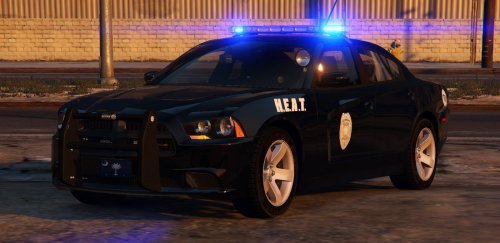 I live in South Carolina and this is just amazing! We have these all over SC. Love how you include an all blue lighting setup as that's how we do it in SC. 😎AWESOME WORK!!!!!!!!
- 56 comments
- 25 reviews
-