


.jpg.8c4825a6a6c270b028e61f8789398c06.jpg)
ChristianM.0498
Members
-
Joined
-
Last visited
Everything posted by ChristianM.0498
-
.thumb.jpg.37cdb54de83d6dee03b6b15e76b2f5fd.jpg) Great callouts and detail on this thread! Looking forward to seeing what else this pack has in store for the future. If I may recommend, I'd say adding a MVA (Motor Vehicle Accident) callout for this pack in the future. I know that it's a common callout, but it's far too common realistically to see MVAs in city limits or on the highways and I think there could be great detail added to this specific callout. For example, there could be three different stages/possibilities for each MVA such as: CODE 1 - Minor fender bender accident, LEO requested to take official claim/statements from party and decide if vehicle(s) is road-worthy. CODE 2 - Accident reported with no injuries/life-threatening situation however traffic control and standard procedure required (similar to above but vehicles cannot be driven away and require towing. CODE 3 - Accident reported with loss of life/severe injuries reported, vehicles cannot be driven, blocking roadway, and requires full emergency response (LEO, Fire, EMT). This could include a required investigation after scene is declared secured and all medical transports/coroner operations are completed. Thanks!
Great callouts and detail on this thread! Looking forward to seeing what else this pack has in store for the future. If I may recommend, I'd say adding a MVA (Motor Vehicle Accident) callout for this pack in the future. I know that it's a common callout, but it's far too common realistically to see MVAs in city limits or on the highways and I think there could be great detail added to this specific callout. For example, there could be three different stages/possibilities for each MVA such as: CODE 1 - Minor fender bender accident, LEO requested to take official claim/statements from party and decide if vehicle(s) is road-worthy. CODE 2 - Accident reported with no injuries/life-threatening situation however traffic control and standard procedure required (similar to above but vehicles cannot be driven away and require towing. CODE 3 - Accident reported with loss of life/severe injuries reported, vehicles cannot be driven, blocking roadway, and requires full emergency response (LEO, Fire, EMT). This could include a required investigation after scene is declared secured and all medical transports/coroner operations are completed. Thanks!- 183 comments
- 24 reviews
-
-

- 5
-
-
 @Lukaz Here is the screenshot of my LSPDFR folder: For some reason I can't launch any of the Beach Callouts from Callout Manager - nor do I ever get them randomly. I'd love to use this pack but I can't for whatever reason.
 -
Definitely intrigued based off this ;D
-
Yeah, I noticed people are still using this callout pack and able to get most to work - which makes me think it's a compatibility issue with other plugins like STP/UB that could cause issues. Almost everyone uses STP/UB for an immersive experience so I would really like to see it be updated
-
Unfortunately as much as I would love to utilize this callout pack, none of them seem to start/work. I know you said you are working on updating it, do you think this will be fixed soon?
-
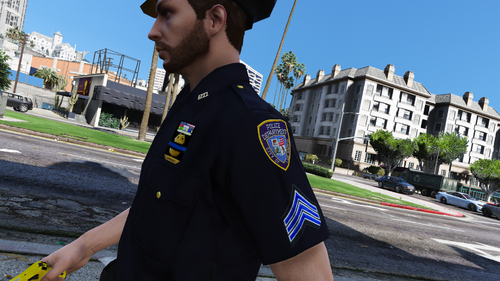 I love this, one of my favorite packs! However, I'd have to agree that you probably should make it into an .OIV installation. It's tedious for players to go through and install each path - you could also have highlighted where the paths are going to be (there's two main files where everything goes into), instead of writing out each path on a readme.txt. You probably spent more time into making that readme.txt than you could have just made an .OIV installation 3x faster. Doing this now when you have free time might have just made this really shine and increase the download/use by a lot. Anyways, your pack is really awesome and I love the NYPD-Influenced look but still keeping the LSPD/SAHP feel to it as well. Great work!
- 38 comments
- 3 reviews
-
-
- 2
-
-
-
 This is such an awesome callout pack! I love Fire/EMT services, and this is just AMAZING! Agency Callouts has a lot of crashes so I am unable to run that effectively, however I know this will eventually take over as my main pack. I do really want to see you develop EMT callouts eventually, however Fire is an amazing place to start. I noticed in videos of this callout that you can have other firefighters with you that will help extinguish the flames, how do I do this as well? Ultimate Backup is tailored to Police, so if I try to spawn a partner I can only spawn one and they use a tazer instead of a fire extinguisher. Love your work!
- 364 comments
- 19 reviews
-
-
- 1
-
-
 Love your callouts, very different and immersive than most out there. I'd like to suggest looking into doing some Supervisor callouts like: Wrecked Police Vehicle, Super requested, etc. Also I'd love to see what other ambient events you could do. One supervisor ambience could be assisting with a traffic stop and having interaction with the officer/ped.
- 255 comments
- 16 reviews
-
-
- 1
-
-
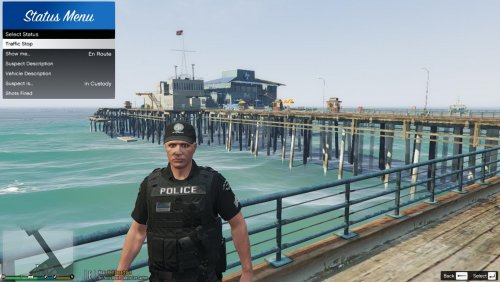 Very interested in seeing this updated! This looks like a nice clean plugin!
- 64 comments
- 13 reviews
-
-
- 1
-
-
I'm really interested in learning modding with GTA V. Does anyone have any tips or resources I should check out?
-
I haven't installed EUP L&O.oiv into OPENIV yet just EUP menu.
-
Isn't that the whole game? Is there any other method to fixing this? I just recently did a fully fresh install of GTA and I am still getting this error.
-
Yes, the one I posted is the recent crash (I've gotten the error like 6 times), and that's the only abnormality that I see. Here is a screenshot from the posted log: http://prntscr.com/puggpk Also for your convenience here's the log c/p'ed directly from my most recent RPH:
-
Hi, I keep getting the following in my RPH, which causes GTA V to crash. I've tried everything to resolve this - including deleting my mods folder, reinstalling LSPDFR/RPH and reinstalling GTA V all together. Can anyone tell me what the problem is? [11/8/2019 1:11:31 PM.388] LSPD First Response: [WARN] Error while hiding ambient game blips: System.AccessViolationException: Attempted to read or write protected memory. This is often an indication that other memory is corrupt. LOG: GTA V crash.log
-
@Nicoenderman Löschen Sie zuerst den "SDK" -Ordner, er wird überhaupt nicht benötigt. Zweitens zeige mir einen Screenshot von dem, was sich in deinem Plugin-Ordner befindet, und den Dateien von lsdpfr> audio> scanner.
-
Hey, tut mir leid, ich benutze einen Übersetzer, da ich Amerikaner bin. Nach allem, was ich sehe, haben Sie wahrscheinlich das LSPD-Plugin (lspd.exe) nicht richtig gefunden. Senden Sie einen Screenshot Ihres GTAV-Hauptordners und ich werde nach Ihnen suchen. @Nicoenderman
-
Sie müssen ein RPH-Protokoll bereitstellen, damit jeder sehen kann, warum Ihr RPH fehlgeschlagen ist. @Nicoenderman
-
So you typically don't have to download the Rockstar version if you own the STEAM version, with the new launcher it will attempt to re-download the game from Rockstar's new launcher. HOWEVER, if you have the Steam version already installed, you can force the Rockstar launcher to detect your existing game version. On the Rockstar launcher, click 'Settings' on the upper right of the windows - just to the left the white "R". From there, look for the bottom of the General settings and you should see "Scan PC for Supported Installs". This should immediately scan for .exe files for GTA V and should let it detect you've already installed GTA V. Note, that even mine still asks to download GTA V, even though I play it from Steam all the time - I just have to open the Launcher as well as RPH to let it cooperate. Let me know if this helped any! @OneTwo509
-
Try this: Launch Steam/Rockstar Launcher in Admin mode, then launch RPH in Admin mode as well. - Disable GTA V through your Windows Defender if you have Windows software (GTA.exe and PlayGTA.exe both) - Open Rockstar's Launcher (double click PlatGTAV.exe) when trying to launch GTA V through RPH. - Really restart your computer if you haven't, this could unlock and reset ports needed to launch the game. Hope this helps! @Ryanleiper26
-
Can you let us know what you did to fix the error so it can be resolved for others? @triple6ix
-
woah I don't know in hell you are getting this error, check your RPH.ini folder
-
This worked when I deleted the _mods folder, and tried to launch. It worked, so I proceeded to install the vehicles/EUP/Visuals that I previously ran before I had issues, but it appears to be the same problem after everything loads - it simply crashes and gives the log stated above. Getting realllly fustrated here, could use some help.
-
So the Rage Plugin Hook gets all the way until it says: Loading and Populating Game World - then my GTA V immediately crashes after that. Here is my RPH Log:
-
Do you have Developer mode enabled? Based off this log, I don't see any immediate issues with your set up, usually this is caused by the threshold timing out but you have 3000s properly set. I wish I could be more help based off your log.
.thumb.jpg.e323f607c3fad0f0ca64ad0bb8d5cfeb.jpg)
.thumb.jpg.37cdb54de83d6dee03b6b15e76b2f5fd.jpg)

