


Poram11
Members
-
Joined
-
Last visited
Everything posted by Poram11
-
False accusations? I'm just sharing my opinion and observations like everybody else here.
-
They probably wont make the end of the February release date. I honestly wish they didn't even give a date. What is the point of doing that. There was less pressure on them before announcing they are 'almost' done, now they got the whole community pacing back and forward waiting. It seems many modders slowed down on releasing new mods and updates in anticipation of this release. Shoot, just say "We anticipate to release it on Feb. 28th. If its earlier, then great.
-
Was an announcement really necessary. I think people would have been better off being surprised by the sudden release of 0.4 instead of having to sit through a month of anxiety waiting for it to finally release.
-
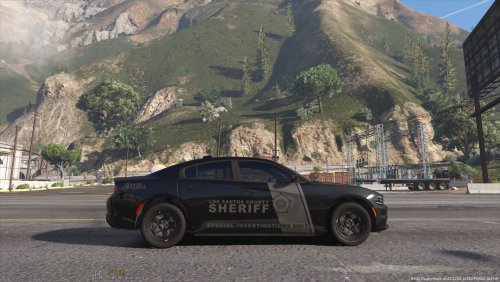 Are there any additional ways to reduce my window tint. I changed the "diffusetint" line in the meta to turn off tint as instructed, but not even that works. My windows are pitch black and I can barely see the lights that are behind the windshield. 😞
- 46 comments
- 7 reviews
-
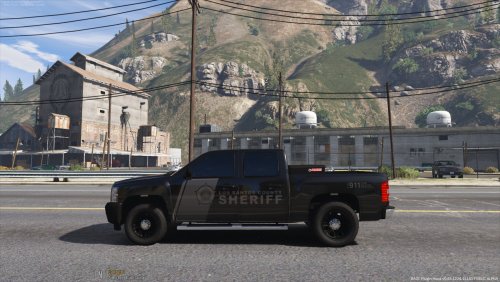 For some reason the right side of the truck bed is transparent. I can see right through it. Any idea how to fix that? (In game it is transparent, when I open the truck model in the editor, it shows that same area as 'black' while the rest of the truck is white. )
- 15 comments
- 2 reviews

