wiieatfish
Members
-
Joined
-
Last visited
Everything posted by wiieatfish
-
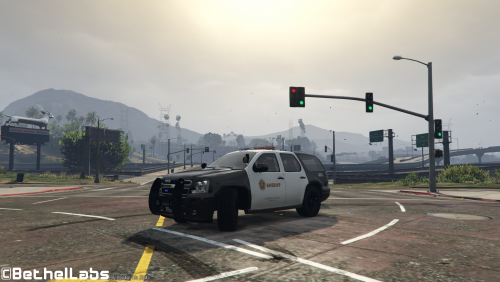 This looks good. You should add the LASD Logo and text to the cargo hatch of the SUV like the photo
- 1 comment
- 1 review
-
 Can anyone help edit the meta file. I saw another person ask for help on this as well. Im running windows 9 and have OpenIV in edit mode. I have installed all Police files, but, the system will not allow me to edit the Meta file. Any help will be appreciated.
- 563 comments
- 116 reviews
-
All of these are great ideas. I would Add these to your wish list. *Serve a felony Search Warrant *Parole check on a parole *Probation check *Officer needs help 11-99 call- *Unknown Disturbance call-out turns into an ambush scenario *Noise Complaint *Breakup a brawl inside of a bar *Hot Prowl- Neighbor has called in a burglary in progress. *Robbery in progress at a gas station, convenience store, or armored vehicle. *Police Station under attack- A gang has led an assault on a police station in an attempt to breakout their leader. *Motorcade mode- FIB, LCPD Officers, Sheriff Deputies, and Highway Patrol Motors work together when a dignitary lands at the airport and needs to be transported to his / her hotel. It could go off without a hitch, or the officers might have to put down an assassination attempt. *Gang Mode- You work with 10 other officers - In uniform and driving slick top vehicles, and you respond to gang callouts and enforce gang injunctions.
-
 Pretty Cool. Good groundwork laid here. It's causing a crash in my LSPDFR though. I would eventually love to see a Raid, maybe a gang officer mode, serve a search warrant, motorcade mode. These would all be really cool features in future updates.
- 423 comments
- 73 reviews
-