Skip to content
View in the app

A better way to browse. Learn more.

LCPDFR.com

A full-screen app on your home screen with push notifications, badges and more.

To install this app on iOS and iPadOS
  1. Tap the Share icon in Safari
  2. Scroll the menu and tap Add to Home Screen.
  3. Tap Add in the top-right corner.
To install this app on Android
  1. Tap the 3-dot menu (⋮) in the top-right corner of the browser.
  2. Tap Add to Home screen or Install app.
  3. Confirm by tapping Install.

FoxWolf998

Members
  • Joined

  • Last visited

Everything posted by FoxWolf998

  1. Thank you. Now everything is working fine 🙂
  2. Hello, I have a problem with Better EMS. When i type ForceDuty and when BetterEMS try to load. The game freezes and lspfr crashes. I got a screenshot. (Sorry for my bad english). RagePluginHook_13102020_210617.log
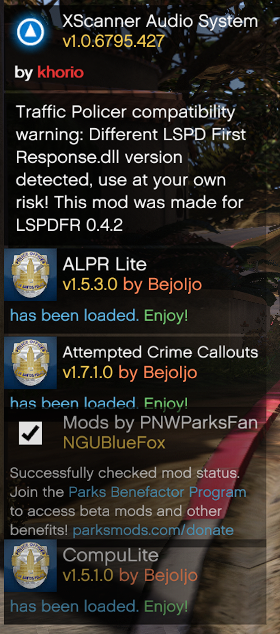
  3. Hello guys, First i want to apologize for my bad english . When i put update folder into the mods folder, RageHook crashes. Anyone know how to fix this
  4. Hello guys, First of all, sorry for my bad English. Well, today I brought the game but not from Steam. I have DVD Copy. I want to ask I can make a modded copy for LSPDFR and how. Sorry for asking but i'm new :)
Account

Navigation

Search

Search

Configure browser push notifications

Chrome (Android)
  1. Tap the lock icon next to the address bar.
  2. Tap Permissions → Notifications.
  3. Adjust your preference.
Chrome (Desktop)
  1. Click the padlock icon in the address bar.
  2. Select Site settings.
  3. Find Notifications and adjust your preference.