


.jpg.a8b184e26c2c7143438a65893a1b7496.jpg)

danksg
Members
-
Joined
-
Last visited
Everything posted by danksg
-
LSSD Patrol Winter patrol out in the county. Enjoying the snow, cold air, and some offroading in the Tahoe.
-
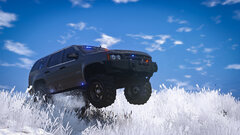
From the album: Dank LSPDFR Adventures
LSSD - Offroading -
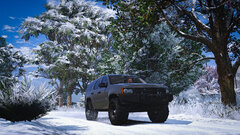
From the album: Dank LSPDFR Adventures
LSSD - Winter -
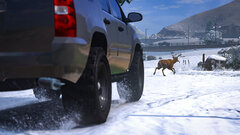
From the album: Dank LSPDFR Adventures
LSSD - Deer -
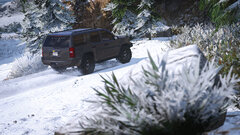
From the album: Dank LSPDFR Adventures
LSSD - Snow Drive -
 No worries, seems to be something on my end with the recent update and everything just going pffft. Thanks!
 -
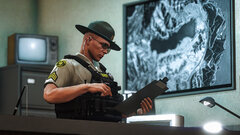 It's a paid vest. PM me if you're interested and I can send you the link where you can buy it.
 -
Appreciate the update! This latest version keeps causing my entire game to freeze and crash whenever I go on duty though. I'm currently running LSPDFR 0.4.4. Definitely can't say that it's OTB's fault, as I haven't had the time to really troubleshoot it (not ruling out some other conflicts or just how lspdfr works weird for some). But basically, as soon as I remove OTB, everything runs fine again. I know I'm not giving much information here, but just thought I'd let you know first. Will update again once I've been able to mess around with it a bit more and do some troubleshooting. Hey, this really isn't the place to be asking about that. Try posting this in the support forums or on reddit. Plenty of help and guides there.
-
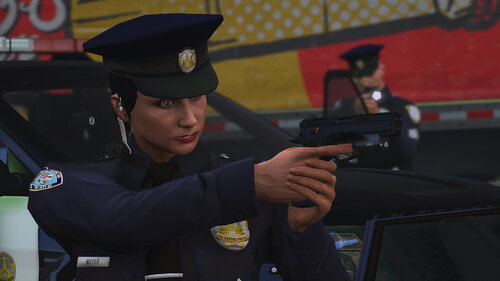 It's BradM's LSPD pack and the Pueblo PD texture is from one of his massive texture packs (can't remember which one exactly, sorry).
 -
Hey there, I just re-looked at it and realised I somehow missed out some subfolders. I've updated the path on the main page as well as in the readme. Give it a try again. Yep, it replaces the Groupe 6 hat. Male: GTAV/mods/update/x64/dlcpacks/sup/dlc.rpf/x64/sup_componentpeds_p.rpf/mp_m_freemode_01_p_male_xmas2 Female: GTAV/mods/update/x64/dlcpacks/sup/dlc.rpf/x64/sup_componentpeds_p.rpf/mp_f_freemode_01_p_male_xmas2 Let me know if there still are problems. Cheers!
-
Have you ever felt that the default LSPD Peaked Cap / Police Hat seemed to fit a little weird? I always thought it seemed a little too big and was tipped upwards a little too much. So, what I did was to create a simple LSPD texture for the Gruppe 6 Security Guard's peaked cap which fits a little better and sits in a way that I thought looks better too. Works for both male and female peds. Hope you enjoy this as much as I do! P.S. this is my first time uploading anything. I kinda like using this hat and just thought I'd share it with the community. Please let me know if there are any needed improvements. REQUIRES: 1. EUP - Law & Order 2. EUP - Serve & Rescue 3. EUP Menu INSTALLATION PATH: Male: GTAV/mods/update/x64/dlcpacks/sup/dlc.rpf/x64/sup_componentpeds_p.rpf/mp_m_freemode_01_p_male_xmas2 Female: GTAV/mods/update/x64/dlcpacks/sup/dlc.rpf/x64/sup_componentpeds_p.rpf/mp_f_freemode_01_p_male_xmas2 NOTE: This texture replaces the Gruppe 6 Security hat which is found in Serve & Rescue (SUP) and not Law & Order (EUP).
-
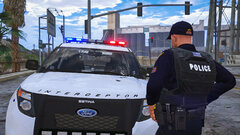 Hey, here's the uniform pack I use:
 -
-
'SASP Patrol" Managed to get the Harley to wheelie. But....
-
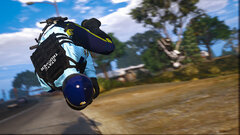
From the album: Dank LSPDFR Adventures
SASP - Why you shouldn't wheelie into traffic -
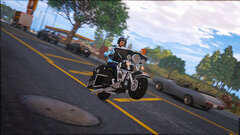
From the album: Dank LSPDFR Adventures
SASP - Harley Wheelie -
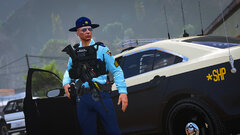 Haha yeah totally not feeling the car + uniform combination. I was actually about to change to another State Trooper uniform which was more greenish and would definitely match the FHP livery. But turns out it didn't have female uniforms so I abandoned that idea but already changed the cars lol. Anyway, the vest is a paid vest. If you're interested just let me know and I'll pm you the link to the discord server I got it from.
 -
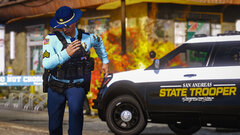 Ah gotcha! I'm using VisualV and ReShade. All my screenshots are edited though, so it doesn't exactly look like that in-game. I generally tone the colours, brightness, etc. When I'm back at my laptop, I'll send you a raw screenshot to compare the differences.
 -
Thanks! Are you referring to the State Trooper vehicle texture?
-
From the album: Dank LSPDFR Adventures
SASP - Tactical response -
SASP Patrol State Patrol on patrol - Traffic duty, a 2016 Explorer, and looking cool while running from an explosion.
-
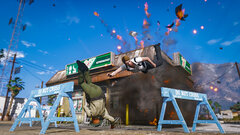
From the album: Dank LSPDFR Adventures
SASP - Boom! -
From the album: Dank LSPDFR Adventures
SASP - Run! -
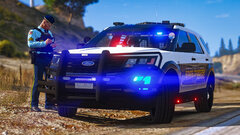
From the album: Dank LSPDFR Adventures
SASP - Paperwork -
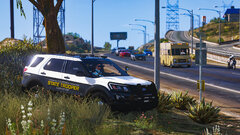
From the album: Dank LSPDFR Adventures
SASP - Traffic duty


