


.jpg.a8b184e26c2c7143438a65893a1b7496.jpg)

danksg
Members
-
Joined
-
Last visited
Everything posted by danksg
-
Here's something to help the wait.
-
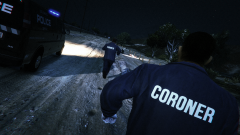
From the album: Dank LSPDFR Adventures
We've got bodies to photograph. -
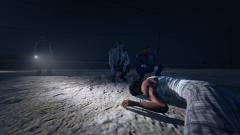
From the album: Dank LSPDFR Adventures
-
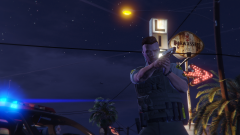
From the album: Dank LSPDFR Adventures
Just another night in Sandy Shores. -
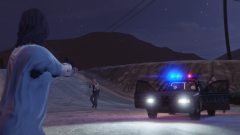
From the album: Dank LSPDFR Adventures
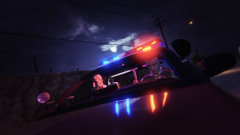
She died. -
From the album: Dank LSPDFR Adventures
Night patrol with the partner. -
From the album: Dank LSPDFR Adventures
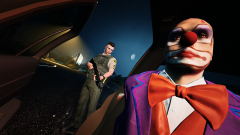
This clown had just stabbed a woman to death. -
From the album: Dank LSPDFR Adventures
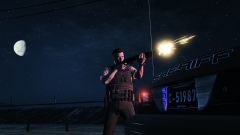
Engaging an active shooter with a SPAS-12. -
-
-
-
Various random screenshots from some of my patrols.
-
From the album: Random LSPDFR
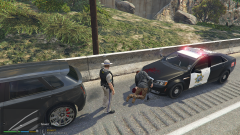
So, I'm on my usual highway patrol when I pull over this guy for speeding. I bring him to the front of my Caprice for a pat down and to cuff him. Just before I pat him down, he pulls a pistol on me. I quickly melee him (I have Realistic Melee installed so in general the one punch kills don't happen anymore), he falls over the bonnet of my cruiser and as he falls, his hand holding the pistol somehow turns inwards to his body and fires as he hits my bonnet. That's how the blood got on my cruiser and that's his pistol on the ground. I never even unholstered my weapon, let alone fired it. Yet, here's a perp who was shot to death. I thought it was hilarious and I just wanted to share it with someone. Hope you found it as funny as I did, hah! -
From the album: Random LSPDFR
Clearly the City of Los Santos has to sort out some paperwork. -
From the album: Random LSPDFR
Wondered what would happen if I drove my crown vic (both forward and reverse) straight into a speeding train. -
From the album: Random LSPDFR
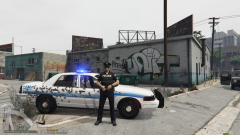
Post-shootout pose. First officer on scene to a gang-related shooting at a strip club. -
I suppose I'll be listening to this on loop till 0.4 is out...
-
How I envision the release of 0.4 to be: "Wo-oh. The new version is in!"
-
My wife doesn't play LSPDFR, but thinks it's incredibly cool. She enjoys occasionally watching me play and loves how much fun I derive from customising "my world" with skins and all. She's totally cool with letting me play cops all day long. #yayme In other news, I NEED 0.4 AND I NEED IT NOW!
 The latest speed update really makes this perfect. Giving it 5 stars! Traffic flows well regardless of how light or heavy I set it to in my gameconfig. In fact, I find myself not needing to use the Traffic Control plugin anymore as the AI automatically reacts appropriately when I pull people over etc. If you've not given this plugin a try, you absolutely must. It will definitely change your policing experience in San Andreas! P. S. Thank you so much RCrw notik for making my experience in LSPDFR that much more perfect!
- 366 comments
- 32 reviews
-
-

- 3
-
Well, I can't say that this is my best screenshot but it was a hilarious moment that I just needed to share with someone. So, I'm on my usual highway patrol when I pull over this guy for speeding. I bring him to the front of my Caprice for a pat down and to cuff him. Just before I pat him down, he pulls a pistol on me. I quickly melee him (I have Realistic Melee installed so in general the one punch kills don't happen anymore), he falls over the bonnet of my cruiser and as he falls, his hand holding the pistol somehow turns inwards to his body and fires as he hits my bonnet. That's how the blood got on my cruiser and that's his pistol on the ground. I never even unholstered my weapon, let alone fired it. Yet, here's a perp who was shot to death. I thought it was hilarious and I just wanted to share it with someone. Hope you found it as funny as I did, hah!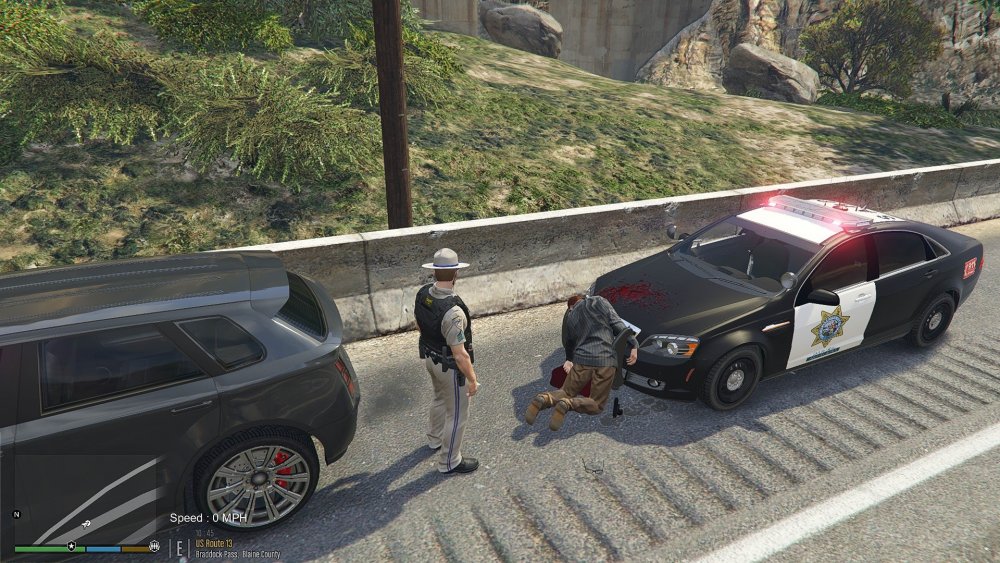 Hey there, I'm loving how the traffic is a lot more controlled and it does feel like the AI is driving like someone who actually did learn how to drive. I do find some of my non-plugin policing (eg just regular traffic policing) is affected where the cars I'm chasing aren't actually speeding off but still maintaining lane discipline and sometimes even keeping to the speed limit. I've not had any difficulty stopping any pursuits ever since using this script because the AI I'm pursuing generally cruises around the speed limit. I also don't seem to have encounter speeders anymore on the freeways. And traffic along the small roads off outside of Los Santos (up the hills etc) is generally crawling. Am I the only one encountering this? P.S. really do love this. If I can somehow get back some of the crazy pursuits that'd be great too! EDIT: Okay, my mistake. There are speeders on the freeways. I finally encountered them. I suppose maybe I didn't encounter them earlier on due to it being around 7-8AM. Just did a quick drive down Olympic Freeway at about 9PM and found loads of speeders.
- 366 comments
- 32 reviews
-
-
- 1
-
 One of the few LSPD packs with a white base colour. It's my absolute favourite. Just love everything about these cars. Took the crown vic out for my first patrol today and survived a massive gang shootout.
- 147 comments
- 65 reviews


