


.jpg.a8b184e26c2c7143438a65893a1b7496.jpg)

danksg
Members
-
Joined
-
Last visited
Everything posted by danksg
-
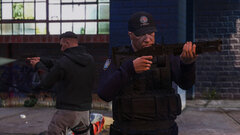
From the album: Dank LSPDFR Adventures
LSPD - Gang Shootout -
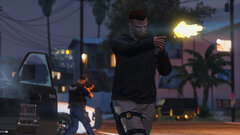
From the album: Dank LSPDFR Adventures
LSPD - Gang Shootout -
Glad it's worked out. Happy for you and your boy!
-
Does your vanilla GTAV launch fine? If it doesn't, then you might unfortunately have to have a clean installation. I had lots of problems with the latest GTAV updates because even though the files are verified, the latest patchday folder doesn't appear. Only managed to fix it with a clean installation. If it does, try launching vanilla GTAV then only launch RPH once you see those loading background images. Hopefully this works.
-
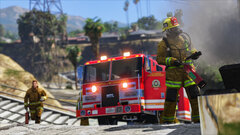 I'm not sure what you mean exactly. This was a call out from Super Callouts and I just called for Fire Backup to deal with the fire.
 -
LSPD Undercover Patrol An escaped prisoner, felony elusion, and a gang ambush. (This was my final patrol before the recent GTAV updates which broke lspdfr for me. Have gotten it working with a clean install but it'll take some time for me to get my game back to where it was, so it'll be a while before I get more screenshots up.)
-
I caved, guys. I couldn't take it anymore. I've done a clean install and vanilla GTAV and basic LSPDFR works fine. Now it's just the uphill task of getting my "world" back in order... vehicles, textures, uniforms, jurisdictions, sound effects, visual mods, meta edits, weapon models, visualsettings, plugins, and so on. No biggie. 😕
-
"also I spent 5 hours yesterday and 5 more the day before setting up a set of skins for a fleet of new vehicles and now I can't even use them :^)"
-
Does anyone know how to solve the issue of the game crashing due to an access violation error? The game fires up till after the Rockstar video / logo and the moment the "Loading Story Mode" line appears in the bottom right with the loading wheel appears, the game just closes and a message saying "GTA5 Exited Unexpectedly" pops up. Checking the log, it shows that it was an access violation error (0xC0000005). I've had this issue since the first release of the Diamond Casino DLC but because it didn't work, I reverted to the previous version. However with the new Rockstar Launcher, I'm forced to update and I can't get anything to work. Any help would be greatly appreciated. 😕
-
From the album: Dank LSPDFR Adventures
LSFD - Fire -

From the album: Dank LSPDFR Adventures
LSFD - Fire -
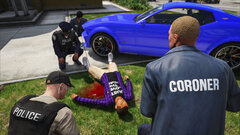
From the album: Dank LSPDFR Adventures
LSPD - Time Of Death -
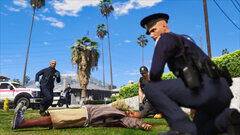
From the album: Dank LSPDFR Adventures
LSPD - EMS On Scene -
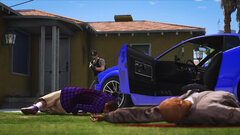
From the album: Dank LSPDFR Adventures
LSPD - Suspects Down -
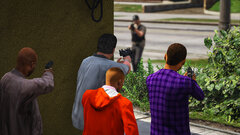
From the album: Dank LSPDFR Adventures
LSPD - Ambush -
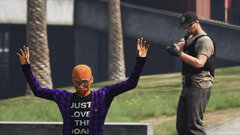
From the album: Dank LSPDFR Adventures
LSPD - Suspect Complying -
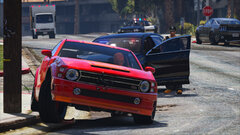
From the album: Dank LSPDFR Adventures
LSPD - Suspect Fleeing -

From the album: Dank LSPDFR Adventures
LSPD - Waiting for backup -
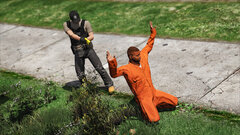
From the album: Dank LSPDFR Adventures
LSPD - Escaped Prisoner -
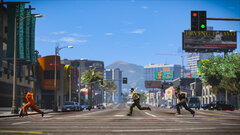
From the album: Dank LSPDFR Adventures
LSPD - Escaped Prisoner -
Man, I hear ya. That really sucks. Sigh. Oh well, it looks like all I can do is to be editing and uploading my screenshots these couple of days.
-
I'm straight up depressed. It's been a really long week at work so far and it's just going to get longer. Just wanted to get in an hour of LSPDFR after work ended at 930PM. Even had some new textures I wanted to try out and was really looking forward to it. Instead, I get back to this update which breaks my older version (have been running on the pre-Diamond Casino version with 0.4.2 - incredibly stable for me). So, I update GTA5 with the Diamond Casino DLC and now my game perpetually crashes due to some access violation error. Have tried deleting my mods folder and all, and I just can't even get vanilla GTA5 to launch without that crash. Zzzz. Sorry, I know I'm not adding anything constructive to the conversation, but I just needed to vent and I figured you folks would understand, hah. 🤷🏽♂️
-
Hi all, Ever since the Diamond Casino update, I've been unable to run GTAV altogether. The moment I reach the loading screen for GTAV, I get spat back out to desktop with a message that says "GTAV Exited unexpectedly". As such, I reverted back to a previous update and was able to run GTAV and play LSPDFR 0.4.2 with no problems. With the recent update where we now have to launch the game using Rockstar's launcher, it seems that the game won't launch if it's outdated. RPH launches the game, which then launches it in steam, which then launches it in Rockstar Game Launcher, but after about 10 seconds everything just closes. So, I tried updating everything again but I'm back to the same old problem of "GTAV exited unexpectedly". I'm now unable to play LSPDFR or even vanilla GTAV. Is anyone else having similar issues?
-
BCSO Patrol Traffic stops and pursuits.
-

From the album: Dank LSPDFR Adventures



