


.jpg.a8b184e26c2c7143438a65893a1b7496.jpg)

danksg
-
Joined
-
Last visited
Everything posted by danksg
-
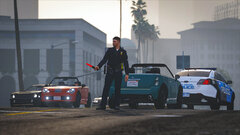
From the album: Dank LSPDFR Adventures
LSPD - Traffic Control -
LSSD Patrol (Part 3)
-
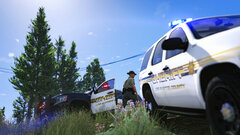
From the album: Dank LSPDFR Adventures
LSSD - Double Tahoes -
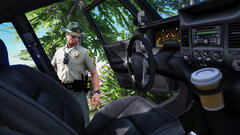
From the album: Dank LSPDFR Adventures
LSSD - Vehicle Search -
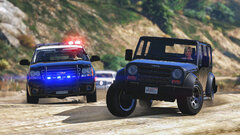
From the album: Dank LSPDFR Adventures
LSSD - Pursuit -
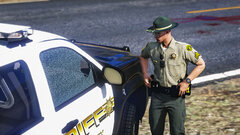
From the album: Dank LSPDFR Adventures
LSSD - They shot up my ride! -
 Hey thanks so much for the response! Really appreciate it. Hm, I do have all those installed properly. Anyway, I have been experiencing all sorts of other weird problems ever since the latest patch so it could be my own game. Thanks though!
 -
LSSD Patrol (Part 2) Shootout in the countryside
-
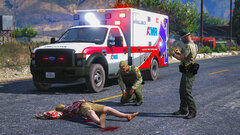
From the album: Dank LSPDFR Adventures
LSSD - EMS on scene -
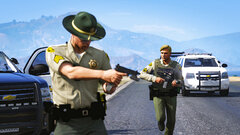
From the album: Dank LSPDFR Adventures
LSSD - Backup -
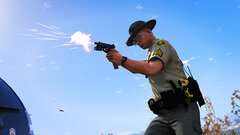
From the album: Dank LSPDFR Adventures
LSSD - Returning Fire -
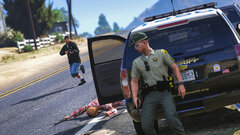
From the album: Dank LSPDFR Adventures
LSSD - Taking Cover -
Hi there, I've been using previous versions of Traffic+ and haven't had any issues. With the recent update, I've noticed that one vehicle keeps disappearing when I drive up close to it. I think it's the 3-wheeled motorbike. Any idea what would cause vehicles to disappear?
-
LSSD Patrol (Part 1) Patrolling the countryside
-
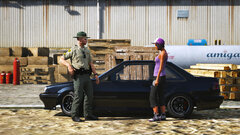
From the album: Dank LSPDFR Adventures
LSSD - Trespassing -
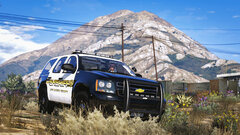
From the album: Dank LSPDFR Adventures
LSSD - Watching -
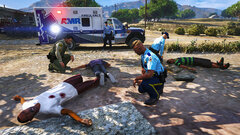
From the album: Dank LSPDFR Adventures
LSSD - Suspects Down -
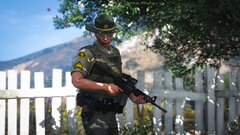
From the album: Dank LSPDFR Adventures
LSSD - Long Gun -
 Anyone getting an issue where PSR isn't detecting other plugin? PSR's basic functions (plate/ped check, PIT, Panic) all work, but PSR doesn't seem to detect anything else like Stop The Ped or Ultimate Backup. So, I'm unable to use any of those plugins' functions like tow truck / prisoner transport / backups. I've tried "fresh-installing" PSR and the other plugins but no matter what, PSR just doesn't detect anything else. Anyone experiencing this as well? I upgraded from LSPDFR 0.4.2 to 0.4.4 and that's when I noticed it stopped working properly.
- 1,196 comments
- 127 reviews
-
Hey guys, Is anyone else getting problems with UB and STP on LSPDFR 0.4.3 & 0.4.4? The last time both plugin worked well was on 0.4.2. The plugins aren't entirely broken, but they are acting up in certain ways. Stop The Ped 1. Requesting for an ambulance transport for a ped doesn't work. The ped usually just disappears as soon as I hit enter. On other occasions, it'll cause GTA5 to crash. (Checked the stp ini file and the vehicle model for the ambulance is correct.) 2. Requesting for the insurance company to pick up cars doesn't work either. Same thing, the car just vanishes with no one actually arriving. (Checked the ini file and same thing, the vehicle model is set to the Intruder and should work fine). Ultimate Backup The only thing that's not functional is that it doesn't seem to be syncing with Police Smart Radio when I hit panic. PSR is only able to call in the default lspdfr panic backup. I also noticed that all the UB buttons don't work on PSR. Not sure if this is actually an UB or PSR issue. Anyone else having similar problems? I mean the game's still playable, just that some conveniences and immersion elements aren't available now.
-
LSPD Patrol An undercover patrol in the Strawberry area goes wrong as Sergeant Daniels (featured below) gets caught up in a massive gang shootout. Over a dozen Ballas were either killed in the gunfight or are presently in critical condition. Thankfully, no LSPD officers were KIA although several were wounded including Daniels who took 3 bullets (1 in the arm & 2 in the leg) as well as shattered glass to the face. (I've finally got LSPDFR up and running again, albeit with poorer performance - oh well.)
-
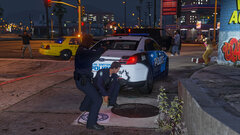
From the album: Dank LSPDFR Adventures
LSPD - Gang Shootout -
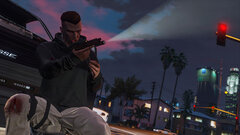
From the album: Dank LSPDFR Adventures
LSPD - Gang Shootout -
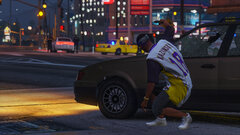
From the album: Dank LSPDFR Adventures
LSPD - Gang Shootout -
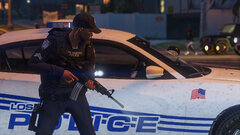
From the album: Dank LSPDFR Adventures
LSPD - Gang Shootout


