
TakeYaBackToStation4BumVio
Members
-
Joined
-
Last visited
Everything posted by TakeYaBackToStation4BumVio
-
Ha I was playing lcpdfr back in the day Plus, LCPDFR is much bigger than LSPDFR, always has been I hope 0.4 changes that and we get the new biggest mod To be honest I've never thought to myself "Damn I'd love to run a triathlon as a cop character", or "shiiit i want to watch the same GTA V tv I watched 3 years ago" ya get me now?
-
Okay, now my hype has died down a bit and I have read over the post... well, urm, yay! 3 years in the making I can't wait, but this isn't a very exciting post. I was expecting pictures of chases and lights and helicopters and army response and detective work or callouts like suicide or someone drowning... but instead we got watching TV and going to a triathlon. Okay okay, I'll take a breather. I'm sure 0.4 will be greater than the rest of the LC LSPFR mods, but I can't help thinking it's been 9 years since LCPDFR 0.1, 3 years since LSPDFR 0.1... when will we actually have a finalized download called version 1? Version 1 should be the beginning, yet here we are waiting for TV and "google" effects whatever the hell that is. Google didn't invent birds eye perspectives. Lool. Also, is there a new siren and lighting system? Because if not we will all be stuck on ELS with only 5 audio hashes to play with 😞
-
TakeYaBackToStation4BumVio replied to TakeYaBackToStation4BumVio's topic in GTA V Discussion & MediaYes, but better than 15.7
-
Damn, bou time
-
-
TakeYaBackToStation4BumVio commented on TakeYaBackToStation4BumVio's gallery image in GTA V Galleries
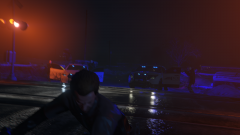 The balance is off here in a couple of places. The railway light is glowing brighter than the police vehicles 😄
 -
From the album: Spent a while crafting these scenes, mwha perfecto
-
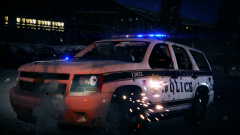
From the album: Spent a while crafting these scenes, mwha perfecto
-
TakeYaBackToStation4BumVio replied to TakeYaBackToStation4BumVio's topic in GTA V Discussion & MediaSo, it seems we need to make a simple script. Something that says do nothing until player is 20+ feet away from their vehicle, then set bloom sizes appropriate to distance.
-
 No no no this is not acceptable. I want to be able to drive smoothly, now. Is there a way you can make driveforce return 777 and hope God gets involved?? -curios modder edit: Seriously though, does this mod have ANY dependencies on script hook dot net? Because someone sent me a new version that doesn't seem to be compiled anywhere I can find at least or for public download. If this mod does use sh.net then I could send it to you. Another thing is why can't I just use an older RPH version? the latest 2 work with 1.604 or whatever this new patch is called.
- 330 comments
- 24 reviews
-
-
TakeYaBackToStation4BumVio replied to TakeYaBackToStation4BumVio's topic in GTA V Discussion & MediaAnyone know how to sort this issue?
-
TakeYaBackToStation4BumVio replied to TakeYaBackToStation4BumVio's topic in GTA V Discussion & MediaIn that case and for our use, sirens, it would be easier to a) hound Lt.cain to update or open source ELS or b) Use that god awful non-DSP using Siren Mastery mod. Which did I mention is terrible because it cuts off the siren sound the moment you let go of the button or toggle the siren. Makes any sound shit. DSP adds tiny tiny reverb in base GTA game and this guy couldn't do it do a 2016 mod? madness
-
TakeYaBackToStation4BumVio replied to TakeYaBackToStation4BumVio's topic in GTA V Discussion & MediaOkay all. I have a half-fix. Set bloom.blurblendmult small, medium and large to go up in .5 stages each from 1. Then set car default lights to around 5000 for night and 10000 for day, then for all car mods that have lit interiors or lights inside from a monitor or something, edit their textures where to reduce the brightness to nearly total blackness. In game the intensity will be 100 times the brightness then in an image editors' preview.
-
TakeYaBackToStation4BumVio replied to TakeYaBackToStation4BumVio's topic in GTA V Discussion & MediaIt isn't OpenIV, it's the original .AWC size mirrored. When an update comes out that makes the base resident.rpf take more, the mods folder version can do exactly the same. A high level engine or file format code is what checks to see for data duplication between the mods/ folder version and the one inside of x64. If Rockstar released an update tomorrow where they added audio files called feel free to delete me.wav, and those files made vehicles.awc 16.5 megs, then the max size of the data volume is echoed and checked when starting the game. In short, OpenIV is an archive viewer, and does not change the compression of .awcs.
-
TakeYaBackToStation4BumVio replied to TakeYaBackToStation4BumVio's topic in GTA V Discussion & Media15.766 exactly.
-
Since the v1604 patch, the import and compression limits for all AWCs inside of Resident.rpf increased. This is because R* moved some LSUR songs from online to singleplayer. Check it out: OLD NEW You'll notice vehicles.awc isn't included in the first screenshot, and that's the greatest news here. Vehicles.AWC, on compression can now be imported to hold 16.132mb! So, the EXACT size of your vehicles.awc can now be: This is brilliant, but be warned... 1kb over and you will have muted vehicle sounds. I tested this 😛 Happy modding! More proof I spent ages checking new limit:





-
Well it's upped to 16.2 megs now so be happy! (check my forum posts)
-
Great news, since the patch that came after the 18th December update, the full LSUR tracks from online were brought to single player making Resident.rpf take nearly 2 megs more!! This means vehicles.awc can now be 16.130 megabytes, weapons.awc can now be 18.9 and the frontend awc which no one ever touches can now be 6 megs!!! I am making another siren mod this time better than the 10 second long airhorn and manuals that I did for my mod Happy modding!
-
I hear what you're saying. So you think the reason a standard *fresh* vehicles.awc from installing GTA V is over the 15.7 limit is because it is compressed? It is actually an issue with openIv. When repacking awc via OpenFormat it doesn't compress as well and has headers. To get around this IMPORT LIMIT (it's not a limit in GTAV PEOPLE! how can you be modding rage for years and years not know this? I am like the first to post it here on this site) all you have to do is make an OpenIV installer file and have the OpenIV import function add and replace the sounds 1 by 1 in vehicles.awc without ever needing to unpack it. Again, the file size limit is: NONE The import and compression limit is EXACTLY: 15.826mb
-
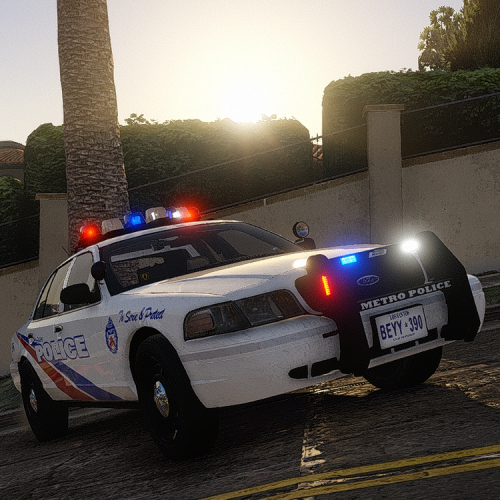
 Great model here it looks brilliant in game, only thing is I wish the interior had more lights and perhaps the monitor had an emissive texture. Oh and also the 2 red lights in the all blue config, I do not like but that's not exactly difficult to fix 😄
- 175 comments
- 24 reviews
-
I made this. Whatdooya think
-
-
TakeYaBackToStation4BumVio replied to TakeYaBackToStation4BumVio's topic in GTA V Discussion & MediaHere's what I have for bloom: bloom.threshold.min 0.4 bloom.threshold.expsoure.diff.min 0.0 bloom.threshold.expsoure.diff.max 0.0 bloom.threshold.power 0.4 bloom.blurblendmult.large 0.6 bloom.blurblendmult.med 2.0 bloom.blurblendmult.small 1.0 misc.coronas.screenEdgeMinDistForFade 0.95 (This one is inbetween bloom but says coronas!!) misc.BloomIntensityClamp.HD 10 misc.BloomIntensityClamp.SD 10.00
-
TakeYaBackToStation4BumVio replied to TakeYaBackToStation4BumVio's topic in GTA V Discussion & MediaYep. Distance scaling max. Particles and textures, everythings high/ultra Please ELS gods cometh upon this thread and tell me where to adjust corona fade out distance!!!!!!