



OfficerAirman
Members
-
Joined
-
Last visited
Everything posted by OfficerAirman
-
.thumb.png.7a94f0b23994c1ae43ebcb584f8b7f4b.png) Hey man, awesome first skin looks great! Keep up the good work.
Hey man, awesome first skin looks great! Keep up the good work. -
 Thanks for the love! And agreed
 -
ah yes, thank you for checking me on that
-
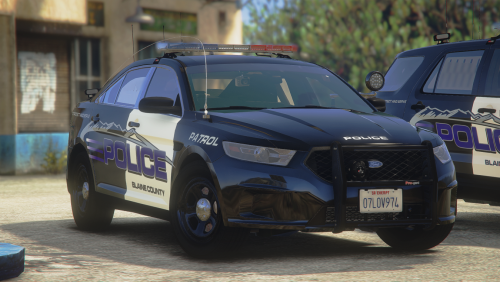
DISCLAIMER: THESE ARE NOT MY MODELS! THEY ARE MADE BY JCOOKGRIME. He's an amazing developer, be sure to check out his work! DO NOT EDIT AND REDISTRIBUTE AS YOUR OWN. You may use these for FiveM if you'd like. INSTALLATION INSTRUCTIONS: 1. Extract the textures to a folder or place of your choosing on your computer. 2. In OpenIV navigate to where you have placed the models. (For example, police2) 3. Open the .ytd and in the search bar type "sign". The vehicle livery file should pop up with the name of "(model)_sign_1". 4. Once you do this click on the texture and click replace 5. Navigate to where you placed the extracted textures and open them. 6. Save and launch your game. Enjoy! For any suggestions or requests, join my discord, leave a comment, or DM me! DISCORD LINK: https://discord.gg/pNDZG55trf Vehicle pack link - https://www.lcpdfr.com/downloads/gta5mods/vehiclemodels/38320-els-del-perro-pd-add-on/
-
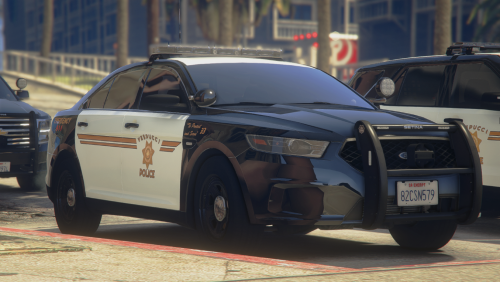 DISCLAIMER: THESE ARE NOT MY MODELS! THEY ARE MADE BY TROOPER18. He's an amazing developer, be sure to check out his work! DO NOT EDIT AND REDISTRIBUTE AS YOUR OWN. You may use these for FiveM if you'd like. INSTALLATION INSTRUCTIONS: 1. Extract the textures to a folder or place of your choosing on your computer. 2. In OpenIV navigate to where you have placed the models. (For example, police2) 3. Open the .ytd and in the search bar type "sign". The vehicle livery file should pop up with the name of "(model)_sign_1". 4. Once you do this click on the texture and click replace 5. Navigate to where you placed the extracted textures and open them. 6. Save and launch your game. Enjoy! For any suggestions or requests, join my discord, leave a comment, or DM me! DISCORD LINK:https://discord.gg/pNDZG55trf Tahoe and Taurus link - https://gtapolicemods.com/files/file/1725-els-paleto-bay-police-mini-pack/ FPIU link - https://gtapolicemods.com/files/file/1608-els-senora-valley-mini-pack/
 -
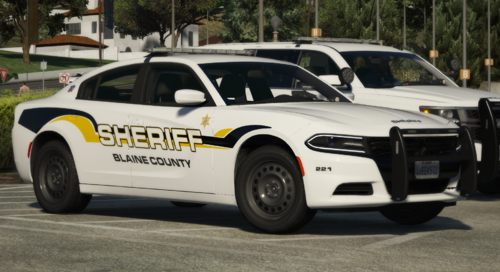 Thanks for downloading! DISCLAIMER: DO NOT REDISTRIBUTE THESE SKINS AS YOUR OWN! THESE ARE NOT MY MODELS, THEY ARE MADE BY @Radius. Link: INSTALLATION INSTRUCTIONS: -Find the model location in OpenIV -Go into the .ytd file -Type in "sign" in the search bar -Replace the file with the original skin (it will be called "livery_sign" or "tahoe_sign" things like that) and replace it with the new one -Close and enjoy! Join my discord here! https://discord.gg/pNDZG55trf
 -
.thumb.png.ed6b3c681a23238028753d648c1294ff.png) Thank you so much!
Thank you so much! -
I apologize, ZIP is fixed now and all files are in there! Thank you for the support man!
-
Appreciate the download! DISCLAIMER: These models are not mine, they are made by t0y, Chappie, Slendis, and MrOxPlays! LINK: These are fictional liveries, THESE ARE NOT YOURS. DO NOT REDISTRIBUTE OR CLAIM AS YOUR OWN! I am fine with these being put in FiveM! But they are made for ELS cars. I thank t0y, Chappie, Slendis, and MrOxPlay for these awesome models! JOIN MY DISCORD FOR CUSTOM SKIN ORDERS AND EXCLUSIVE RELEASES https://discord.gg/RkFv6vuH
-
.thumb.png.083885edbbfed6a17e7d347e2c02d2e9.png) Thank you! Yea... I may do that!
Thank you! Yea... I may do that! -
Appreciate the download! DISCLAIMER: These models are not mine, they are made by Ripple! LINK: These are fictional liveries, THESE ARE NOT YOURS. DO NOT REDISTRIBUTE OR CLAIM AS YOUR OWN! I am fine with these being put in FiveM! But they are made for ELS cars. I thank Ripple for these awesome models! JOIN MY DISCORD HERE FOR CUSTOM SKIN ORDERS AND TO CHILL https://discord.gg/pNDZG55trf
-
.thumb.png.d512f6ecaef53206b54fd1aa29fab88e.png) thank you!!
thank you!! -
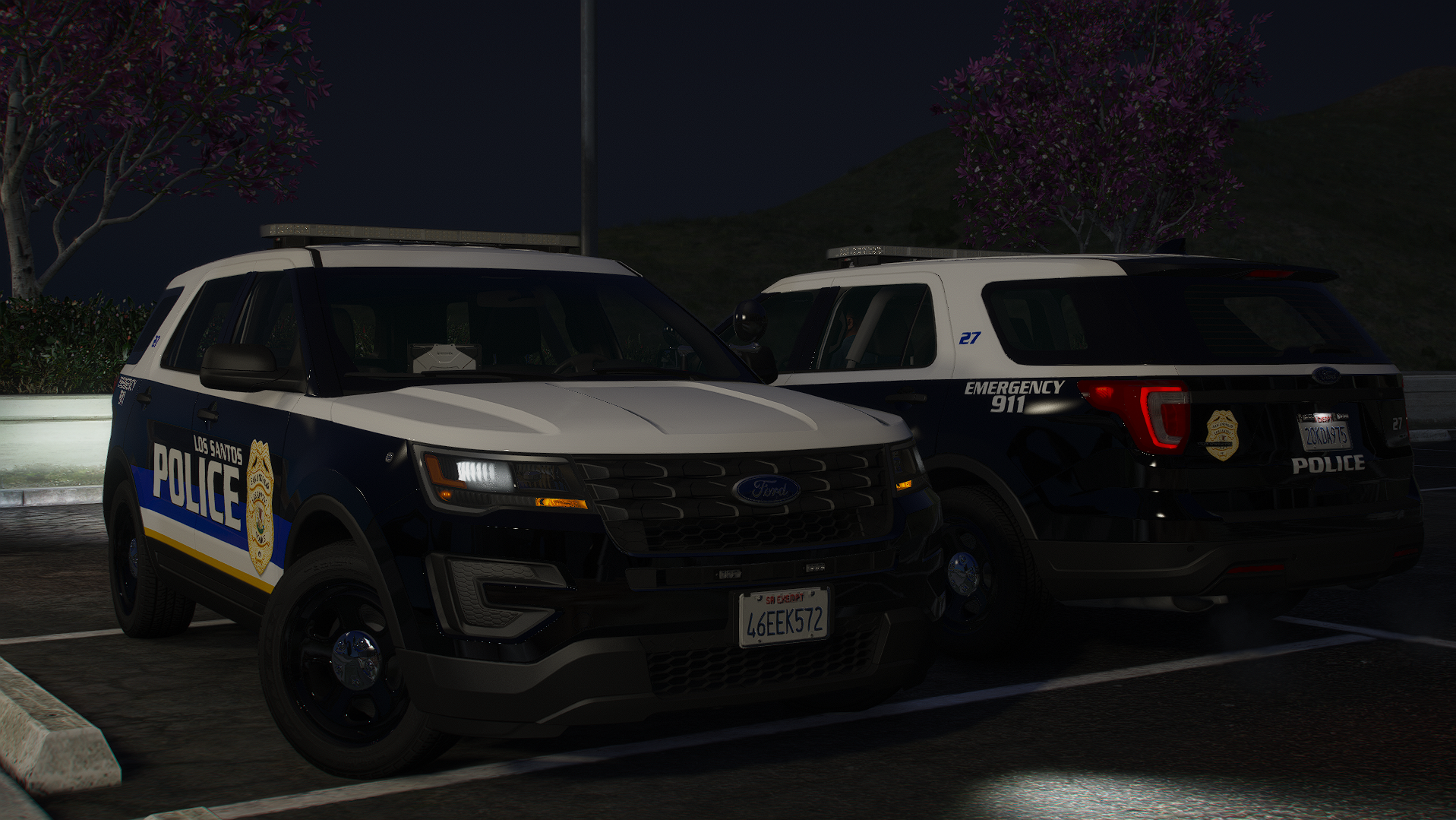
THESE TEXTURES ARE NOT TO BE REDISTRIBUTED OR CLAIM AS OWN! DISCLAIMER: THESE MODELS ARE NOT MINE, THEY ARE MADE BY MAURICE97 Thanks for downloading! These are Los Santos Police 4k textures made by me. LINK: https://www.lcpdfr.com/downloads/gta5mods/vehiclemodels/19703-small-lspd-pack-all-blue/ Installation Extract the textures in the ZIP into a folder. Then navigate to where you drag and dropped the model and open the .ytd. Then in the search bar, type "sign". Then the cars livery pop up. Click on it, then click replace on the top right and then find where you extracted the textures. Then double click, hit save and ENJOY! Sorry about the screenshots, I had to crop them.
-
.thumb.png.54b789f40584e228b13edb4f03b46c9a.png) wdym my man
wdym my man -
DO NOT RESELL OR DISTRIBUTE THIS AS YOURS. This is my first model that I made. It is a state police charger with a whelen liberty lightbar. CREDITS: - Original vehicle model is 2015 Dodge Charger from Forza, edited into the 2018 Dodge Charger Pursuit by Matt with parts from FH3 and Gamemodels - Seats, center mirror, shifter and dash edits modeled and done by Kane104 - commissioned by Ranger Rick - Major help from EVI for digital dial information and help to get the dials working and his patience to help me - Rear bumper diffuser modeled by Patrol 31 Normal edits by Steinberg - AWD/Charger badge modeled by iansonwheels Converted to V by Matt - AWD Steelies/Hubcap modeled by iansonwheels Converted to V by Matt - Big thanks to Cj24 for beta testing the model and help with spec maps and normal maps and his overall knowledge of gta materials - Interior dial textures made by NeonLazer - Interior button textures made by Slendis - Rims from Gamemodels.ru Centercap edited by Matt - Dome Light modeled by Matt - A big thanks to Cj24, Kane104, EVI, Patrol 31, Steinberg , Desmond , NeOnLaZeR, Izick, Rekram, HDgamerzPC, and a big thanks to Ranger Rick who bought 3D parts so that i wouldn't give up on this project and bought me a Zmodeler license so that i can keep working on this project Thank you Rick. - Thank you to everyone who supported me and the project... - Another big thanks to iansonwheels who had the time to make the AWD steelies and AWD package stuff.... Setina by Twurtleee Setina textured by Twurtlee Textures provided by Matt The petetion and spotlights were provided by RangerZ
-
.thumb.png.3904b582c489d1e158fef92f84e6c5f8.png) May look into it
May look into it -
Vehicle models link: DISCLAIMER: These are my textures, NOT MY MODELS. THESE ARE t0y's models. DO NOT REDISTRIBUTE AS YOUR OWN Installation instructions: Export the textures, Navigate to the .ytd file in OpenIV, In the search bar, type in "sign" then click the first texture and click replace, then replace with my texture.
-
-
.thumb.png.aff2b2b6615593fbb68b24c3392a5502.png) Thank you :))
Thank you :)) -
No you don’t need a mod, just click H until it’s on and the CTR and SHIFT move the spotlight :)
-
DO NOT RESELL OR DISTRIBUTE THIS AS YOURS. This is my first model that I made and thanks to @RangerZ I'm getting a hang of things and it came out great! It is a state police charger with a whelen liberty lightbar. Want to join a FiveM Community with realistic roleplay? Join San Andreas Realism Roleplay (SAR-RP) Here is the discord link to join and begin your process into the community! https://discord.gg/TQVGCBcutb CREDITS: - Original vehicle model is 2015 Dodge Charger from Forza, edited into the 2018 Dodge Charger Pursuit by Matt with parts from FH3 and Gamemodels - Seats, center mirror, shifter and dash edits modeled and done by Kane104 - commissioned by Ranger Rick - Major help from EVI for digital dial information and help to get the dials working and his patience to help me - Rear bumper diffuser modeled by Patrol 31 Normal edits by Steinberg - AWD/Charger badge modeled by iansonwheels Converted to V by Matt - AWD Steelies/Hubcap modeled by iansonwheels Converted to V by Matt - Big thanks to Cj24 for beta testing the model and help with spec maps and normal maps and his overall knowledge of gta materials - Interior dial textures made by NeonLazer - Interior button textures made by Slendis - Rims from Gamemodels.ru Centercap edited by Matt - Dome Light modeled by Matt - A big thanks to Cj24, Kane104, EVI, Patrol 31, Steinberg , Desmond , NeOnLaZeR, Izick, Rekram, HDgamerzPC, and a big thanks to Ranger Rick who bought 3D parts so that i wouldn't give up on this project and bought me a Zmodeler license so that i can keep working on this project Thank you Rick. - Thank you to everyone who supported me and the project... - Another big thanks to iansonwheels who had the time to make the AWD steelies and AWD package stuff.... Ghost Games, UbiSoft. model extraction DMN - GameModels.ru Mark - Convertion to Z3d & some UV Mapping. Setina by @Twurtleee Setina textured by Twurtlee Textures provided by Matt The petetion and spotlights were provided by @RangerZ
-
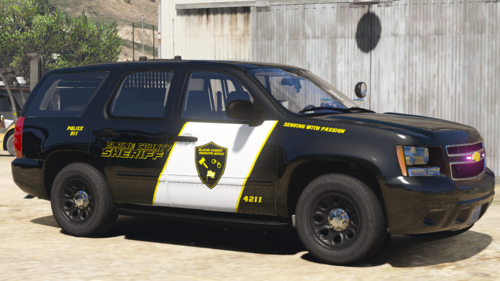 vehicle models: DISCLAIMER: THESE ARE NOT MY MODELS THEY ARE MADE BY @marsacom These are lore-friendly.
 -
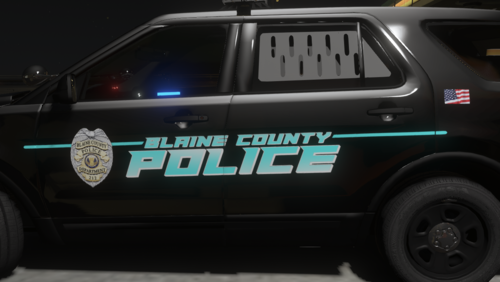 Disclaimer, these models were not made by me. They are mady by @Raspy80 DO NOT REDISTRIBUTE OR RESELL THESE SKINS These are loosely based off Anne Arundel County, MD. I say Loosely because they are lore-friendly and not 100% accurate. Models: https://www.lcpdfr.com/downloads/gta5mods/vehiclemodels/28369-els-addonreplace-san-andreas-sheriffs-office-mini-pack/
 -
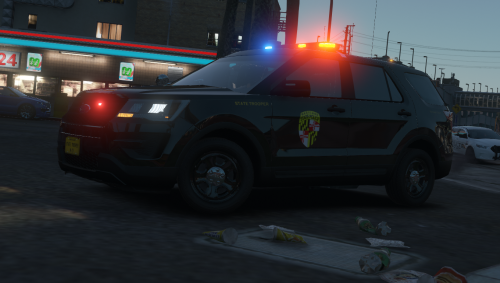 DISCLAIMER: THIS TEXTURE IS NOT ALLOWED TO BE RE UPLOADED. THE MODEL ISN'T MINE. ITS MADE BY KLE0 Vehicle Link:
 -
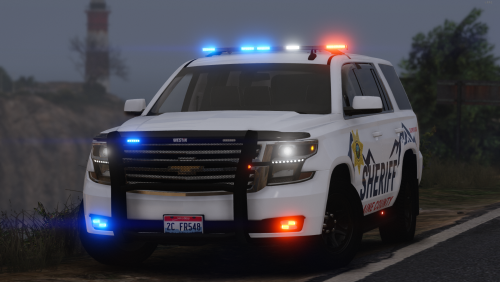 This hoe is really nice, but will you release a pack? Cuz this is really nice lol
- 16 comments
- 5 reviews
-
-

- 1
-

.thumb.png.7a94f0b23994c1ae43ebcb584f8b7f4b.png)
.thumb.png.ed6b3c681a23238028753d648c1294ff.png)
.thumb.png.083885edbbfed6a17e7d347e2c02d2e9.png)
.thumb.png.d512f6ecaef53206b54fd1aa29fab88e.png)

.thumb.png.54b789f40584e228b13edb4f03b46c9a.png)
.thumb.png.3904b582c489d1e158fef92f84e6c5f8.png)
.thumb.png.791f9c11f7748109be8c32d7fe4ce16a.png)
.thumb.png.aff2b2b6615593fbb68b24c3392a5502.png)
