



Mr.PattyMayoOof
Members
-
Joined
-
Last visited
Everything posted by Mr.PattyMayoOof
-
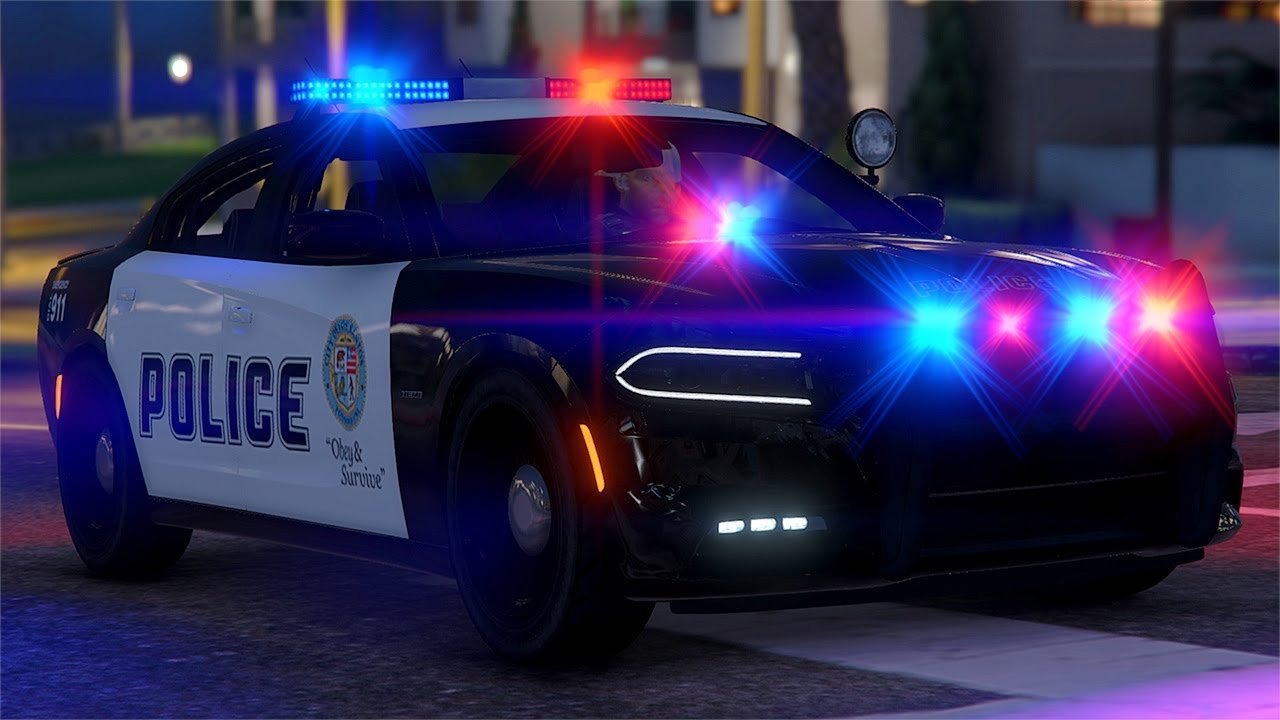
Okay, lastly make sure that all of your textures and reflections qualities in settings are on high. Anything under that tab (forgot the options there) should be on high considering the fact that it can affect the colors of the map but in this case the car.
- 11 comments
- 4 reviews
-
Sorry for the extreme late response, im pretty busy now a' days but anyways, try navigating to the zip file: ZipFile>Instructions>Install Guide and Info.txt. Then, you can try to lower down both: 491 car.defaultlight.day.emissive.on 967.77 492 car.defaultlight.night.emissive.on 802.74 To something like 600-710 You might want to experiment with your liking's but each car pack might have a different light setup then others with its light-bar, wigwags, etc so just experiment. Some people do have the problem of red lights turning into a yellow type shade, and this solution was the way I fixed it. If it doesn't work, feel free to message me under This "quote" and I would love to know if it worked out for you! 🙂 Cheers, and happy holidays mate!
- 11 comments
- 4 reviews
-
No problem man, if you ever need help with this file, don't feel afraid to ask. I appreciate it! 🙂
- 11 comments
- 4 reviews
-
Doesnt Look the best with my screenshot software but, when and if you do decide to install this, you can adjust settings with the guide under the installations folder that explains and helps you out with configing this. No graphics mod is required but..yea.
- 11 comments
- 4 reviews
-
-

- 1
-
-
-
