Skip to content
View in the app

A better way to browse. Learn more.

LCPDFR.com

A full-screen app on your home screen with push notifications, badges and more.

To install this app on iOS and iPadOS
  1. Tap the Share icon in Safari
  2. Scroll the menu and tap Add to Home Screen.
  3. Tap Add in the top-right corner.
To install this app on Android
  1. Tap the 3-dot menu (⋮) in the top-right corner of the browser.
  2. Tap Add to Home screen or Install app.
  3. Confirm by tapping Install.

smoketoobig

Members
  • Joined

  • Last visited

  1.    smoketoobig reacted to a comment on a file: Quarantime! Callouts
  2.    BOSSA reacted to a review on a file: ✪ Real Radiance ✪ [for Vanilla & MVGA]
    Easy installation, comes with an uninstaller, and a great mod. Tried the other mods out there but had no luck with them.
  3. Paul Gibbs     Performed a traffic stop on a Worn Off White Primo with registration 74IVF078 in Paleto Forest, Great Ocean Hwy
  4. Paul Gibbs     Responded to a Manslaughter in Mount Chiliad, Great Ocean Hwy
  5. Paul Gibbs     Responded to a Mugging in Paleto Bay, Great Ocean Hwy
  6. Paul Gibbs     Responded to a BrokenDownVehicle in Paleto Bay, Procopio Dr
  7. Paul Gibbs     Responded to a ExplosiveFound in Paleto Bay, Procopio Dr
  8. Paul Gibbs     Responded to a KidnapCallout in Mount Chiliad, Great Ocean Hwy
  9. Paul Gibbs     Responded to a SpeedingVehicle in Mount Chiliad, Great Ocean Hwy
  10. Paul Gibbs     Responded to a drunken_person1 in Mount Chiliad, Great Ocean Hwy
  11. Paul Gibbs     Responded to a KillerClownWasSeen in Paleto Bay, Great Ocean Hwy
  12. Paul Gibbs     Responded to a CrazyShooter in Paleto Bay, Great Ocean Hwy
  13. Paul Gibbs     Responded to a GangAttack in Paleto Bay, Great Ocean Hwy
  14. Paul Gibbs     Responded to a ArsonAttempt in Paleto Bay, Great Ocean Hwy
  15. Paul Gibbs     Responded to a drunken_person3 in Paleto Bay, Duluoz Ave
  16. Paul Gibbs     Arrested Samantha Woods in Paleto Bay, Paleto Blvd
  17. Paul Gibbs     Responded to a SuspiciousParkedCar in Mount Chiliad, Great Ocean Hwy
  18. Paul Gibbs     Responded to a KillerClownWasSeen in Paleto Bay, Great Ocean Hwy
  19. Paul Gibbs     Responded to a DrugOverdose in Paleto Bay, Paleto Blvd
  20. Paul Gibbs     Responded to a ExplosiveFound in Paleto Bay, Paleto Blvd
  21. Paul Gibbs     Responded to a Traffic Accident in Paleto Bay, Duluoz Ave
  22. Paul Gibbs     Responded to a CrazyShooter in Paleto Bay, Paleto Blvd
  23.    HazyTube reacted to a post in a topic: Request Call for Police SmartRadio
  24. Awesome, never knew about that mod, thanks!
  25.    smoketoobig reacted to a post in a topic: Request Call for Police SmartRadio
  26. So as you drive around you see random police cars with cops inside patrolling around. I was wondering if there is any way to disable this as I have a mod which makes ultimate backup officers spawn in EUP clothing. The random patrols though are not ultimate backup and do not wear the EUP uniform which I have changed. This results in there being sheriffs wearing different uniforms. I simply want to turn them off. Anyone know how?
  27. Yes, what you have to do now is go to Mods/Update/x64/dlcpacks/eup/dlc.rpf/x64 and then from there I think the installation is the same as before.
  28. Thank you! For my first ever texture it's nice to see that at least someone likes it.
  29.    smoketoobig reacted to a comment on a file: SAHP Ghost Texture for Vanny's ZL1 Camaro
  30.    Vanny reacted to a review on a file: [ELS] 2018 Unmarked ZL1 Camaro
    Very nice model and love the lighting too! I made a SAHP ghost skin for it.
    • 105 downloads
    • Version 1.0.0
    I made a simple ghosted SAHP texture for Vanny's ZL1 Camaro. Make sure to download the original model here: Install instructions are included in the file. I do apologize for any issues with the texture, this is my first ever attempt at making a texture for a vehicle, but I do hope you enjoy using it.
  31. I was wondering if anyone could make a button for Police SmartRadio by Albo that would just give you a new call which you could accept. I know you can request a call through the menu, but I dislike using that menu for some reason. I just feel as though a button on the radio would be better.
  32. Hello, I am enjoying the callouts a lot but I seem to have found a minor problem- that the city locations will be given to you when outside of the city. I might be in Paleto Bay and it will give me a alleyway robbery callout for Hawick, which is downtown LS. Other than that, good pack!
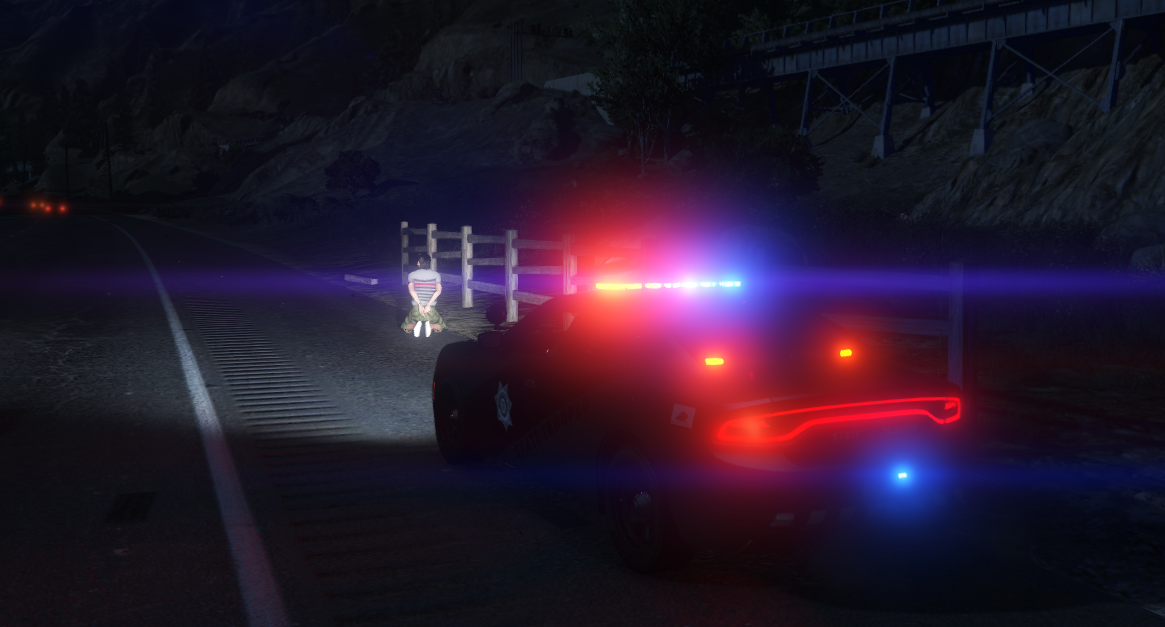
  33. Images added to a gallery album owned by smoketoobig in GTA V Galleries
    Random photos I take. Might be calming, might be chaotic.
  34.    tankguy67 reacted to a comment on a file: EUP Replacement Belt & Holsters V1.0
  35. From my experience you need to pick whichever uniform you want, then go to Wardrobe and make it an outfit. From there you can edit it and change "Under Coat" (or which ever changes the belt) to 39. Then, save the outfit so you don't have to change it in the future.
    Neat shirt and definitely adds something that was missing from original EUP. If anything I would recommend making instructions a little bit clearer on how to actually get the shirt, specifically noting that you have to change the texture of the shirt with 4/6 keys, which I only found by looking in the comments. Other than that I love it.
  36. Well nevermind, I can't even launch Rage without any mods, I guess I'm just gonna reinstall everything.
  37. I haven't played LSPDFR in a while but I decided to do so today, and I'm having some trouble getting it to work. I've heavily modified my update.rpf, x64, common.rpf, and x64a things and was bullied into updating my GTAV game by Rage or else it wouldn't do anything for me. Is there any way to keep all my mods with the new update instead of having to copy and paste all my stuff back into the mods folder and then reinstall all my mods? Rage won't let me launch the game on the old version.

Account

Navigation

Search

Search

Configure browser push notifications

Chrome (Android)
  1. Tap the lock icon next to the address bar.
  2. Tap Permissions → Notifications.
  3. Adjust your preference.
Chrome (Desktop)
  1. Click the padlock icon in the address bar.
  2. Select Site settings.
  3. Find Notifications and adjust your preference.