Skip to content
View in the app

A better way to browse. Learn more.

LCPDFR.com

A full-screen app on your home screen with push notifications, badges and more.

To install this app on iOS and iPadOS
  1. Tap the Share icon in Safari
  2. Scroll the menu and tap Add to Home Screen.
  3. Tap Add in the top-right corner.
To install this app on Android
  1. Tap the 3-dot menu (⋮) in the top-right corner of the browser.
  2. Tap Add to Home screen or Install app.
  3. Confirm by tapping Install.

Taxi

Members
  • Joined

  • Last visited

Image Comments posted by Taxi

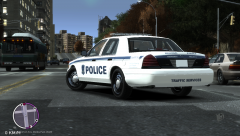
  1. the bus drivers have badges now!? What is Liberty city coming too...


    Actually...it's the train driver ped :P


    Great. Now I gotta worry about this excuse for a cop gunning me down or crashing into my squad...


    lol :D


    Hey New York had his own Transit Police too..then again..it was merged into the NYPD for a reason i guess lol

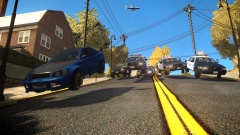
  2. i fucking hated that drop-of point the first few times i got there. Especialy when The parkinglot infront of it is loaded with cars. But i have to say..now i actually love the challange it can give u sometimes.

Account

Navigation

Search

Search

Configure browser push notifications

Chrome (Android)
  1. Tap the lock icon next to the address bar.
  2. Tap Permissions → Notifications.
  3. Adjust your preference.
Chrome (Desktop)
  1. Click the padlock icon in the address bar.
  2. Select Site settings.
  3. Find Notifications and adjust your preference.