


Ocean25
Members
-
Joined
-
Last visited
Everything posted by Ocean25
-
I have no idea what i did but my characters hair looks like it is spray painted on, i tried changing the hair style but makes it look worse, plz help
-
 i followed the guide on youtube and the uniforms come up in my EUP menu and i am able to put them on but in the neck area it looks like i'm wearing and undershirt or something i've gone down the list for edit outfit in EUP but nothing seems to get rid of it, any help would be appreciated, also the uniforms always look like they're completely soaked. I downloaded this a while ago and it worked perfectly, and i took a break from lspdfr for a while and i tried downloading it again and i have these issues idk why
- 108 comments
- 19 reviews
-
Can someone please help idk wtf i did i think i did something in the trainer and now i dont know how to fix it, plz help
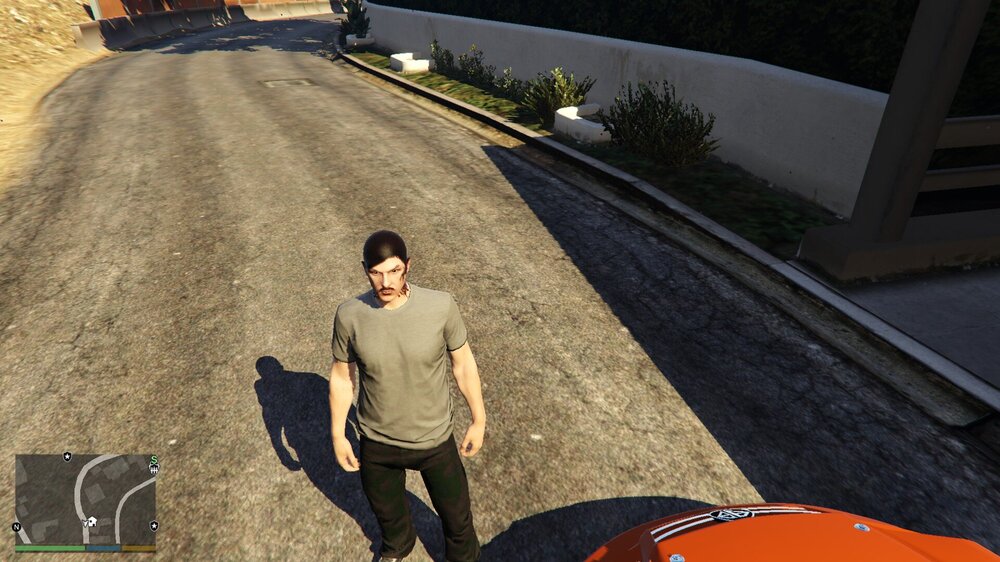
-
Awesome thank u!
-
ok, i"m confused by adding the cars, can i chose whatever and still be able to add in as many standalone's?
-
thank you so much! also which do you recomend doing 1x ped, 2x ped,? sorry if i'm being annoying about this
-
hey i know this is an outdated post but the gameconfig you recomended to me no longer works any other suggestions? i downloaded another game config but by the looks of it, it only adds more traffic
-
-
i downloaded the duty belt for EUP but the when i follow the installation instructions it says go to mods\update\update.rpf\x64\eup\eup_componentpeds.rpf\ but i dont have the EUP folder in my x64 folder, btw i also looked in my original x64 dlcpacks to see if it was there and it wasnt please help
-
 can any 1 help me, i'm following the read me and it says update.rpf\x64\eup\eup_componentpeds.rpf\, but in my x64 folder i dont have the EUP folder
- 124 comments
- 37 reviews
-
-
-
-
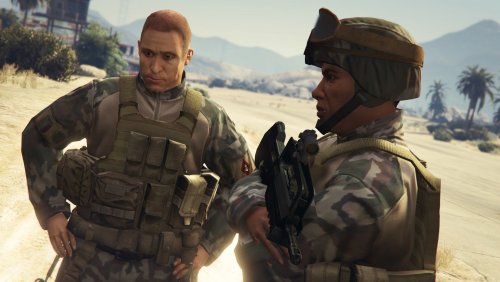 can u plz fix the LSSD gang unit that pack is so cool
 -
 looks amazing, where did u get the ped at?
 -
-
the whole taillight is white, not the color it flashes like the actual color of it is white
-
my tail lights say red and are still white
-
ok will try it out thanks man!
-
-
I just installed an FPIU and changed the diffuse tint to "0x00FFFFFF" the light bar is fine but the break lights are white? Any suggestions? Thanks
-
 i've installed this but whenever i turn my back the suspects car disappears??
- 91 comments
- 21 reviews
-
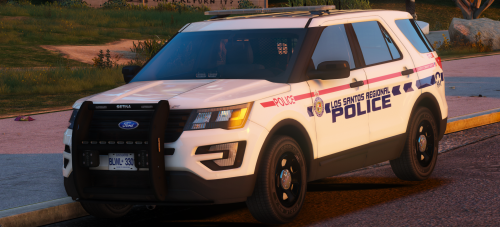 hey, idk if its a problem on my end but the interior is all lined? it looks kind of like carbon fiber just for the interior plz help
- 16 comments
- 14 reviews
-
hi i, is it the els format because mine says led's
-




.thumb.jpg.4066677156985e22489bfecddc2f6c45.jpg)
