


crepon883
Members
-
Joined
-
Last visited
Everything posted by crepon883
-
My plugins, all up to date as far as I know of as of today are: PeterUCallouts StopThePed UnitedCallouts FirstCallouts Interaction+ AttemptedCrimeCallouts CalloutManager Code 3 Callouts PoliceSmartRadio SpeedRadarLite Traffic Policer ComputerPlus UltimateBackup (Which is annoying be since I press B and i GET TWO BACKUP MENUS OVER EACH OTHER FOR WHATEVER REASON) EUP Law and Order outfits and the EUP Menu which is of course launched via RPH directly. (Think this didn't go through sorry for double posting_
-
I, too have had crashes lately and noticed the "AmbientSpawn" being in them as a term as well as "Default Content Manager" and "STP Can't Control Ped" as well. I'll try to list all plugins I have quite a lot of (relatively anyway) callout plugins and maybe I should try using just one or two at most since my machine isn't very good or gaming-oriented.
-
Well I never noticed it either until after taking a year or so break from GTA 5 but the latest edition from Steam anyway has this new start screen where it'll ask if you want to load Story Mode or Online Mode and a couple other things on the bottom right - that's OK - since my last post it seems to be running better, still using the method of loading RPH after going into the game, and manually loading LSPDFR through the console after that, just need to update my Arrest Manager and it should be all good. Thanks again for the help have a good one!
-
Thanks, rabbit. I did just install traffic policer and got a pretty rough crash while just loading LSPDFR itself, before even going to ForceDuty or spawning a vehicle for myself. Here's the latest log form that crash- perhaps I should get rid of PoliceSmartRadio Interaction+ and Traffic Policer if they're bogging the system down too much. Says something about a potential memory error. I'll uncheck that option as well, and I also got rid of the option in-game to go to that menu selection screen where you have to click 'story mode' if that makes any diff, not sure.
-
There's my log sir - it's probably all from today as I"ve been going back and forth between LSPDFR 0.3.x and 0.4 - essentially I discovered yesterday that if I load up GTA 5 through Steam into story mode, then launch Rage Plugin Hook - after it's all loaded and I'm visibly in world, it hooks fine and I manually load LSPDFR that way. 0.4 actually runs faster on this hunk of junk than 0.3 did, too so am happy about that. Looks like I've got some missing files from Traffic Policer/Police Smart Radio and also interaction+ is crashing the mod right now, but I can always live without that - trying to not use too many plugins anyway. If you see anything odd obviously please let me know, but I think I'm OK now. Take care.
-
Well, yeah my hardware is very outdated to be running this, it's just frustrating when 0.3x worked OK enough to be playable but I know things have to be updated. Point taken. - Will post the log by tonight or tomorrow AM when I'm back on the aforementioned PC , thanks for your time.
-
Bump. Very similar to a problem I have - black screen with "loading LSPDFR" in the bottom right, maybe I can try disabling loading all plugins at start, then manually load them when I actually can see my character. A guy in another thread posted a similar log then just said "Nevermind I fixed it XD" and never explained how... disappointing. Lastly, it'd be nice if the people who make Rage Plugin Hook would make an infinite plugin timeout option or something way higher than the current 60k limit.
-
 Could you possibly make something the opposite of this as I am tired of the screeching every time I press W to move the car forward... or backward. I'd like less sensitive screeching 🙂 Thanks. Cool idea.
- 17 comments
- 2 reviews
-
-

- 1
-
-
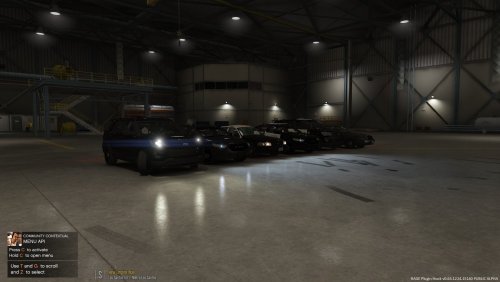 Though some of the cars maybe need some more work on the exterior at least, in terms of textures - that's easy enough for me to do myself. I appreciate you making a non-ELS pack. I don't know how others are getting ELS working with all the ScriptHook plugins we have to use for other mods like DotNet and there not being an updated AdvancedHookV lol. So yeah, thanks for making a nice non-ELS pack. Kudos.
- 15 comments
- 10 reviews
-
 Quite impressive! I really enjoy the new added callouts. Also, the added interaction with pedestrians is great. For that, I press T by default standing in front of one. I also appreciate being able to keep evidence in my car's trunk, and label each piece of evidence. On top of that, and probably things I haven't even gotten to try yet, you can use a chemical reagent to test whether a substance (and possibly, but I'm not sure about residue on paraphernalia) hits positive for suspected narcotics. For more info on what this is simulating look up police reagent tests on Google. I do have an issue as of now where the game , LSPDFR itself rather, the DLL crashes when I go to talk to someone I pull over. I trust this will be resolved soon even if it means we finally figure out which mods are just not compatible with this one for now. I suggest removing Make Peds Calm Again, as that may help. The developer takes time every day practically, to read through people's submitted RPF crash logs and that shows a lot of dedication. Considering making these scripts and supporting them isn't exactly a full-time job, again, this mod or rather script is much appreciated. (No pressure, Phaxol, lol.. ) 5/5.
- 1,005 comments
- 68 reviews
-
.thumb.png.da31fac1cdbed476577a0aaf4ab60f16.png) Same exact thing here. Game fber ped leader rage group bla bla.. crashes. The other main partner mod called Hero does the same thing. I'm starting to think this might have to do with which plugins Rage loads itself. I guess most here know that it loads only so manym, then either ForceDuty or going on duty the old fashioned way loads the rest. Is that even right or should they essentially all load at startup?
Same exact thing here. Game fber ped leader rage group bla bla.. crashes. The other main partner mod called Hero does the same thing. I'm starting to think this might have to do with which plugins Rage loads itself. I guess most here know that it loads only so manym, then either ForceDuty or going on duty the old fashioned way loads the rest. Is that even right or should they essentially all load at startup?- 156 comments
- 25 reviews
-
 I just started toying around wth this today. I use a trainer I can't remember the name of rght now it migh tbe "Native Trainer" the latest one, it gets toggled by F4. Point being I first use that to change my appearance when I load into the game using Rage, then I use the ForceDuty command to go on duty. The game seemingly crashed going to a black loading screen (and telling me LSPD itself crashed) when hitting 'choose and exit' or whatever after making a partner at a station. I just recently at the same time though, installed that mod which makes the police stations all look different or something, so maybe that's it. Anyway I'll try just spawning a cop and making him my partner. I'm not too interested in the full K9 functionality right now so even if its buggy that's ok with me. Appreciate you making something that lets you have a human partner. Would be cool too if sometime you or someone could make a script which lets you be the partner. My trainer that I use lets me select any seat within a car, so I can ride shotty if I want, but I've yet to get in another officer's vehicle , move seats real fast, and have him drive it wth me inside lol.. Right and if you want to uninstall the whole plugin just delete the two files from the GTA 5 -> Plugins -> LSPDFR folder... i think it's 2 files but itll be 4 if you installed both of the mods offered here. Or scripts rather. Just sort by date modified or date created. I recommend you get Notepad++ to more easily edit things like .ini files (windows will call it a configuration file I think)
- 542 comments
- 98 reviews
.thumb.png.da31fac1cdbed476577a0aaf4ab60f16.png)
