Cst.Brown
Members
-
Joined
-
Last visited
Everything posted by Cst.Brown
-
That's for the EUP right? But is the car problem solved?
-
Try putting your car files here. (S:\Steam\steamapps\common\Grand Theft Auto V\mods\update\x64\dlcpacks\patchday21ng\dlc.rpf\x64\levels\gta5\vehicles.rpf\) (I dunno if this actually works) When you go on the non mods folder usinf openIV, where u put the car/s, a red bar/banner will show. "READ IT" and if it says "this archive folder isnt located at your mods folders" there should be 2 options. 1) Copy to Mods Folder. 2) Show Mods Folder Settings. I pick the1st one. Then after you'll get redirected to your mods folder. Then you can place your cars and start up gta. I think its just the mods folder isnt updated.
-
↓ Read Below
-
same thing is happening to me, I put the car files to it respected place. I put it under patchday21 and the cars loads in the vanilla cars
-
I freshly reinstalled, but when i installed vehicles (ex.cvpi) it would be still the vanilla police car/s. I put the X.ytd, X.ytf, and X_hi.ytf in patchday21
-
which one the vehicle. nope, but same problem even with other vehicles and skins sometimes for me. some line up and some don't and its hard to find a good one to line up. that's why i asked for help.
-
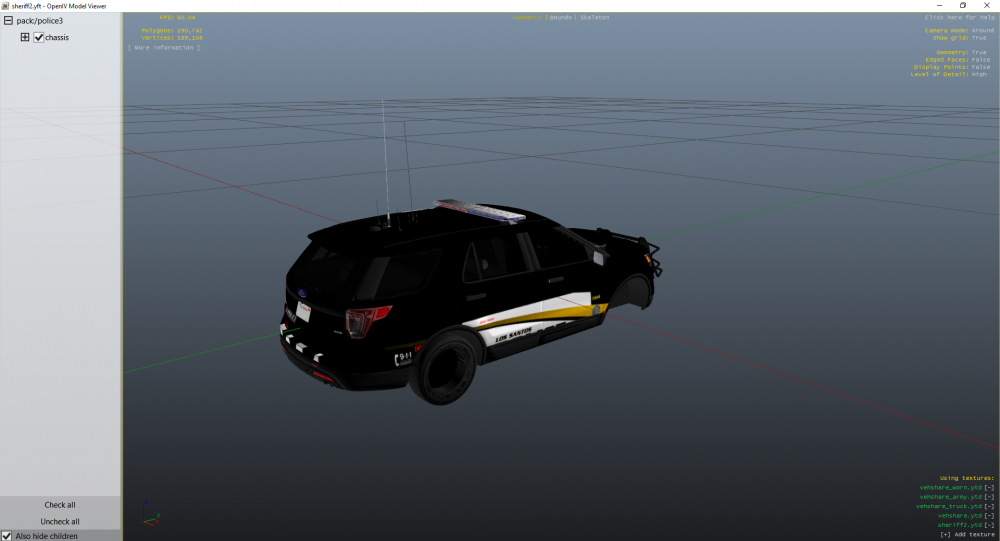
I got rid of the car. but here is the same problem with this vehicle
-
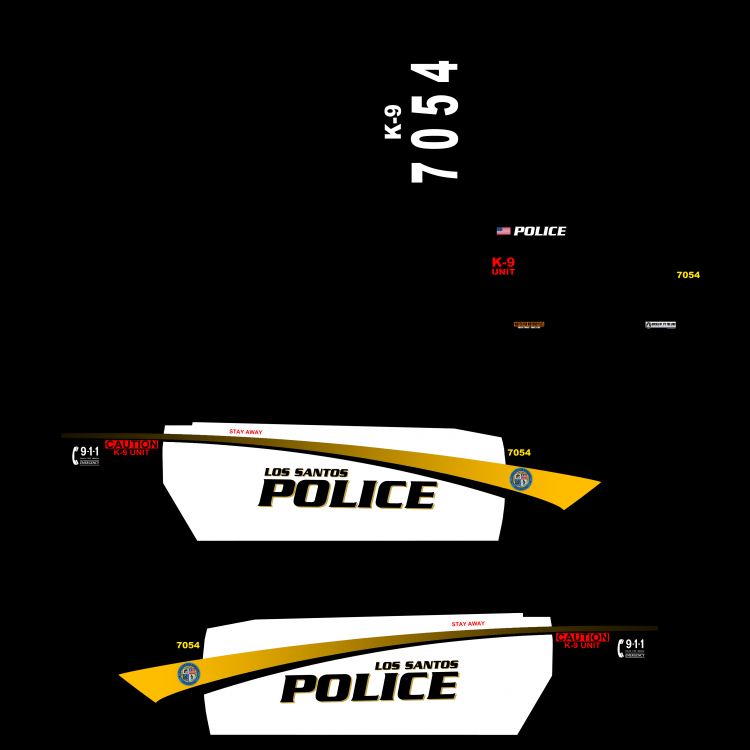
I ill try to find it cuz i deleted some files but i got another vehicle that doesnt line up here one different vehicle but it doesnt line up. Vehicle: Texture:
-
. Like the how much space it takes up(1.38 MB (1,457,234 bytes) or the resolution of the texture which is 4k
-
Most of the the cars with this texture that i have lines up perfect but some doesn't line up and its been a big problem to me and I need help to how to fix this i have been looking it up but no info how to fix it. I would appreciate it if you could help me. thx.