



XBR410
Members
-
Joined
-
Last visited
Everything posted by XBR410
-
 ew
ew -
it means what ever is in that polpatriot slot is un useable.. who ever made it built his hierarchy wrong
-
you gotta find em yourself
-
that website doesn't update their pictures much, you would have a better bet going to this link: http://policecarwebsite.net/states.html or going on flickr and searching for cars you would like (By departments, Car Names, or Lightbars) Flickr I've noticed has the best highest quality and newest pictures more than NPCA and Policecarwebsite
-
-
not only are they not set up wrong he's obviously using textures that, that lightbar wasn't meant for. seeing how the entire lightbar looks black when its supposed to be glass my advice, re evaluate what you're doing re watch the tutorials and figure out what went wrong because those textures are not supposed to be like that then you can start worrying about the lights being in the wrong place and if you need help feel free to PM me I can help a little bit.
-
Looks great! obviously there's room for improvement for example the K92 Could get moved a little farther back doesnt need to be done its still a 4-5* skin, another thing that would make it even more awesome would be a badge or a patch or something still I vote it 4/5* keep up the good work
- 5 comments
- 9 reviews
-
I would make that if I had the cab for it,
-
yes it is possible for there to be a tri colored lightbar but it would look really awkward in game. for the simple fact that the lightbar patterns would look unrealistic (unless you find maybe 1 or 2 patterns that look halfway decent) my opinion.. is don't because it really wouldn't be right.. and it would do the valor a disservice what you can easily make it a multi colored bar all it takes is a little bit of knowledge with ELS and Extras Mapping.. extra1 = red extra2=blue (under extra1) extra3=red (under extra4) extra4=blue Pattern 20 though.. <3
-
-
yes it did I feel bad for mustu I started all of this and of course people made a big deal out of my advice
- 47 comments
- 29 reviews
-
EDIT: -Snip- not gonna continue this flame war out of respect for mustu you have problem with me PM me
- 47 comments
- 29 reviews
-
the comment section was created for feedback and for people to voice their opinions about the upload.. if mustu is any good at modding he will know to listen to bad comments and use it as motivation to come back with a model that will wow people. plain and simple and that's what
- 47 comments
- 29 reviews
-
-

- 3
-
-
-
-
-
http://www.gta-modding-chest.com/database/253-federal-signal-arjent/index.html there's the lightbar. hope that helps it would certainly make the model look better
- 47 comments
- 29 reviews
-
-
All im trying to do is help him if you want to baby him along go ahead it wont help him put more time into his models. but ok i'll stop enjoy the crappy models to come because people wont say what they really think. it may be
- 47 comments
- 29 reviews
-
-
- 4
-
-
well A. you could have downloaded KevinDV's Arjent (WHICH BY THE WAY IS IN LAPD FORM) B. You Could have atleast switched the rims out with steelies since that there looks like you slapped a lightbar on a CIV vehicle. C. You Should have waited for someone to make you a skin before you released so that way people wouldn't down rate because of it and D. YES Not even 3 stars, if the skin was good I would vote 4 for effort but no.. no effort was shown in this model at all
- 47 comments
- 29 reviews
-
-
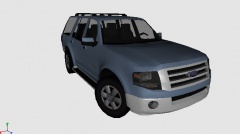 if you don't like it don't download it. I Think it looks just fine, and I know there are people who agree.
 -
im gonna make this one first off:
-
-
the overall exterior of the vehicle looks okay except the back can get worked on.. nothing sems to be too wrong with the front but the interior is terrible

