


WhisperPGG
Members
-
Joined
-
Last visited
Everything posted by WhisperPGG
-
i add alot of vehicles and some don't have handling. I have been using the following without problems. Using the template.meta from Albo1125's modingDLCPack, I find the appropriate model, say POLICE, ans use that and just change the vehicle handling. 13+ Charger - Buffalo2 FPIS - Police3 FPIU - Gresley Tahoe - Baller The last one is ok and I have been experimenting with it, but no roll overs and seems to work fine. Hope this helps some
-
So my coronas in the headlights and reverse lights are really dim. But my lightbar is nice and bright. I made adjustments to the car.default .emisions to make lightbar brighter and it worked fine but didnt fix my coronas. I have NaturalRemasterd installed. My graphics setting are on very high or ultra. Any help would be appreciated. @Giordano i just read a post with an answer from you from 2017 but his lightbar was dim and coronas bright
-
can u build your own? I built mine for around $550. It has a 1050ti and I can run lspdfr at 4k at about 60fps
-
where is this located? I looked in the gta5 directory and found LCPDFR.ini in another folder but it is empty
-
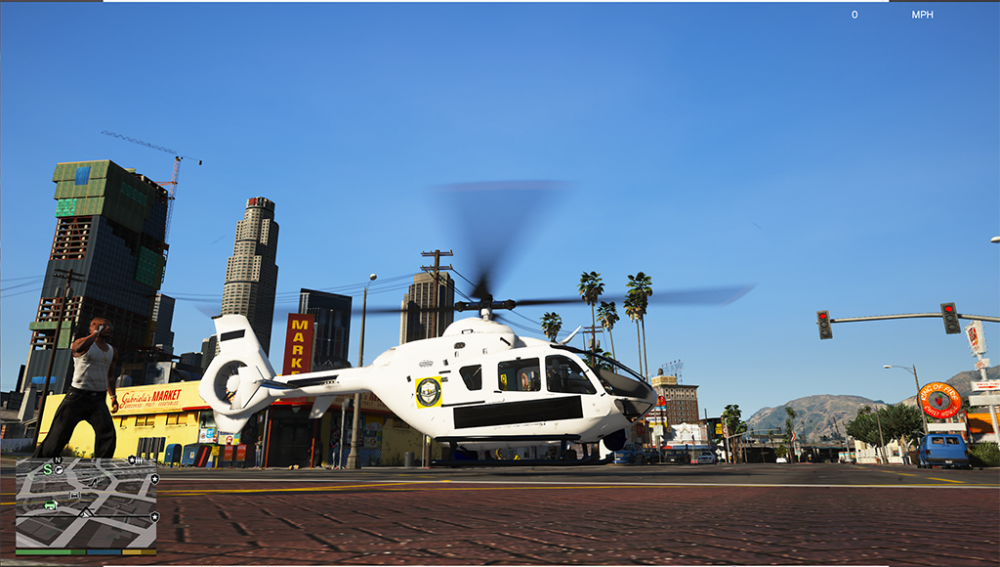
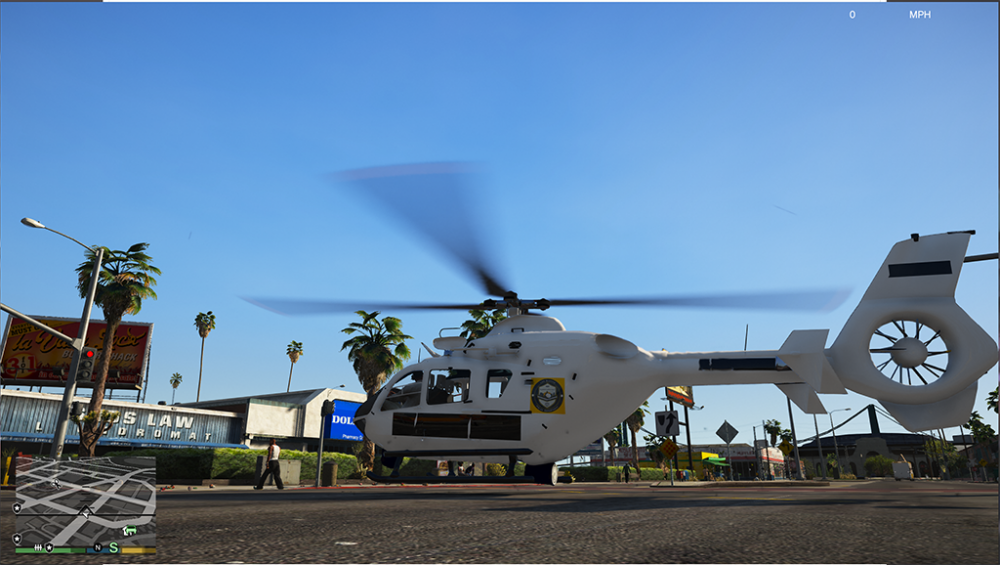
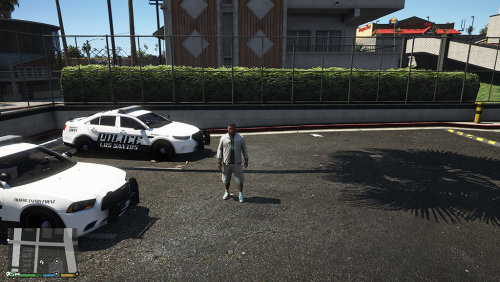 I have noticed the Headlight strobes (coronas) on all the vehicles are super dim. I am still trying to figure out how to make them brighter. I am still skinning the SWAT vehicle and the Helicopter. The helicopter is giving me hell. It loads the livery, but the text from the livery is blacked out. pretty weird.
 -
Los Santos Police Department (LSPD) skins -2014 Dodge Charger -2016 FPIS -FPIU -TAHOE K9 -Sprinter Transport Van Original Models: These are the links to the original models and authors: Charger / FPIS / FPIU MAURICE97 K9 Tahoe By: POLICESCO Hazmat Van By: Bulldog Designs Hope you like it and i welcome any feedback. Thanks Original Model Authors are listed in the Read Me
-
by TA you mean Traffic bar? U can assign patterns in the vcf. I use my traffic bar thru all 3 stages. To do this, I changed mine to this: <!-- SECL --> <SECL LightingFormat="TRAF" DisableAtLstg3="false" > <PresetPatterns> <Lstg1 Enabled="TRUE" Pattern="033" /> <Lstg2 Enabled="TRUE" Pattern="033" /> <Lstg3 Enabled="TRUE" Pattern="033" /> </PresetPatterns> <ForcedPatterns> <MainHorn Enabled="false" Pattern="0" /> <SrnTone1 Enabled="false" Pattern="0" /> <SrnTone2 Enabled="false" Pattern="0" /> <SrnTone3 Enabled="false" Pattern="0" /> <SrnTone4 Enabled="false" Pattern="0" /> <PanicMde Enabled="false" Pattern="0" /> <OutOfVeh Enabled="false" Pattern="0" /> </ForcedPatterns> <ScanPatternCustomPool Enabled="false" Sequential="true" > <Pattern>0</Pattern> <Pattern>0</Pattern> <Pattern>0</Pattern> </ScanPatternCustomPool> I changed SECL Lighting to TRAF and I wanted it to display in all stages so i turned that to false. Then i used pattern 033 which is right to left traffic pattern in all 3 stages (obviously if u only wanted it in one stage, you can change each stage here) This is only the bottom section of my vcf. let me know if this helps any
-
So I started making my LSPD pack and I am just about finished. I am skinning the helicopter and i have run into a problem. The livery doesn't display the text. Well, it does, it just puts a huge black mark across them and the logo has a yellow square around it. The logo has a transparent background I did in Photoshop. The text is just standard text from Photoshop (i have done this 100 times before) Just stumped and can't figure out why. Any help is appreciated. Thanks
-
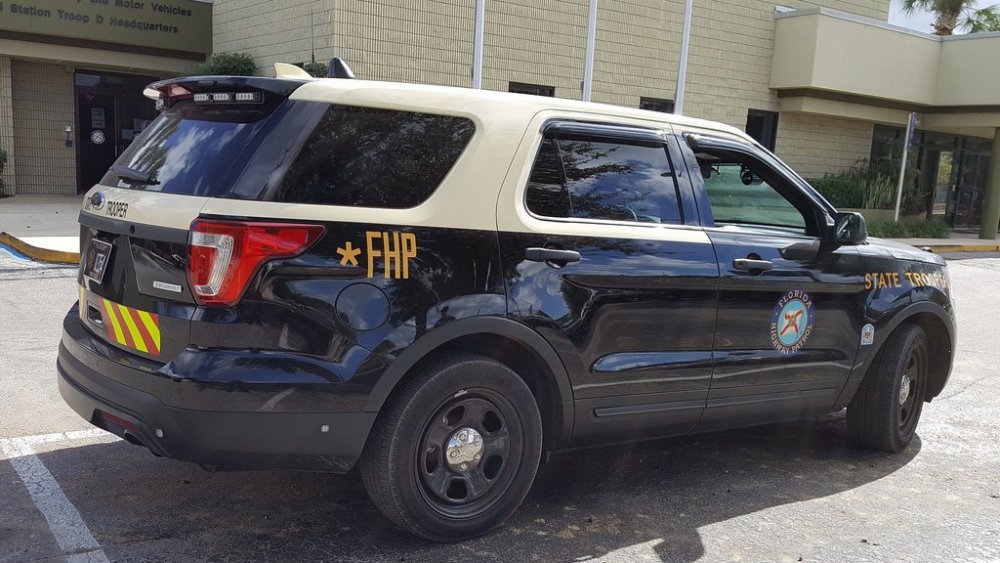
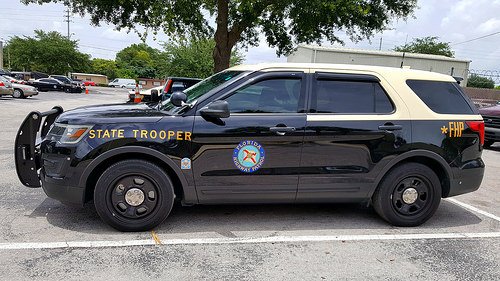
Here are a few pics I found on FPIU for the FHP. I noticed in your last pic here the beige on the door doesn't meet evenly. STATE TROOPER needs to be bigger. Seal needs to be slightly bigger. *FHP needs to be a bit bigger
-
looks pretty nice. Are the strips reflective?
-
So i had the same issue, i followed @HazyTube directions and I renamed the folder. I ran GTA and it worked. So i removed all the vehicles I had added and removed their meta. Now it works again
-
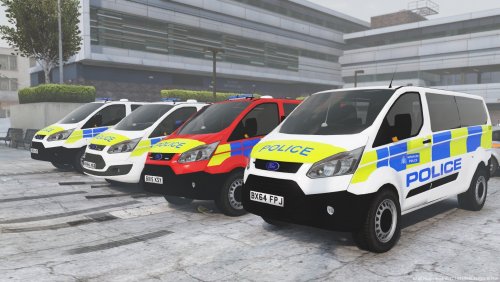 u need to go into the vehicle meta and set DiffuseTint to 0x00ffffff this will turn off tint and make lightbar visable.
- 7 comments
- 3 reviews
-
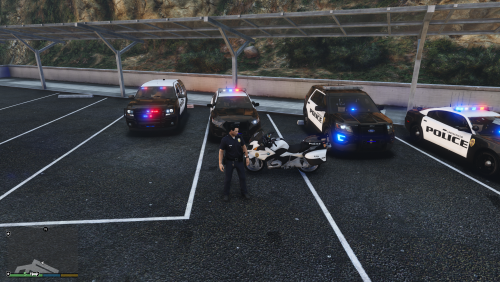 I just tried it myself and it works fine. Must be on your end. Sorry
 -
(I was asked to move this to the Textures section) I have been working on a new skin pack for Springfield (MO) PD. This pack contains the following skins: (4K) SPD Charger SPD FPIS SPD FPIU SPD Slicktop Tahoe SPD Motorcycle (BMW 1200) I am still adjusting things and testing them out to ensure no bugs. Currently getting a bug on SPD Tahoe when it spawns in the passenger side is a matte black and suppose to b glossy. Also getting a bug when AI spawns in with the Tahoe it is all white instead of the specified Black and White Livery Original Models: ALLENjr12 Maurice97 Thehurk https://www.lcpdfr.com/files/file/11819-2014-chp-bmw-r-1200rt/ Hope you like it and i welcome any feedback. Thanks Original Model Authors are listed in the Read Me
-
From the album: LSPD Skins
-
Some new skins I am working on for LSPD. (per request @Steele1925) Also working on Blaine County So and SAHP to go with it. Hope to have the LSPD pack done in a day or two.
-
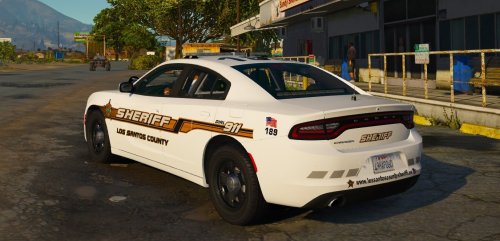 Great model. It looks awesome. I did find one bug though. The left front Passenger Headlight strobe is set way below where it should be. If that was fixed, it would get 5 stars. Great Job
- 23 comments
- 7 reviews
-
Installed the vcf file in the correct location but still no lights or anything. Any ideas why?
- 23 comments
- 7 reviews
-
@HazyTube I was having same issue of game crashing during load screen. I renamed Mod folder like you said and game loads fine now. So what now? Do i reinstall/copy a new Mods folder and delete old one?
-
so i was wondering this as well. I am using Radiance and the taxi, bus and train signs are too bright. i uploaded my own custom signs for taxi but still the same. The other fixes for taxi signs just make a darker sign, which doesnt solve the issue just makes the signs harder to read. (I like to read the signs, it adds depth to the game)I did notice that when i got out of the taxi, after spawning in it, the lights go out, like headlights. so maybe a good fix would be to adjust that light for the sign or even upload a custom xml file for the taxi to lower the brightness of the taxi sign. I dont want to get rid of the signs as I have created my own ads. But same could be done for the train and buses. Just a suggestion Any suggestions?
-
IT DID. Such a simple thing to try lol. Thanks
-
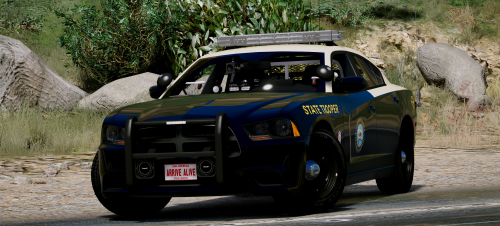 cb1753 ok so i figured it out. i changed a few different settings and it solved the problem for all the models. at the top, u need to change 3 entries to "true" and near the bottom, change one to false. now the traffic bar works in all three settings
- 21 comments
- 28 reviews
-
I tried this but still didn't work. Any more ideas? Doesn't work on FPIS or FPIU
- 21 comments
- 28 reviews
-
YEAH I WILL TRY THAT. THANKS
-
yeah i renamed them to police. and it's the FPIS which is the Taurus. but i couldn't find the ytd file for it. I edited the vehicle meta and carvations already. Just couldnt find the ytd file lol. thanks




