AwsumTurtle
Members
-
Joined
-
Last visited
Everything posted by AwsumTurtle
-
But if isAimed and isShooting is a bool i can't apply it to the suspect, just gives me an error trying to do suspect.IsAimed = true;
-
Found out another problem, the suspect stops shooting the player after my bool becomes true public override void Process() { if (!isAimed && Game.LocalPlayer.Character.DistanceTo(suspect) < 20f) { suspect.Tasks.AimWeaponAt(Game.LocalPlayer.Character, 500); isAimed = true; } if (!isShooting && Game.LocalPlayer.Character.DistanceTo(suspect) < 10f) { suspect.Tasks.FightAgainst(Game.LocalPlayer.Character); isShooting = true; } if (Functions.IsPedStoppedByPlayer(suspect) || suspect.IsDead) { this.End(); suspect.Tasks.Clear(); } base.Process(); }
-
I'll try it out Yep seems to be working, thanks for the help!
-
What should i do to prevent that from happening then?
-
Hello, so my problem currently is that my suspect will not do anything after being stopped, it will just stand there and do nothing. public override void Process() { if (Game.LocalPlayer.Character.DistanceTo(suspect) < 20f) { suspect.Tasks.AimWeaponAt(Game.LocalPlayer.Character, 10); } if (Game.LocalPlayer.Character.DistanceTo(suspect) < 10f) { suspect.Tasks.FightAgainst(Game.LocalPlayer.Character); isShooting = true; } if (isShooting && suspect.IsDead) { this.End(); suspect.Tasks.Clear(); } base.Process(); } Here is my process method, im not even sure why suspect is not shooting the player not even working with Tasks.FireWeaponAt();
-
 Yes, I by accident pressed the wrong one, and since this is my first upload i was also confused.
 -
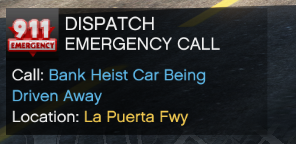
Discontinued. I have decided to discontinue my callout pack because i lost the files for the project. It is still downloadable but might not be that great since its full of bugs. I will also be returning with a new callout pack very soon, that will actually be better than this one! A pack I created while i was bored, Currently we have 4 Callouts: - Homeless Disturbance - Brandishing Knife - Bank Heist Car Being Driven Away - Stolen Police Vehicle While I have tried to fix most of them and optimize them well, There still tends to be bugs. I sure hope you report them in the comments, Thank you!
-
I am creating my own callouts, I have now stumbled upon a problem while creating a callout. I want so i can speak to the suspect but I have no clue how to? I've seen this in multiple callouts. Thanks in advance!