


Dougherty
Members
-
Joined
-
Last visited
Everything posted by Dougherty
-
-
 Hey man, no problem, it is actually my real name, and I do appreciate the feedback, that one was on me in the end run. Have a lovely day though!
 -
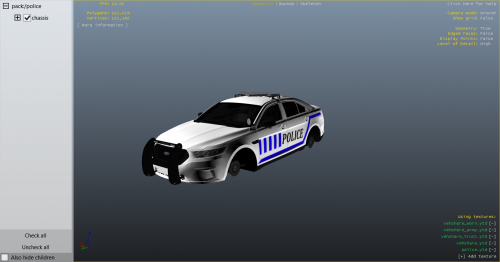
1. I made the entire pack, 2 I dont want to link specific cars because it can be used with different cars from the same year, 3 I did not have access to LSPDFR, but I appreciate your feedback. I appreciate number 3 on the feedback list, and plan to use LSPDFR in the future. Either way, this is my first pack, and a learning experience for me, I appreciate the feedback, and it is valued. I plan to implement it into future projects.
-
**PLEASE DO NOT REUPLOAD THIS TEMPLATE WITHOUT PERMISSION** Supported Vehicles: 2015 Dodge Charger 2016 FPIU 2016 FPIS 2005 CVPI This is my first pack, please leave feedback in the comments! Note: These files can be used with the cars listed above, I will not be listing the base here due to copyright concerns. I just used the models to put the liveries on. I did not have access to LSPDFR at this time. Have a great day.
-
@Sam Due to the new cheeky little update to GTA V, has the release date of February been delayed?



