



AdoReno
Members
-
Joined
-
Last visited
Everything posted by AdoReno
-
I remember seeing a few videos some time ago that had a protest/riot callout. From what I remember, I think the protest becomes a riot soon after the player arrives. I think there was also a part of the riot where you spoke with the commanding officer and you could basically choose to either stand around, call for more units, or act on it. I didn't see much else, because once the thing broke out into a riot, the guy got beaten down by, like, 4 rioters maybe? I dunno, kinda fuzzy, but the guy recording it went down. I think it was Jeff Favignano. But yeah, I'm pretty sure it exists.
-
 I like it. I mean, I personally changed the livery (LAPD/LSPD, it's more accurate), but the default's also pretty good. I just don't understand why the vehicle files are for different things. Why is the Tahoe police3 and not sheriff2/fib? Why is the Charger for sheriff and not police2? Other than that, nice pack. One of the few ELS packs that looks good, is light on the, well, lights, and doesn't have some large pushbar.
- 132 comments
- 39 reviews
-
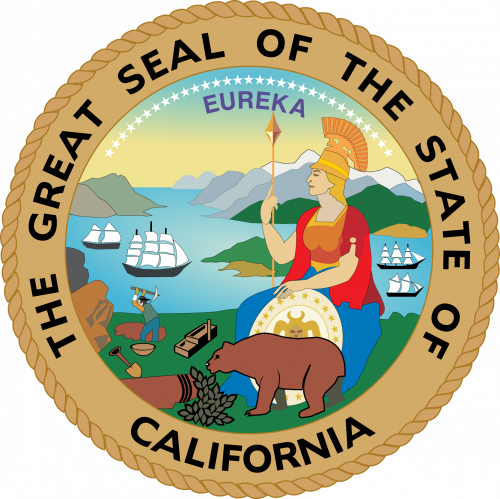 I really would've downloaded this pack, but the LAPD cruisers are really inaccurate, and it's kind of painful to me. No offense. Now, just a few corrections for you: LAPD patrol cars don't have pushbars, ESPECIALLY not the large type of pushbar in this pack with the light covers and all. From what I've read here, only traffic division units have somewhat smaller pushbars. LAPD marked cars don't have those rear interior lights/traffic directors. They also don't have pushbar/grille/mirror lights. LAPD emergency lighting is, at most, below "standard". CVPIs keep their standard hubcaps. The other hubcaps used on the Taurus and Charger are incorrect. Either that, or they just look wonky.
- 13 comments
- 4 reviews
-
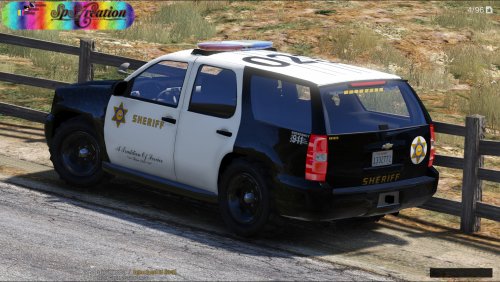 I'm pretty sure it's for K9 and Bomb Squad. I can only find images pertaining to Bomb Squad and K9 LAPD-marked vehicles that are full white.
- 63 comments
- 10 reviews
-
 oh shit its actually real
 -
First of all, sorry for being an asshole. I just wasn't having a good day yesterday, man. It happens. Second, yeah, I'm pretty sure I can handle this, but I just don't know how to move/copy my police vehicle files in x64e to the patchday18 vehicles.rpf.
-
violently slams head on wall As it turns out, the update folder isn't in GTA V in OpenIV, it's in the Grand Theft Auto V Steam folder. Fuck, should've checked. Sorry.
-
No shit, pal. That's really vague. So, it'd be nice if someone could actually give me an actual guide or tell me HOW to properly do this before I accidentally fuck something up. Like, do I keep x64e in the mods folder, or do I copy my modded police files to patchday17ng and just leave them there? What the fuck do I do? Why the fuck does this have to be so hard?
-
So, I got those LSPD ELS cruisers from here: And while the ALPR CVPI works fine (unrelated, the ELS pattern is pretty slow, kinda sucks), the Charger and the Taurus keep showing as the default police2 and police3. Now, everyone repeats the same solution: something with patchday17ng or whatever's the newest. mods>update>x64>dlcpacks, go find it. There's just one problem: So basically, I don't actually have those in my mods folder. It never came with it. If you're wondering where the update.rpf shit came from, I just added it because I thought that was it, and I was told not to fuck around with vanilla. Oh, by the way, the dlc_patch folder still has patchday17ng, but this is what it looks like: If it helps, I have the Grand Theft Auto V Steam release. 19 bucks sale, what a steal. Thankfully, this combined with the fact that RPH keeps fucking around with "insufficient permissions" really makes this worth it. Any help? Or is this gonna be one of those actual questions that gets filled with "i have this problem too, help me pls"?

