


.gif.03c4f3ca75e1466fd5dd4c599122620f.gif)
MEDIC3630
-
Joined
-
Last visited
Everything posted by MEDIC3630
-
 Sorry, I don't understand the question your asking. Message me and I can try to help
 -
Thank you Hazard, appreciate it!
-
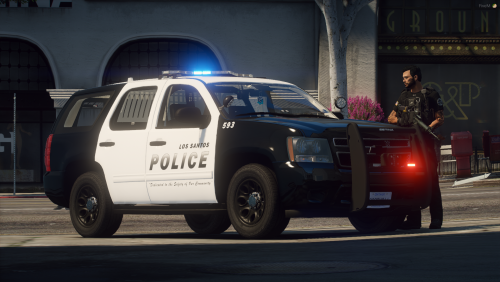
Check out my Discord!!! https://discord.gg/UrMCJsY How to Install: 1. Install Ripples pack for VCF's (link located in Credits). 2. Extract the Los Santos Police Livery Pack folder. 3. Open OpenIV and activate Edit Mode. 4. Locate your mods folder and locate the vehicles.rpf file. 5. Drag and drop all YTF's and YTD's. 6. Press save. 7. Install the VCF's into your ELS folder in your GTA V Directory. 8. Launch your game and enjoy. Vehicles: police3: 2016 Ford Explorer fbi2: 2019 Cheverolet Tahoe sheriff: 2020 Ford Explorer sheriff2: 2014 Cheverolet Tahoe Credits: Vehicles: Ripple. Liveries: MEDIC3630 Flag Decal: leod 23 This Livery Pack is based off of Chino Police out of California This pack is Lore Friendly!
-
From the album: Los Santos Police WIP (Chino Based)
© MEDIC3630
-
After a long break, I am back! Here is my newest work, a lore friendly Los Santos Police pack, based on Chino Police, with some of my own edits to it. When released, this pack will include a 2014 Chevy Tahoe, 2020 Chevy Tahoe, 2016 Explorer and 2020 Explorer.
-
2020 Chevy Tahoe Supervisor
-
 2020 Chevy Tahoe Supervisor
-
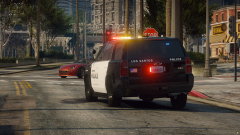 2020 Chevy Tahoe Supervisor
-
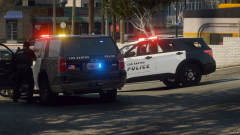 Los Santos Police units on-scene of a high risk stop
-
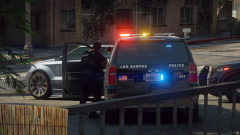 Los Santos Police units on-scene of a high risk stop
-
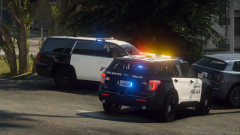 Los Santos Police units on-scene of a high risk stop
-
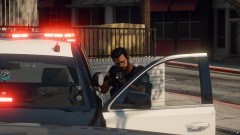 2020 Chevy Tahoe Supervisor
-
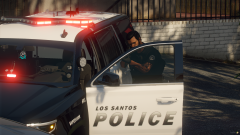 2020 Chevy Tahoe Supervisor
-
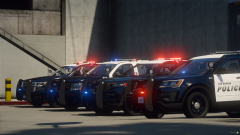 Los Santos Police Fleet
-
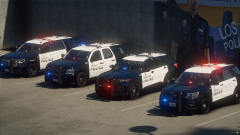 Los Santos Police Fleet
-
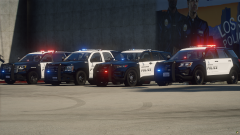 Los Santos Police Fleet
-
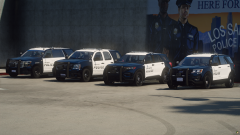 Los Santos Police Fleet
-
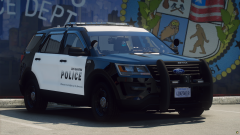 2016 Ford Explorer
-
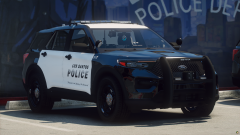 2020 Ford Explorer
-
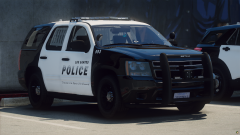 2014 Cheverolet Tahoe
-
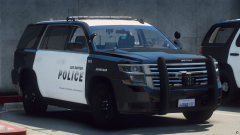 2020 Chevy Tahoe Supervisor
-
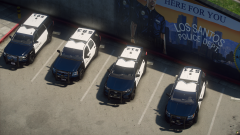 Los Santos Police Fleet
-
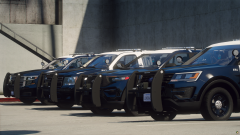 Los Santos Police Fleet
-
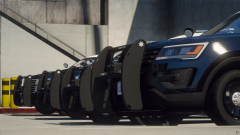 Los Santos Police Fleet
-
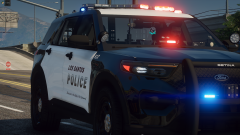 Los Santos Police 2020 Explorer
-
-
From the album: Los Santos Police WIP (Chino Based)
© MEDIC3630
-
From the album: Los Santos Police WIP (Chino Based)
© MEDIC3630
-
From the album: Los Santos Police WIP (Chino Based)
© MEDIC3630
-
From the album: Los Santos Police WIP (Chino Based)
© MEDIC3630
-
From the album: Los Santos Police WIP (Chino Based)
© MEDIC3630
-
From the album: Los Santos Police WIP (Chino Based)
© MEDIC3630
-
From the album: Los Santos Police WIP (Chino Based)
© MEDIC3630
-
From the album: Los Santos Police WIP (Chino Based)
© MEDIC3630
-
From the album: Los Santos Police WIP (Chino Based)
© MEDIC3630
-
From the album: Los Santos Police WIP (Chino Based)
© MEDIC3630
-
From the album: Los Santos Police WIP (Chino Based)
© MEDIC3630
-
From the album: Los Santos Police WIP (Chino Based)
© MEDIC3630
-
From the album: Los Santos Police WIP (Chino Based)
© MEDIC3630
-
From the album: Los Santos Police WIP (Chino Based)
© MEDIC3630
-
From the album: Los Santos Police WIP (Chino Based)
© MEDIC3630
-
From the album: Los Santos Police WIP (Chino Based)
© MEDIC3630
-
From the album: Los Santos Police WIP (Chino Based)
© MEDIC3630
-
From the album: Los Santos Police WIP (Chino Based)
© MEDIC3630
-
From the album: Los Santos Police WIP (Chino Based)
© Vehicle Model: Ripple | Livery Design: MEDIC3630
-
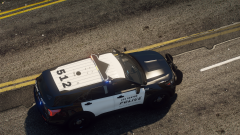
From the album: Los Santos Police WIP (Chino Based)
© Vehicle Model: Ripple | Livery Design: MEDIC3630
.thumb.gif.48d557d5c52081a57519b91df4e21d78.gif)


