
Grudziolsky
Members
-
Joined
-
Last visited
Everything posted by Grudziolsky
-
Smells good. I waiting for it
-
Nice. You compile some of weapons to one pack so thanks!
-
Hmm... smells good 😉
-
Nice EUP is really needed to everyplayer 😜
-
Here you are
-
 I think everyone need it because this new force callout system is eee.. what i can say.... weak. Thanks for creating!
- 117 comments
- 19 reviews
-
-

- 1
-
-
If any game not working correctly you need to disable windows defender 😤
-
Wow there is a lot of PD veterans ;D
-
Have you trying just reinstall this?
-
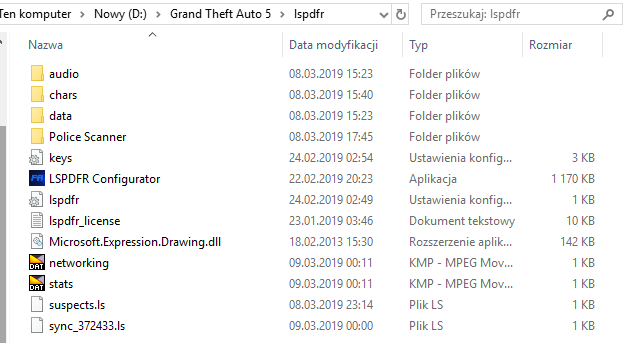
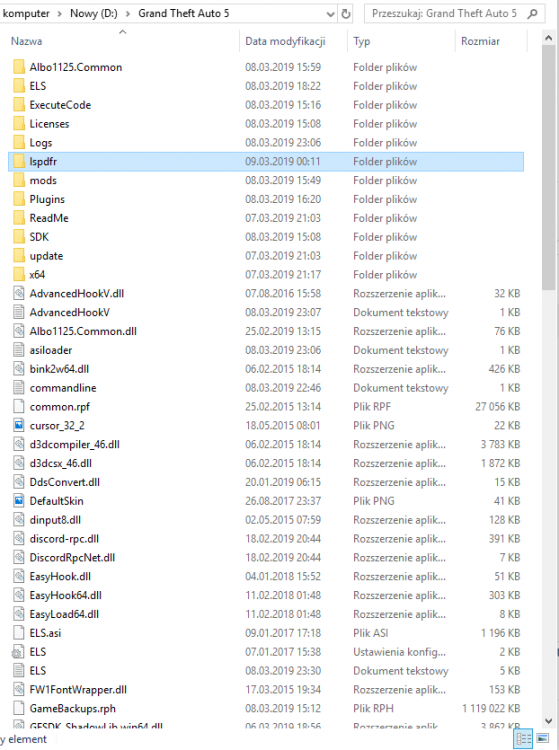
Can you post pictures with location of folders?
-
Hmm do you have scripthook?
-
Ultimate Backup have spikes and roadblock option so download it 🙂
-
-
Stop The Ped had option to search vehicle.
-
 Anyone who begun angry when ped hit you with car this mod is most important thing to upload to your GTA 5 folder. I recommend this mod to everyone!
- 268 comments
- 44 reviews
-
@Phoenix310 This files in screenshot <---- must be in this
-
-
-
-
Wow, waiting for it 🤑
-
How to get for example this?

-
+1 😄
-
This will do every LSPDFR player when 0.4 released 😄

-
Wow. This will be AWSOME!
-