
DeputyK.Cox
Members
-
Joined
-
Last visited
Everything posted by DeputyK.Cox
-
there was no crash log but I spent about 6 hours sitting here at work and I found out my problem. it was for some fucking reason APLR
-
SOME ONE PLEASE FOR THE LOVE OF GOD HELP. I havent had this problem til literally tonight. game was playing fine, then suddenly my GTAV crashes. im like oh well okay ill just restart it, then it just keeps saying this to me then my last attempt after re installing EVERYTHING this pops up along with fucking GTAV shitting itself. could someone help ASAP!
.thumb.png.f9d105c9623c7731fd8ee83bc9f26360.png)
-
for both its done it for both .4 and .3 but I figured out that I just have to put it in windowed borderless
-
well I have everything in order, scripthook, ragehook, and lspdfr all loading correctly, BUT when launching it sends me to the vanilla loading screen, then asks if I want online or storymode, I click story and none of my mods or LSPDFR will load. someone please help. Disclaimer, this shit was working not 15 minutes ago and suddenly it wont work.ive done all that practically already. it couldnt be my graphics because I run arma 3 on ultra at a steady 40 to 60 fps, ive reinstalled pretty much everything time after time againalready on false
 my Computer plus wont open when I hold down my assigned key someone help MEEE
- 1,743 comments
- 172 reviews
ive ran computer plus with JUST LSPDFR and it still causes the issueHI! not expecting you to reply butttt... my computer plus doesnt open when I hold down E, it just lags the game until i let go of E. is it possible its conflicting with the LSPDFR name/plate runner?<modelName>scpdu5</modelName> <txdName>scpdu5</txdName> <handlingId>gresley</handlingId> <gameName>scpdu5</gameName> <vehicleMakeName>VAPID</vehicleMakeName> <expressionDictName>null</expressionDictName> <expressionName>null</expressionName> <animConvRoofDictName>null</animConvRoofDictName> <animConvRoofName>null</animConvRoofName> <animConvRoofWindowsAffected /> <ptfxAssetName>null</ptfxAssetName> <audioNameHash>gresley</audioNameHash>yeahhh I did that the just going down and doing it one by one. ANND now my game crashesand for the handling meta thats where I change for the car flipping how do I do that when I replaced the handling iD you posted it told me this file contains unicode format witch will be lost if savedwait wait, sorry im confused Im new to this gta 5 modding shit. I got into Vehicle.Meta correct? Then where do I go from thereThank you very muchwait so how would one change it to gresley meta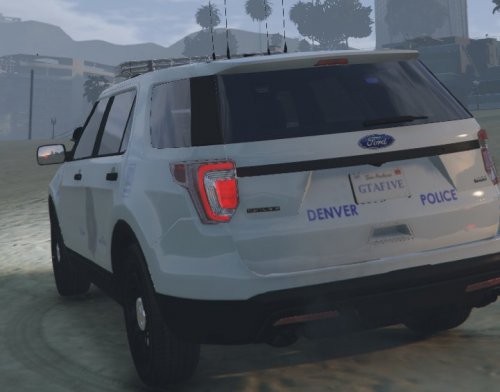 oh my god please make moreWell as I recently found out you cant really effectively play lspdfr its plugins along with ELS and GTA5 controls without a controller... sooooooo I am wondering if anyone would provide me with their button layout for both LSPDFR plugins and LSPDFR and the gta 5 base game controls.

.png.72d05899022bb605c7abc44bf663d870.png)