




Jamie Kent
Members
-
Joined
Everything posted by Jamie Kent
-
it's working now with the new RPHook 65
-
i did what u said n lspdfr still crashed while loading here is the log RagePluginHook.log
-
will do
-
it plays fine without the lspdfr plugin but if u got lspdfr it crases on load up the lspdfr 0.3 didn't crash so i have no clue on why it crashes nothing is blocked
-
i don't have a error lspdfr 0.4 just crashes when i go to make my officer well now it crashes going into the game i tired seeing if it was blocked but i don't see any where that lspdfr is blocked i might have over looked something on this pc but here is my log o i have both steam n the cds which i use the cd version RagePluginHook.log
-
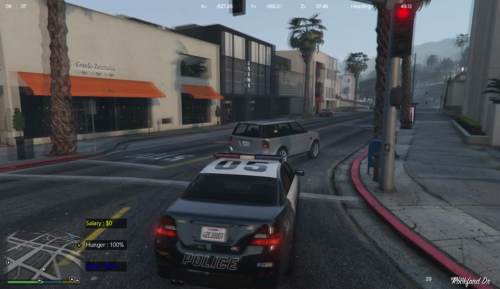 is there a way you can make a mod that when u have Traffic Stopped n u call back up the cops that's ur back up u called don't stop cause u have traffic stopped on just like real life Traffic Stopped all cars! but Emergency vehicles??
 -
Glad to hear steps are being taken to optimize the website experience, and more specifically, the downloading process n u Guys are doing great work
-
 on bribe on the RAGENATIVEUI 1.6.1.0 don't install use the RAGENATIVEUI.dll 1.6.3.0 cause other plugins want work it worked find for me i didn't use 1.6.1.0 i looked at that kind of funny when i first seen it with a RAGENATIVEUI.dll 1..6.1.0 when you have RAGENATIVEUI.dll 1.6.3.0 so other plugins would crash or not load if u put the RAGENATIVEUI.dll 1.6.1.0 in
- 69 comments
- 16 reviews
-
-
it may be some time befor i can get back with u going into work now but i'll let u know when i can get to it
-
i'm only using Arrest Manager,Assorted Callouts,Bribe,Conchs Callouts,PoliceSmartRadio,PoliceSmartRadioExtension,Traffic Control,Traffic Policer so to me idk why LSPDFR crashes??
-
i tried it again n it worked for a while then LSPDFR crashed on a call RagePluginHook.log
-
it crashed again when i called for a transport for ped RagePluginHook.log
-
-
here are some RPH logs RagePluginHook_24112018_071511.log RagePluginHook_24112018_075031.log RagePluginHook_24112018_075908.log RagePluginHook_24112018_082229.log RagePluginHook_24112018_085108.log RagePluginHook_24112018_092256.log RagePluginHook_24112018_093352.log RagePluginHook_24112018_100542.log
-
-
i have minimum requirements for GTA 5 i got steam version n cd version n the LSPDFR or the police ToolBox will crashes after writing tickits or othere things n i have windows 7 Amd A10-7800 Radeon R7,12 Compute Cores 4C+8G 3.50 GHz 16.0GB(14.9 GB usable) 64-bit Operating System with a GTX1060 graphics card but yet i still get crashes
-
you need to fix it where it works with RAGENATIVEUI.dll 1.6.3.0 cause with 1.6.1.0 want let other scrips load in ur gta 5 like Traffic Policer n others cause ur RAGENATIVEUI good job on it u fix the RAGENATIVEUI i'll play it!!!!!!!
- 69 comments
- 16 reviews

