




Sparky81
Members
-
Joined
-
Last visited
Everything posted by Sparky81
-
-
-
-
-
-
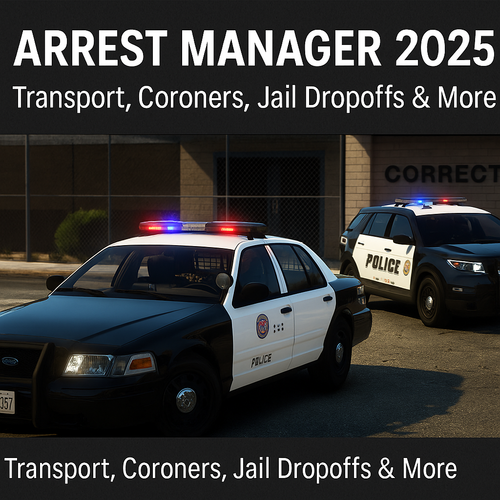 Ok so some things i'm going to remove from Arrest Manager. Reason for this will be, a lot of features in AM was created before LSPDFR got all the updates. Now i see somethings Arrest Manager no longer needs. I will make a post about this once i drop a update for Arrest Manager.
- 20 comments
- 1 review
-
-

- 2
-
-
-
-
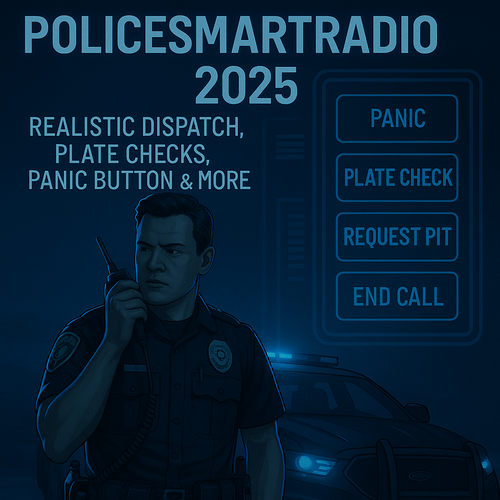 Ok with police radio the lspdfr computer is not needed as the radio does everything the computer does. I posted in discord about being able to disable most LSPDFR keys. If your using LSPDFR+ 2025 then that traffic stop has its own way of getting the ID. E on pullover and Shift Q on foot. Now the on foot menu has no ask for ID. Something albo never put in. I will be adding that on the next update. As for not being able to get the details over the radio, iv not come across that issue. I did a hour test before releasing the mod. If you see anything in the logs it whould help more.
 -
-
-
-
-
🧩 Overview PoliceSmartRadio 2025 brings back one of the most useful tools in the LSPDFR toolkit — a fully integrated radio interface packed with immersive law enforcement features. Completely restored and updated by Sparky81x, this 2025 edition supports current versions of GTA V, LSPDFR, RPH, and popular mods like Traffic Policer and Arrest Manager. ✅ Key Features 🎮 Smart radio menu with controller & keyboard support 🔈 Realistic dispatch voiceovers with scrolling radio menu 🧠 Built-in support for: 🚨 Panic button 🔎 Plate check 🧾 Ped record lookup 🛑 PIT request logic 📴 End call functionality 🐕 Optional K9 deployment system (fully implemented) 🎙️ Compatible with VocalDispatch voice commands 📦 Fully editable INI + XML configs for button setup, hotkeys, layout 💡 Optional Plugin Support PoliceSmartRadio 2025 will automatically detect and integrate with: ✅ Traffic Policer 2025 ✅ Arrest Manager 2025 ✅ British Policing Script (plate/ped check compatibility) ✅ VocalDispatch (voice triggers) ➕ Third-party support via open API 📂 Installation Drag and drop all contents of the plugin folder to your root GTA5 folder. Or watch the following video as all mods are installed the same way. 🔧 Requirements GTA V: 1.0.3521.1 LSPDFR: 0.4.9 RagePluginHook: v0.51+ Albo1125.Common.dll: v6.6.4.0 (included) RAGENativeUI: 1.9.3 📘 First-Time Setup If this is your first time using PoliceSmartRadio: You'll be prompted to auto-generate XML configs for button layout You can customize button pages per mode (on foot / in vehicle) Buttons are assigned automatically based on plugin availability Want to add your own? Just drop .png icons into the right folder and edit the XML! 📝 Credits Original Developer: Albo1125 2025 Update + Maintenance: Sparky81x With thanks to: OfficerSquare (UI icons), FinKone (concept), the LSPDFR community 💬 Support Bug reports and feature requests are welcome on GitHub: 🔗 https://github.com/Sparky81x/PoliceSmartRadio-2025 Join our official GTA5 Mods | Sparky Support Discord: Support Discord Get help, suggest new features, or chat with the community!
-
-
-
🧩 OverviewArrest Manager 2025 brings back one of the most immersive and useful plugins in the LSPDFR ecosystem — allowing you to call transport units, coroners, jail suspects manually, tow vehicles, and more. Restored and updated by Sparky81x, this version has been fully patched and modernized for today’s GTA V modding environment. No more crashes, no more broken menus — just clean, immersive custody handling. ✅ Key Features👮♂️ Transport suspects with smart logic for single or multiple arrests 🚐 Supports ground, air, and boat transport 📦 Includes jail dropoffs with cutscene support, vehicle entry animations, and AI handoffs ⚰️ Coroner system restored — now takes photos, bags bodies, and determines cause of death 🚓 Tow truck and insurance pickup systems included (supports flatbeds) 🎮 Integrated with LSPDFR+, Smart Radio, Computer+, Vocal Dispatch, and BetterEMS ⚙️ Full support for custom .ini and XML configurations (spawn models, jail zones, etc.) 💬 All menus rebuilt with RAGENativeUI 1.9.3 🧰 Requirements✅ GTA V: 1.0.3521.1 ✅ LSPDFR: 0.4.9 ✅ RagePluginHook: v0.51+ ✅ Albo1125.Common.dll: v6.6.4.0 (included) ✅ RAGENativeUI.dll (usually included with RPH or LSPDFR) 📂 InstallationDrag and drop all contents of the plugin folder to your root GTA5 folder. Or watch the following video as all mods are installed the same way. 🔧 ConfigurationAll features are controlled through Arrest Manager.ini files. You can: Set spawn distances, models, keys Customize tow trucks and coroner models Add or modify jail dropoff locations Disable or enable advanced features 🧠 Plugin InteroperabilityArrest Manager 2025 fully supports and detects: LSPDFR+ – Stat tracking and arrest flow BetterEMS – Accurate cause of death and transport Computer+ – AI callout integration SmartRadio – One-click buttons for tow, coroner, transport VocalDispatch – Safe API calls with registered event handling 🧩 Included FilesArrest Manager.dll Arrest Manager.ini Albo1125.Common.dll readme.txt, changelog.txt 📜 CreditsOriginally created by Albo1125 2025 update and restoration by Sparky81x With thanks to the LSPDFR and GTA V modding community 💬 Feedback & SupportPlease leave feedback, report issues, or contribute on GitHub: 🔗 https://github.com/Sparky81x/Arrest-Manager-2025 Join our official GTA5 Mods | Sparky Support Discord:Support Discord Get help, suggest new features, or chat with the community!
- 20 comments
- 1 review
-
-

-

-
- 10
-
-
-
-
 Traffic Policer is updated for LSPDFR 4.9. If your using Stop The Ped then thats your issue.
- 62 comments
- 3 reviews
-
-
-
-
-


