
Sparky81
Members
-
Joined
-
Last visited
Everything posted by Sparky81
-
 Why do ppl not use default LSPDFR way of cuffing. Its changed over the years and works very well. I have not worked on a backup system yet. But it is planned.
- 202 comments
- 3 reviews
-
-

- 1
-
-
-
-
Join my discord and i will show you my base code. My code will be OS, once its been fully released. Right now its only WIP. I'd like to see this mod converted for everyone to use. But that can't be done till iv finished the mod. Iv already gave credits to the ppl who have helped me over the last few months.
- 202 comments
- 3 reviews
-
-
-
Thank you dude. In order to use the MDT. You need to do a traffic stop and use E for the traffic stop menu. The ask for ID. Its at that point my system takes over. You can then use the person search. As for on-foot. Walk near the ped and press L. This will then bring up the on-foot interaction. Use stop ped or use LSPDFR default way of stopping the ped and then open the menu, once the ped is in stopped state. Ask for ID. Then can be seen in the MDT. Use ANPR to get a hit on the vehicle. Open MDT and chose ANPR Hits. Pick your hit and vehicle details are shown. Some of the MDT system is not fully finished yet. Again reason for WIP As for the random vehicle license plate search. That is not fully supported just yet but is in the ped search. Vehicle search will be the same.
- 202 comments
- 3 reviews
-
-
- 1
-
-
Haha your welcome. Its only basic right now but will be far more advanced by full release.
- 202 comments
- 3 reviews
-
-

- 1
-
-
More Dialog is going to be added in the coming updates. As for the end of the traffic stop, thats going to change into a more advanced stop system. As for the flashes, thats just Gwen forms. I can't really do anything about that as far as i know dude. Thank you for the kind words on using the mod. Ill make a showcase video at some point showing all the systems and just how LSPDFRPA works.
- 202 comments
- 3 reviews
-
-
- 1
-
-
I would not use Stop The Ped with my mods.. Thank you dude. This system is still in WIP. Understand that some systems are not fully finished, hence WIP. To keep upto date on updates coming. I would advise you to join the discord as thats the place i post things before uploading to here.
- 202 comments
- 3 reviews
-
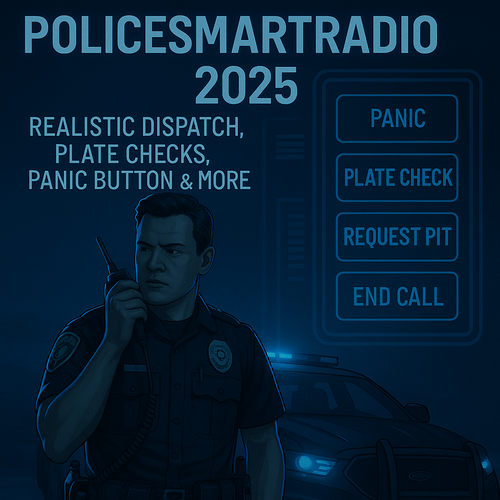
A modern, modular overhaul for traffic and street policing. Built from scratch for stability and current GTA V + LSPDFR versions. Discord (support & updates): https://discord.gg/3E5JyujUXw THIS MOD IS STILL IN WIP (WORK IN PROGRESS)Please read full Description🔑 Key Features (v2.0.1)🚦 Traffic StopsSmart stop detection with clean “Approach & press E” prompts. Modular interaction menu for ID checks, citations, warnings, arrests, and more. 💬 Dialog System (New/Expanded)Two layers: General Dialog (always available) loaded from GeneralDialog.xml. Symptom Dialog (conditional) loaded from SymptomDialog.xml. Symptom questions render in red to clearly distinguish them from general lines. Users can add unlimited questions and multiple <Symptom key="..."> entries per symptom; the system picks a random pool and response for variety. Loaded automatically when going on duty and integrated into the Traffic Stop dialog menu. Added dedicated Dialog Questions submenu to On-Foot Interaction. 📋 Full Citation SystemTwo dedicated UIs: Traffic Citation Form (with vehicle data). Ped Citation Form (on-foot only). Supports multiple offenses, automatic fine calculation, summons toggle, and notes. Penalty Points system (UK only). Records stored in: Plugins/LSPDFR/PolicerAdvanced/data/citations.xml. ⚖️ Court SystemCitations and Arrest Reports generate real court cases. Features TXD mugshots, case numbers, addresses, and verdicts (US/UK logic). UK support includes penalty points & driving bans. Cases stored in: Plugins/LSPDFR/PolicerAdvanced/data/courtcases.xml. 🚶 On-Foot Ped InteractionContext menu: ID check, warnings, on-foot citations, Follow/Stop Following, Grab/Dismiss. Persona data stays consistent with vehicle stops. 🚔 Felony Stop SystemTactical control of driver/passengers at gunpoint: Orders: Turn off engine, Exit vehicle, Hands up, Drop weapon. Movement: Walk back, Step left/right, Kneel, Face directions. Actions: Detain suspect or Abort stop. Requires pulling over a vehicle first (press F5). 👮 Partner & K9 SystemManage a human partner or K9 via Partner Menu (F9). Commands: Follow, Stay, Dismiss, Move to Location, Search Vehicle. K9s automatically use rear seats; partner model configurable in PolicerAdvanced.ini. 🚘 Vehicle Seizure SystemSeize/impound vehicles during citations. Occupants removed, vehicle logged in SeizedVehicles.xml. Tow trucks dispatched, attach, drive away, and auto-cleanup. Includes H override if tow takes too long. 🧑 Persona & Flag DetectionUnified persona shared across MDT, Radio, ANPR, and alerts. Detects suspended license, expired insurance/registration, stolen vehicles, wanted suspects. 📻 Police Radio (Motorola-style)Plate and Ped checks, Code 3 backup, tow, coroner, Panic and more. Full sound + visual feedback system. 🖥️ MDT / Police ComputerGwen-based UI with multiple tabs: Person Lookup (with TXD mugshot). Vehicle Lookup. Citation Records. Arrest Reports. Integrated with ANPR, court results, and all record databases. 📡 ANPR (Automatic Number Plate Recognition)Live scanning for: owner wanted, invalid license, stolen vehicles, expired/none insurance/registration. Triggers in-game alerts and dispatch radio playback. ⚠️ Warnings SystemTrack verbal warnings. Stored in: Plugins/LSPDFR/PolicerAdvanced/data/warnings.xml. 📦 Contraband & SymptomsSymptom-driven contraband injection (odor, jittery, bloodshot eyes, sweating, delayed responses, etc). Fully expandable via ContrabandItems.xml. Integrated drug & alcohol testing. Symptom-driven dialog with randomized responses for immersive roleplay. 🌍 Ambient EventsDrunk Driver (swerving), Known Gang Vehicle, Bad State Vehicle. Independent cooldowns and pursuit/stop logic. 🛠️ Vehicle ManagerOptions: Search Vehicle, Open Trunk, Tint Reader, Tyre Tread. Police-only options: Repair Vehicle, Restock Vehicle. Future integration with the Evidence System. 📑 Arrest ReportsFull MDT form: charges, officer details, auto-filled location/time. Records stored in: Plugins/LSPDFR/PolicerAdvanced/data/arrestreports.xml. Can automatically generate a court case. ⚰️ Coroner System (New)Request a coroner unit through the Police Radio. Coroner van responds to nearby deceased persons. Two coroners arrive, examine each body, and report an apparent cause of death. Bodies are removed and replaced with a configurable body bag prop. Coroner vehicle and staff clear the scene automatically after recovery. Vehicle, ped model, body bag prop, search radius, spawn distance, arrival distance, and drive speed are configurable in PolicerAdvanced.ini. Optional: Install the Body Bags replacement mod for realistic body bag/stretcher visuals. 🧰 Loadout SystemFully integrated into the Policer Main Menu. Apply custom or vanilla police loadouts instantly in-game. Supports: Weapons with chance percentages. Attachments/components (flashlights, scopes, grips, etc). Stun weapons and armor levels. Custom loadouts file: Plugins/LSPDFR/PolicerAdvanced/data/loadouts.xml Compatible fallback with LSPDFR\data\inventory.xml. 🧭 Policer Main Menu Central hub for all Policer Advanced systems (currently loadouts, Road Management & Vehicle Manager). Designed to unify access for future systems like Partner, Vehicle, and Evidence management. Open using the key defined under [Global] MainMenuKey in PolicerAdvanced.ini. 🚧 Road Management System Deploy and manage roadside control tools directly in-game. Place cones using a realistic placement animation and ground marker. Deploy police barriers via cursor trace placement with automatic rotation. Create interactive speed zones to slow nearby AI traffic temporarily. Full cleanup options to remove individual or all placed objects. Ideal for managing crash scenes, checkpoints, and investigations. 🚨 BOLO System – Basic Mission PackTen fully integrated BOLO missions using the new BoloMissionManager: New Feature Request by @New York Modz Stolen Vehicle Wanted Gang Member Drug Courier High-Risk Felon Missing Person Gang Vehicle Sighted Serial Burglar Stolen Construction Van Human Trafficking Transport Aggressive Driver All BOLOs support: Configurable pursuit chance via [BOLO] PursuitChancePercent Clean shutdown of Policer Advanced traffic stop logic before LSPDFR pursuits Vehicle & persona flag integration Full MDT & Radio compatibility Unified mission resolution (resolved only if the suspect is arrested or dead) Vehicle-based BOLOs now support dynamic AI behaviour: cruising → stop → flee → LSPDFR pursuit. ⚙️ Built on CommonLibSparky81x for INI configs, key input handling, popups, logging, helpers, and zone detection. InstallationDrag & Drop the contents of the included GTA5 folder into your GTA V root. Important: To avoid conflicts with Policer Advanced, disable the default LSPDFR traffic stop interaction keys. Open: Grand Theft Auto V\lspdfr\keys.ini TRAFFICSTOP_INTERACT_Key=None TRAFFICSTOP_INTERACT_ModifierKey=None TRAFFICSTOP_INTERACT_ControllerKey=None TRAFFICSTOP_INTERACT_ControllerModifierKey=None Remember, if you want the K9 model I used, you can grab it here: German Shepherd / Malinois K9 Dog – LSPDFR As of 9/12/2025 DO NOT USE Stop The Ped (STP), Policing Redefined (PR) with Policer Advanced. It will conflict with custom stop and ped management logic. RequirementsGTA V Legacy or Enhanced LSPDFR 0.4.9 RAGEPluginHook 1.102+ (Read Known Issues Below) CommonLibSparky81x 1.0.3 - UPDATED 17/05/2026 Recommended Setup Ensure your GTA V and LSPDFR installations are fully updated. Use a clean plugin environment before testing new Policer Advanced versions. Optional Addons Ultimate Backup – for enhanced unit variety (optional, not required). Vehicle mods – compatible with the ANPR and Seizure systems. Controls & AccessOn-Foot Ped Interaction Menu: L (near a stopped ped). Traffic Stop Prompt: Approach vehicle → on-screen E prompt (when fully stopped). (Other actions appear in menus; your existing LSPDFR keys still apply. See ini for key settings) All ini keys are in Plugins\LSPDFR\PolicerAdvanced.ini How It All Ties TogetherStart a traffic stop, use the menu to ID / cite / warn / arrest. Summonsed citations create court cases with realistic verdict logic and mugshots. Use ANPR while patrolling to surface wanted owners, invalid licensing, or stolen/expired vehicles — triggers radio checks and UI alerts automatically. On foot, use L-menu to manage peds consistently with vehicle stops (persona + flags unify all systems). Development Status (Completed Phases)All core systems through Phase 28 are base complete and are subject to change before release: Traffic Stop Interaction, Citation + XML, Persona/Flags, Radio, MDT, ANPR, Warnings, Drug & Alcohol Tests, Logging, Symptoms, Dialog, Court, Citation UI, On-Foot, Persona Overrides, Contraband, Ambient Events, Mugshots, Vehicle Manager, Arrest Core, Arrest Reports UI, Felony Stop System, Partner & K9 System, Vehicle Seizure System, Loadout System, Road Management System, BOLO Mission System, Coroner System. Planned / UpcomingEvidence System — Collect, catalog, and store items during searches. Evidence will tie into the MDT for reports and may influence court verdicts. XP & Rank Progression — Earn experience for traffic stops, arrests, and completed events. Unlock higher ranks and see your progression in a dedicated pause-menu tab. Expanded Radio SFX — More authentic dispatch chatter with randomized audio categories. Existing radio already supports custom .wav playback, and this phase will flesh out a full library. AI Backup System — Call in Code 2 and Code 3 backup units during high-risk or combative stops. System will expand into tactical responses and unit variety. Community & SupportDiscord: https://discord.gg/3E5JyujUXw Get help, report bugs, share showcases, and see sneak peeks. CreditsAuthor: Sparky — github.com/Sparky81x Thanks to the LSPDFR, RAGE Plugin Hook, and community resources used to build & test the systems. Thanks to T13Ollie for the Addon Police Vehicle tutorial for use with the ANPR system. https://discord.com/channels/1366265407882657834/1420726024077053962/1420726024077053962 DisclaimerThis mod is a community project and is not affiliated with Rockstar Games, Take-Two, or LCPDFR. Designed for realism, performance, and flexibility. Known IssuesMDT Flicker: Some users may experience flickering of MDT forms when the game is not paused. This occurs because GTA V and Gwen both require fibers at the same time. Fix: Set `PauseGameOnOpen = true` in the `[MDT]` section of `PolicerAdvanced.ini`. High-end PCs may not need this setting. Tow Trucks Getting Stuck: Tow trucks may sometimes get stuck or fail to navigate correctly. This is a limitation of GTA V AI driving. Use the `H` respawn feature to force a tow truck to respawn closer if it cannot reach the target. AI Behaviour: Cones and barriers currently do not affect AI navigation. Vehicle avoidance will be introduced in a future update. Speed Zone Visuals: Zones are functional but have no visible ground ring once placed (for performance reasons). Known limitation: PA v2.1.0 Native MDT and current RAGENativeUI-based menus require a modern supported GTA V / RagePluginHook / RAGENativeUI setup. Older legacy builds may not display the native mouse cursor correctly. Recommended PluginsWest Coast Callouts West Coast Callouts - Script Modifications & Plugins - LCPDFR.com
- 202 comments
- 3 reviews
-
-
-
-

-

- 32
-
-
Never mind. I made a noob mistake lol 🤣 Iv worked out the auto follow issue haha
-
Hi, im not sure if this has been asked. I'm trying to work out the detaining API for my mod. I know LSPDFR default hold to put in back of vehicle and so on. I just need to know the API call thats called when putting in vehicle so the ped does not get out and auto follow. Albos arrest manager that im updating has put in vehicle but ped gets out cos its not calling the Detaining API. Thanks
-
-
-
Hi not sure if this is the correct place but here goes. Im wondering if i can get the frisk animation from anywhere or if its part of GTA, LSPDFR or RAGE. Used this website but 3000+ anims is a lot to get though lol https://forge.plebmasters.de/animations
-
-
-
-
-
-
-
-
-