


.png.1ea7fc3a6e17ccdb06eb431c74e74917.png)
.png.389a57d0a99b3137fd951c9a64f24fcb.png)
S4mpl31
Members
-
Joined
-
Last visited
Everything posted by S4mpl31
-
Make a rightclick on your GTAV.exe and click on characteristics. Then click on the Tab Details and check your Fileversion to be sure that your GTAV.exe is updated. Alternative you can also check your game for Errors. It could help.
-
No Problem. Have fun playing.
-
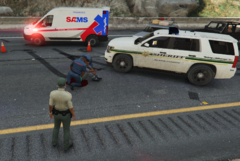
From the album: S4mpl31s LSPDFR pictures
© S4mpl31
-
Here I post all my screenshots from LSPDFR.
-
-
.png.8d1eafd653fe5291181f63984fd2f381.png)
-
no problem. have fun playing.
-
Update your RageNativeUI and see if this helps. If not remove Dynamic Callouts and try again without it. Here is the link for the newest RageNativeUI Version: https://github.com/alexguirre/RAGENativeUI/releases
-
Update your RageNativeUI and see if this helps. If not remove Immersive Ambient Events and try again without it. Here is the link for the newest RageNativeUI Version: https://github.com/alexguirre/RAGENativeUI/releases
-
It seems that SuperCallouts has a Problem. It shows up multiple times with an error in your log. Try without it.
-
okay
-
-
-
.png.d599ca68cdcaea76d57cc9e9ecf96d24.png)
-
.png.5c86e36f30632b340943d8ba280ba5f6.png)
-
It seems like you activated the Blackout Mode short BKT. If you look on your ELS Control Panel you see that the BKT has orange around it which means that this function is activated. Try to turn it off with pressing \ which is the default button for the BKT function.
-
You can download the Coastal_Callouts_3.1_LML-PACKAGE.zip and unzip it. Then go into Grand Theft Auto V\lml\downloader and copy the unziped folder into the downloader folder and overwrite everything. Make a backup first if you changed any config and want to reuse it again after you overwrite everything. You can also delete the Coastal_Callouts_3.1_LML-PACKAGE folder before you copy the unziped Coastal_Callouts_3.1_LML-PACKAGE folder into the downloader folder.
-
You can try using a different gameconfig. I use this one: https://de.gta5-mods.com/misc/gta-5-gameconfig-300-cars Edit: Sorry i read it wrong. You can compare the original config with yours to see if somewhere something missing or a value is invalid.
-
no problem. i am happy that it worked for you. have fun playing.
-
ok sure
-
Go into lspdfr\audio\scanner\STREETS and check the file is in there. You can also install this: It should fix your Problem with the missing Audio file. Normally there are only 21 files in there which comes with the installation from LSPDFR.
-
You can download RagePluginHook on their Website and copy those files into your Game Folder overwrite all and try again. Also start your game first and while it starts make a double click on the RagePluginHook.exe.
-
You need to download the Logitech GHUB. After you installed it open it and you should see your Mouse. Then Click on your Mouse and the you should see a small Window on the left with the Assignments and on the right next to it your Mouse with all the function like Primary click for your Left Mouse Button. Then Click on view 2 which is under your Mouse. Then You see your Mouse from the left side. Click on the white point from where the white line goes to Forward. Forward should now stand there in Blue. Under it you see now Use Default and Disable. Click on Disable and Forward with the white Line is gone. Then click in the Assignments Window on Keys and click on the Searchbar and write F13. Then there should be only one entry seen which says F13. Go with your Cursor over the F13 and make a leftclick and hold it. Then move your Cursor while you hold it over to the white circle which is empty. The white circle should get a bit bigger and the white should be now blue. Now let the left mouse button go and it should assign the F13 key to your G5 button. Now you only need to write F13 in your Config and it should work.
-
Did you copied all RagePluginHook files out of the newest LSPDFR Download and overwrite the old ones in your Main Folder?
-
When you get the callout you could use the standard police computer. When you don't change the standard key you can open it with Q. Then enter the full name and press enter. After a few seconds, you should get a message over the minimap with the details. When a ped despawn or a coroner/medic takes the person within their car and drives away you can't search for the name again because the person is away. When I enter a name in compulite or the standard police computer also nothing shows up but when I stopped someone and then enter the name then it shows up because the ped with the name is there.
.thumb.png.39c6e46bfcfee0b6e496df5f610d7545.png)
.png.8d1eafd653fe5291181f63984fd2f381.png)
.png.d599ca68cdcaea76d57cc9e9ecf96d24.png)
.png.5c86e36f30632b340943d8ba280ba5f6.png)


