
CroDesign
Members
-
Joined
-
Last visited
Everything posted by CroDesign
-
How do I lower the brightness of my takedowns, they are super bright compared to my police lights.
-
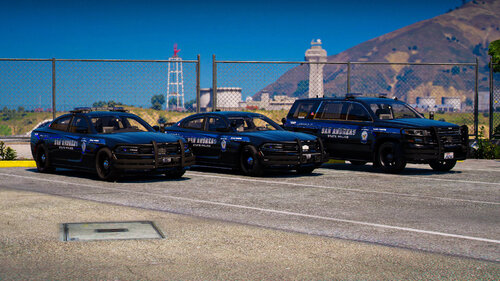 added a 16-20 FPIU for you. Enjoy
 -
linked in credits if u want the exact models, they fit basically all models
-
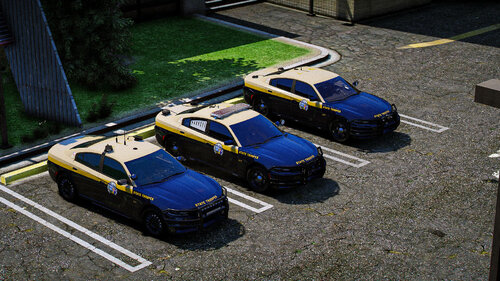
4k San Andreas State Police Pack 19 Tahoe 18 Charger 16-20 FPIU Textures will fit most vehicles listed above (vehicles linked in credits if you want exact ones) Textures are transparent so you can change the base color of the vehicle to whatever you want in game >Installation instructions in the READ ME file< DO NOT REDISTRIBUTE Comment below if you want any more vehicles added to this mini pack. ENJOY
-
-
Been trying to make my game feel as realistic as possible but a couple things are bugging me. First thing is traffic stops. Is there a way to make cars stop slamming on their brakes and instead just have them move over. Kinda like how trucks and buses act, they kinda move over but they don't slam on their brakes. 2nd problem, is arresting a fleeing suspect. Now im not sure if im missing something on how to fix this but with STP when I tackle someone I gotta point my gun at them and wait for them to get up and then they put their hands up. Is there a way to tackle then arrest them while they lay on the ground? I know Combat Enhanced has a feature to arrest them on the ground but it's buggy and the ped gets up and sometimes walks away. Any help would be appreciated. Thanks
-
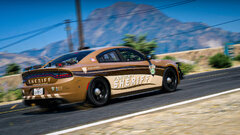
From the album: BCSO Patreon Liveries
18 Charger (Infidel) BCSO Liveries for over 35 vehicles coming soon! -
BCSO Patreon Liveries coming soon! 18 Charger (Infidel)
-
 was already linked in credits before u commented bud
 -
k
-
-
San Andreas Highway Patrol 2018 Charger 2016 FPIU Multiple livery installation guide in the README. Work in progress, will add more vehicles later. Comment below on which vehicles I should add next. Enjoy
-
-
-
-
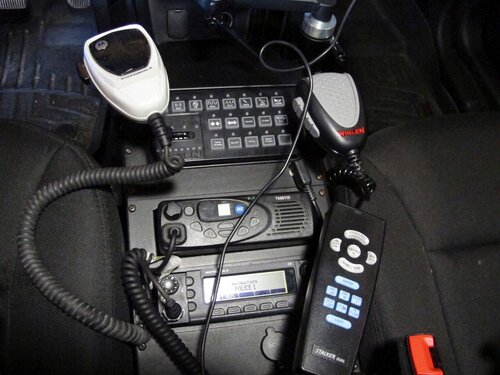 Features: - 205 immersive real life police audios Installation(IMPORTANT): - Read the "README" file in the download for instructions Credits: - Thanks to @Devin Plays for letting me convert his audio files so they could work for MoreRadioChatter MUST HAVE BEFORE ADDING MY FILE:
- 1 comment
- 1 review
-
-

-

- 3
-
-
 Plugin is great but one thing that is bugging me is that I don't get the fuzzy overlay on the dashcam. Not sure why, it's enabled in the config. I tried the clear weather cycle but that doesn't seem to do anything. NVE is probably messing with it but if someone found a way to get that fuzzy look. LMK
- 294 comments
- 29 reviews
-
Was wondering if there is a way to disable attachments on my AR from when I grab it from my trunk using STOPTHEPED. The scope that spawns clashes with my custom model. Thanks
-
Is there anyway to disable your character's voice when they arrest someone. I hate hearing the default voice dialogue. I have kifflom Replacement for ID checks but is there anyway to replace or disable the arrest dialogues.
-
When I request EMS or a Transport they just stop in the middle of the road causing a traffic jam. Is there any way to fix that so they pull over to the side.
-
figured it out. With StopThePed it allows you to select your ar while in the car.
-
Was wondering if there is a script to make it so when you get out of your cop car, your weapon is already equipped. I hate having to weapon wheel to my pistol or AR and have it bug out or be delayed.