


djogloc
Members
-
Joined
-
Last visited
Everything posted by djogloc
-
-
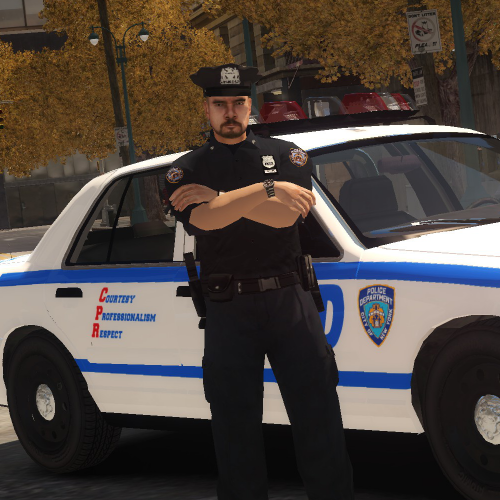 The models are good but the ballistic vest and traffic vest can`t be removed in the customization and if I put on a hat I can`t remove it either. Also, pressing O gives my officer a cup in his hand.
- 16 comments
- 2 reviews
-
-
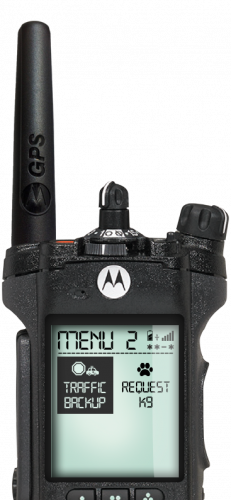 No sorry, I should have said the instructions given in the comments by UnitedOrange, I did exactly as told download 1.6 and 1.7 hotfix and extract only some files from each and add anims with OpenIV. I also watched that second video with 8 minutes on it, the traffic backup does come in my game like in the video but if I hit enter they won`t leave, other options work though. I must have messed something up/
- 222 comments
- 1 review
-
Works almost fine on my LCPDFR 1.1 but automatic burglar alarm and fuel theft seem to always crash. I have callouts +, rush hour, wasteland, backup and wouters callouts.
- 74 comments
- 36 reviews
-
-

- 1
-
-
Is there a version that can run this mod fine (0.95 RS2 or 1.0d) or will it always crash after 10 minutes?
- 356 comments
- 140 reviews
-
It's broken for me, the radio for plate check and other features don't work, only tow truck and traffic backup. Sometimes the keys don't work, also cops won't leave the scene. This means I can't call another traffic backup and I think this may help LCPD FR to crash (scripts running at the same time, I can just reloadscripts but it's annoying). The mod doesn't let me alt tab out of the game, if I do that, it won't let me return to GTA IV window. Also, the instructions are really bad. But the idea is cool, good luck.
- 222 comments
- 1 review

