


Everything posted by Deputy C.Norris
-
So I have the latest .Net Framework installed, here is the latest reports. RAGE Plugin Hook Crash Report.txt RagePluginHook_24052020_121408.log
-
RAGE Plugin Hook v1.78.1267.16039 PUBLIC.txt RagePluginHook_24052020_003954.log
-
I have reinstalled scripthookv already.
-
I think these two are the files. RAGE Plugin Hook Crash Report.txt RagePluginHook.logok below is my latest log file, thank you for your help. RagePluginHook_22052020_000443.logALCON: I am having a game loading issue not sure weather its GTAV or LSPDFR. If anyone can take a look at the RPH crash report attached, and help me out thanks. RAGE Plugin Hook.txtDisregard team Per Load all models was set to trueGetting message texture loss, cant figure it out have been testing different settings and still having massive texture loss. Below is a screen shot of the issues, and help would be welcomed.
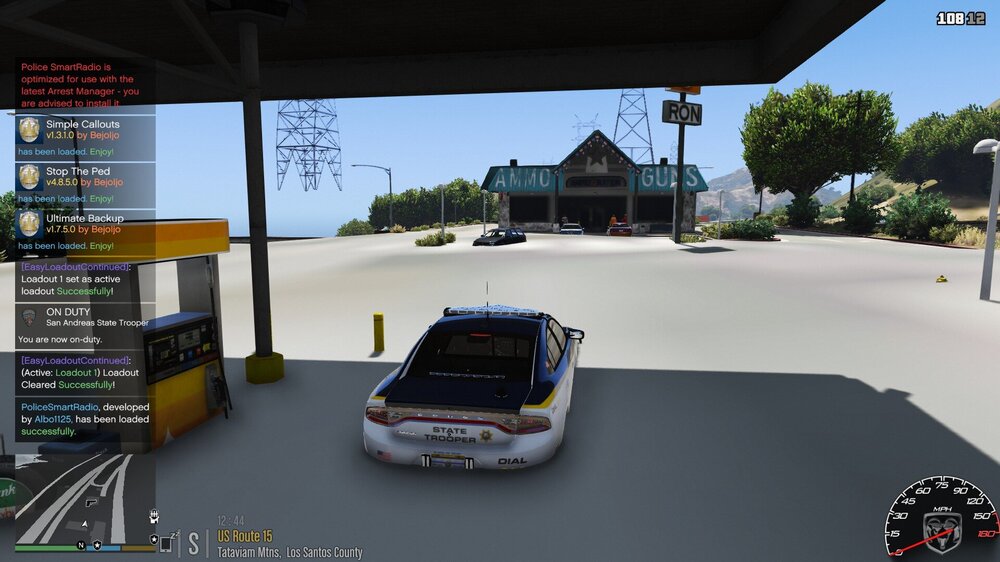 Yes I have all the latest updates installed. I am not sure what is causing the crashes. I have also updated all the bejoijo256 plugs.HELP!! I am getting random game crashes, I have all the latest updates installed and the game crashes at random. I cant read the RPH Crash report any help would be awesome. RAGE Plugin Hook_Crash Report.txtok thanks for your help anyway.cool thanks will this allow me to play with mods? I have tried to run it with the bypass launcher but no dice, wont allow the game to launch at all.Ok is the bypass launcher on GTA5 mods.comHello LSPDFR family, I am looking to get some help with step by step process to play LSPDFR with the back up game file. I have updated the game and since had to revert to the older version, but for some reason cant GTA5 to load any help would be appreciated.Ok that fixed it you are the bestyes I do have re-roading installedok this is the latest RPH File. RAGE Plugin Hook Text Document.txtUpdate: I remove the heap and pack file adjuster , reinstalled LSPDFR and updated game config. Able to launch game again still LSPDFR crash.ok thanks for all your help.Yes WorldEvents.MaxNumberOfEvents = 0 add heap file and pack file limit adjuster and installed new gameconfig, getting complete game crash now RAGE Plugin Hook Text Document.txtI have found RPH file txt that has these txt lines [11/29/2019 2:03:00 PM.451] LSPD First Response: [TRACE] Hook encountered low memory environment, forcing manual collection [11/29/2019 2:03:00 PM.476] LSPD First Response: [FATAL] Forced termination [11/29/2019 2:03:00 PM.479] LSPD First Response: [TRACE] Released 0 entities from DefaultContentManager [11/29/2019 2:03:00 PM.501] LSPD First Response: [INFO] LSPDFR has shut down [11/29/2019 2:03:00 PM.981] LSPD First Response: [TRACE] Failed to hook: 140697818541760 Not sure what could be causing the issue, this is after reinstalling LSPDFR and the plugins. here is a copy of the RPH txt. RagePluginHook_29112019_045030.logSo I reinstalled LSPDFR and still having the same issue. RagePluginHook_29112019_042608.log LSPDFR crashed the game back to desktop now not sure what to do. Possibly the antivirus software on my system?ok I will try that out.Thanks I will be standing by for any further information of if you may need anything else.


