Kaatun
Members
-
Joined
-
Last visited
Everything posted by Kaatun
-
 The only thing that seems to be missing from the Immersive Dispatch, is when you tell the dispatch that you are in pursuit, it automatically sends a backup unit, and asks you if you want an aerial unit. Thanks for the updates 😄
- 1,361 comments
- 85 reviews
-
-
 Ooh, i see. I also had some problems with the presetoutfits, manage to solve by deleting the presetoutfits, and generating the file again when loading EUP menu again. Yeah, the US. NPS you got right, the others ones is kinda unique xD. SADFW means "San Andreas Department of Fish & Wildlife": And lastly, the LSDRP (kind different then what's in the uniform xD):
- 944 comments
- 23 reviews
-
The new agencies are missing in the preset outfits + wardrobe. (LSDRP, SADFW, U.S NPS) Also, NYSP got some new uniforms.
- 944 comments
- 23 reviews
-
 Yeah @murtoo, it's working. One of the mandatory files that the script uses was missing, sorry for the misunderstood.
 -
It doesn't seem to be working with the latest version of ScriptHook.Net.
-
-
-
Hey Joe, just wondering here, do i need the Cayo Perico even if i don't play / go to the island?
- 944 comments
- 23 reviews
-
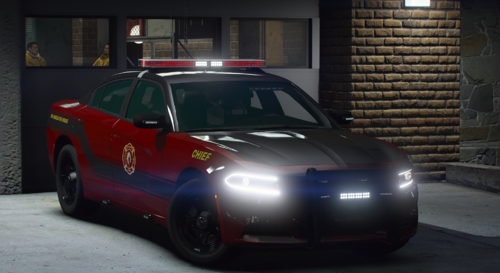 Very beautiful, I will definitely download it
 -
 Thanks buddy, appreciate it
 -
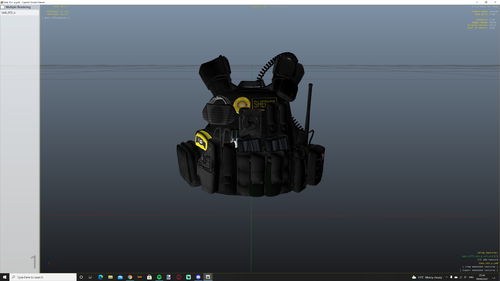
Great job on this texture, could you do for this vest, or similar with the Police text in yellow?
-
You need EUP menu, there you can change the textures of the vest.
-
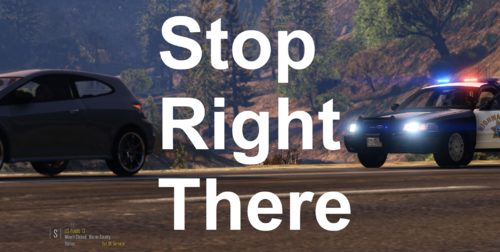 Thanks, I was a little confused because I didn't know if this plugin affected any of the custom pullover functionality.
 -
This plugin seems really good, can i use it with Custom Pullover or is it not necessary?
-
-
-
 Awesome mod, the best one for me is the variety 3 for the pistol. Great job on these sounds 😉
- 143 comments
- 13 reviews
-
-

- 1
-
-
I think it's better to do the "tutorial" first.
-
Sadly no, the only one I have kept here is this one.
-
Hey, a bit late reply, but that's caused by the Wouter's Callouts plugin. You can change the keys / disable at the end of the .ini file.
-
Can you post your RagePluginHook.log?
-
Hey Pinky I was having a similar problem, my RAGE Plugin Hook was crashing on start-up, and in the log did not point out any errors. After searching in some other threads i find out that what was causing RAGE to crash was the firewall. So i added all the GTA V.exe related, and also RAGE in the "Allow an application through Windows firewall" (make sure to enable both the boxes). May not work for you, but still worth trying out.
-
Well, good thing i had them stored here. It's my favorite LSPD Vehicles pack. I don't know if i can post links here, but here it's: [copyright removal] Any problems, please let me know.
-
 Yeah, computer+ also have some performance issues, when i open the computer, FPS goes down to 20 or even less. Thanks for the help and the mod.
- 202 comments
- 21 reviews