.png.f2808970c7809eb6daa85c386a8f23f9.png)
IslandPride27
Members
-
Joined
-
Last visited
Everything posted by IslandPride27
-
.png.343c5af18f170d7dbca5cb8d1ad2316c.png)
From the album: Patrol Days
-
-
.png.de5cda647ce2bb374d9e05654f839400.png)
From the album: Patrol Days
-
Bejoijo's mods are updated so you can use STP, Ultimate Backup, ALPR Lite and his callouts now https://www.bejoijo.com/home
-
Works great for me but disabled STP and Ultimate Backup which wasn't a big issue since LSPDFR lets you stop peds and call for backup, my game never crashed or froze, all callouts were working and only Grammar Police and Immersive Backup plugins were working. The intimidate action gets stuck though, I wasn't able undo it and do other actions until I went in my car. You could play 0.48 without most plugins and don't have an issue
-
From the album: Patrol Days
-
.png.4c0299c36a7c25d30f16730bafce2d96.png)
-
.png.d7b16c79c64a8ff3de2fb033b5893f0d.png)
-
.png.b12da506a9793095743faf4422a3ea57.png)
-
-
-
Is it possible to have different body types for Lspdfr characters or is there a mod for that?
-
Is there a reason why LSPDFR don't have a megaphone/PA System for police cars??
-
In your lspdfr folder, locate your lspdfr file and try changing the Chase.CopsCanCommandeerVehicles to false
-
From the album: On Duty
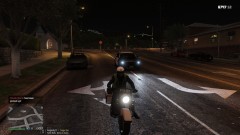
Pulled over a guy named Chuck Norris -
-
Ikr, I just enable fast run via simple trainer
-
Does anyone know if Search Warrant works with 0.4?
-
All lspdfr 0.3b callouts etc... will eventually be lspdfr 0.4 compatible just hold on, the various developers are working on it
-
not compatible with 0.4 yet so it will crash
-
How to pull people over in 0.4 because LShiftKey ain't working for me
-
I tried it won't work
-
Try it, if it don't work make sure you install ELS properly and make sure the xml files are for the correct cars. Additionally you could set the window tint to stock and put post fx to high if the lights aren't bright enough Check that you install the cars properly and put all the xml files in your ELS>pack_default folder, apparently everything don't go in x64e.... if the cars show up in game you install the cars properly, just check the els folder
-
Alot of lspdfr 0.3 plugins won't work with 0.4 except EUP, ELS and callouts updated for 0.4 If you're having texture lost, just change the Main.PreloadAllModels to 'false' in your lspdfr config file, located in your lspdfr folder
-
Many lspdf 0.3 plugins won't work with 0.4 Try changing the Main.PreloadAllModels inside your lspdfr config file to false, the path is GTA V folder-lspdfr folder-lspdfr config file
.thumb.png.fd5145a6572c1c9e6a4de620ab839d95.png)
.png.343c5af18f170d7dbca5cb8d1ad2316c.png)
.png.de5cda647ce2bb374d9e05654f839400.png)
.png.4c0299c36a7c25d30f16730bafce2d96.png)
.png.d7b16c79c64a8ff3de2fb033b5893f0d.png)
.png.b12da506a9793095743faf4422a3ea57.png)