


michelin15
Members
-
Joined
-
Last visited
Everything posted by michelin15
-
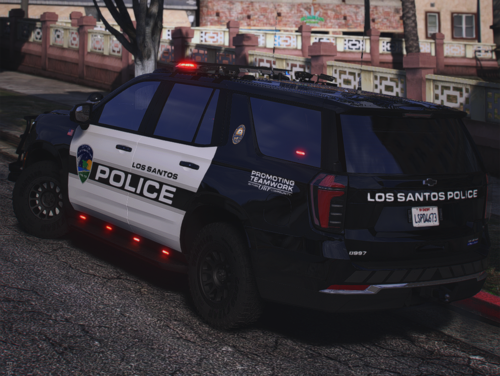 What wheel pack is that on the Tahoe and the f250? I love the way that Tahoe looks with those wheels
 -
-
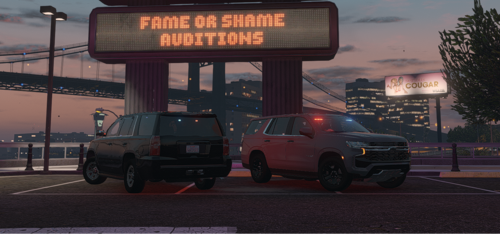 I’m betting it’s related to the light settings. If you’re using the DLC option, go into the DLC, in data and find the carvariations file, open it in edit mode and find the 2 lines called “light settings”. Change the “5” to a “1”. If this is the case though, it would affect both tahoes. That’s the only thing I can think of as I’m not experiencing that issue and haven’t heard other reports of it.
 -
Do you have any pictures of this? I'm betting its something with your metas but would love to take a look at what's going on with it in your game
-
If you have a trainer, you can change the interior color in the Benny's Mod section of the Vehicle Options. I'm still working out a way to fix this from my side but it seems to be something with the base model.
-
Here are 2 unmarked Tahoes, a 2019 and a 2022. They come with DLS v2 configs so they have 3 stages, TAs, takedowns, cruise lights, and even steady burn sirens under braking. Use them if you want or whatever
-
Sorry i ended up figuring this out. It was related to LSPDFR Enhanced for some reason. Removing it fixed the issue
-
Hello, I’m having a weird issue and was curious if anyone has already identified and found a fix for this issue. Every time I receive a callout, lspdfr ends the callout before I can even accept it. This occurs across vanilla callouts, several callout packs, and even occurs when I use rph to force start a callout. I’m using lspdfr enhanced, as well as callout interface and ReportPlus, so I’m wondering if they’re interfering, or if it’s something else entirely.
-
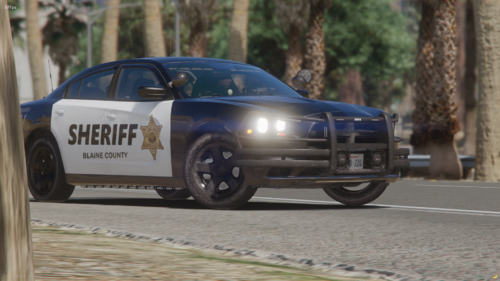 “emergancy”
 -
-
 Screenshot from the base, unmolested fontmap.xml in the game files. If I leave the font_lib_efigs_pc.gfx file alone, rather than replacing it with the one you provide, and don't rename the fonts in the SimpleHUD.ini, I just get symbols. Idk what to tell ya lol seems weird, and I'm probably in a very small boat here, but I guess if others are banging their head I just wanted to give them something else to try.
- 556 comments
- 28 reviews
-
-

- 1
-
-
They do exist if you leave the fonts file alone rather than replacing it with yours. I’ll give you that they don’t look as nice as the ones you included in the replacement fonts file, but they work just fine (I’m literally using them right now). I also never said it messes with in-game fonts, I said replacing the fonts file messes with fonts in other plugins, which it does. One example is LiveLights.
- 556 comments
- 28 reviews
-
-
- 1
-
-
Just wanted to share for anyone in the same boat as me: if you don’t want to replace the fonts file because it messes with other plugins, change the fonts in the SimpleHUD ini to the following Leaderboard -> GTAVLeaderboard FixedWidthNumberStyle -> FixedWidthNumbers
- 556 comments
- 28 reviews
-
-
- 1
-
-
 I wanted this to work so bad, but the turn signals just freak out every time I activate them (they like strobe and then either stay on until I make a turn and they auto-cancel, or just turn off) and the ignition is very hit or miss on whether it works or not for some reason. I'm open to suggestions on things I might be doing wrong, but everything else about this plugin worked perfectly so I don't think it was my installation.
- 446 comments
- 17 reviews
-
 Is there any way to change the in-car computer so that it only "boots" when you focus on it? And then when you remove focus it shuts off? It's definitely this plugin that is causing the issue, but I believe it's a memory problem; if you make it so nothing for the computer is stored in memory until you focus on it, that might fix the issue.
- 713 comments
- 33 reviews
-
Just wanted to add that I too am having this same issue. I came here for the in-car computer so please let me know if there is a solution identified, even if it is not a result of PoliceMenu. Also I'm using DirectX 12.
- 713 comments
- 33 reviews
-
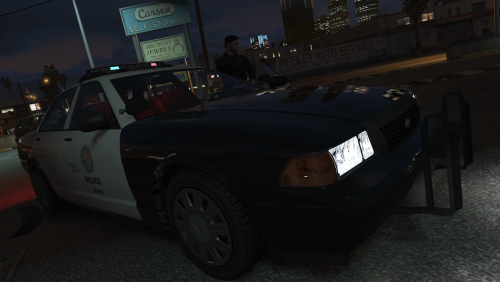 Anyone have any luck using this with SSLA and 32 sirens? Haven’t tried, just want to know before I purchase 32 siren vehicles
- 280 comments
- 21 reviews
-
Bumping my question again as I still have not figured this out... I also get a slight hiccup in frames every time I hit my lights, is this just me?
- 280 comments
- 21 reviews
-
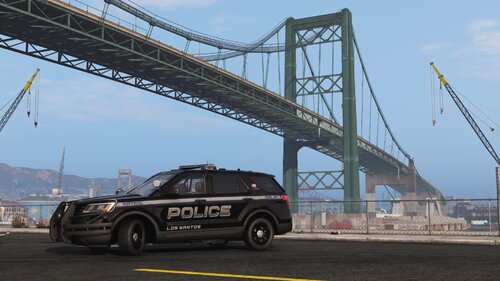 I can look into it! No worries, yeah if you can send the templates over I will work on adding those models 👍
- 99 comments
- 11 reviews
-
I have an LSSD/BCSO combo pack I'm working on, but I haven't gotten as far with it as I would've like to by now. Work has taken a lot of my time lately 🙃 Can you send me links to where I can get those vehicles? I like to have the vehicles to test fit the liveries on if possible. Otherwise, if you can at least send me the templates I should be able to get those added
- 99 comments
- 11 reviews
-
Sorry for the delay, I just added this Tahoe 👍 Unfortunately most of the models I used don't include window templates so I won't be able to add that. This should already be included. Just wanted to follow up on this, I took a look at that helicopter and I don't think I'll be able to add it. Some of the detailing relies on the skin and without assets for those details, any skin I would make for this would be missing key features (such as rivets, or handles).
- 99 comments
- 11 reviews
-
-

- 2
-
-
-
-
-
Are you referring to the pictures or any of the textures? I fixed them on the textures (unless I missed a couple) but haven't updated the pictures.
- 99 comments
- 11 reviews




