Manike
Members
-
Joined
-
Last visited
-
-
I just recently started creating a new modded GTA for some LSPDFR fun but now it won't start after I launch story mode. I'm using NVE and everytime I download a new replacement vehicle model I remove the same files but in "nve-vehicles" otherwise the car will come with missing textures/different model etc. But now after installing a few models it has stopped working completely. I have uninstalled NVE and all the optionals I had with it but also all the vehicle models I installed at the time, still does not work. Any help is appreciated.
-
-
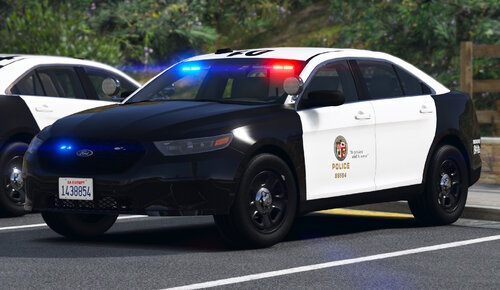 Tried everything to make the mod work but I keep getting mixed models of the cars, some without lightbars etc. Installed on patchday28ng, any solution?
- 255 comments
- 75 reviews
-
 Getting a ScriptHookV error after a few minutes into the game: CORE: An exception occurred while executing 'ELS.asi' (0x00007FFEEE6A50E0), id 35 Removing ELS solved the issue, any fixes on this?
- 2,706 comments
- 241 reviews
-
-
-
-
I THINK that I have solved the issue now by simply removing one of the latest add-on vehicles that I had installed to the game, I'm not too sure though because I almost had a crash before it got prevented but in approximately 10 callouts I had no issues whatsoever.
-
Hello! So I have recently started playing LSPDFR again and I have been playing the past few days and adding 1-2 mods per day but I'm pretty much satisfied now with everything I need, prior to today I added a few new add-ons and replacement vehicles such as unmarked police cars but also normal cars, before this I had no issue. So now whenever I accept a callout and/or arrive to the scene LSPDFR crashes. Sometimes it happens when I accept the call and sometimes when I arrive to the scene, happens to every callout now. Thanks! RagePluginHook.log
-
-
-
-
Hello, I've just returned to LSPDFR after a few months and obviously all my old plugins and mods that I used to have is now outdated. Over these past few days I've been downloading compatible plugins and mods but still haven't found any compatible lightning mod. I checked Radiance V but for some reason it seems outdated or I'm just very wrong, is there any good ones right now that are being used/is Radiance V still compatible or is there a better one? Which ones do you guys recommend?
-
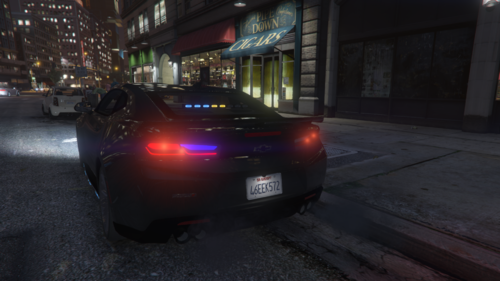 Swedish cars has only blue lights, meanwhile english ones has blue and red. But can also be used as an english car if you don't mind the blue lights
 -
-
-
Having the same issue
-
LSPDFR+ is working fine for me, when does LSPDFR crash when LSPDFR+ is loaded?
-
 When I press "Vehicle Database" on the computer it crashes, can anybody help me?
- 1,743 comments
- 172 reviews
-
-

- 1
-
-
 Well sadly there's no point in having StopThePed when I have Arrest Manager and I think they may conflict with eachother
- 132 comments
- 26 reviews