Roulge
Members
-
Joined
-
Last visited
Everything posted by Roulge
-
-
-
-
.thumb.png.cc2699824b5c603a8e4dab586aa7fdd9.png) yes this is an issue with the LODs (aka level of details) in the base model, im not exactly sure why this happens but i've noticed other cars do it as well
yes this is an issue with the LODs (aka level of details) in the base model, im not exactly sure why this happens but i've noticed other cars do it as well- 25 comments
- 5 reviews
-
-

- 1
-
-
-
-
-
-
-
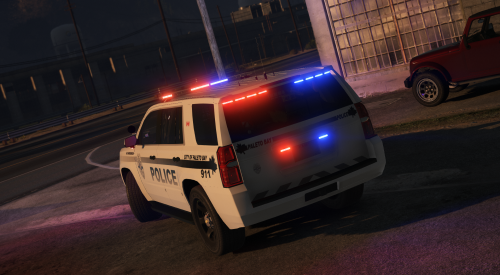
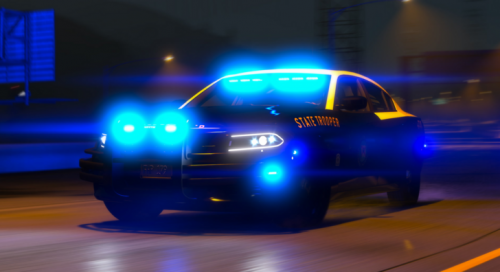
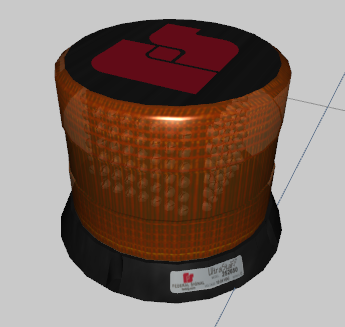 credits included in the download emissive included 9k polys feel free to convert to red, white, purple, green, blue, etc. enjoy 😎
 -
.thumb.png.d50f66baf191fa15c61d731bdc32ad05.png) i dont know, it shows up in game though. just some weird bug sorry about that, i used the first high definition logo i could find on google. i'll see if i can fix it!
i dont know, it shows up in game though. just some weird bug sorry about that, i used the first high definition logo i could find on google. i'll see if i can fix it!- 14 comments
- 2 reviews
-
-
- 1
-
-
-
-
-
-
Join the Roulge Modifications discord for server exclusives and early releases! https://discord.gg/NaBrUGx
- 14 comments
- 2 reviews
-
-
- 3
-
-
-
-
-
the vehicles have nothing to do with LSPDFR loading, if it’s loading indefinitely then you probably enabled LSPDFR to load on the game startup, in the rage settings turn off all the plugins from loading on startup. Once your game is loaded then start the plugins
-
-
-
-
Not in their new cars, I posted a video in the description of the vehicle I made it off of
- 25 comments
- 5 reviews
-

.thumb.jpg.7be36ff92dab19e4da1ad467daf70ddd.jpg)
.thumb.png.cc2699824b5c603a8e4dab586aa7fdd9.png)
.thumb.png.9d23e7db06c6a0e5281022cba73b2a80.png)
.thumb.png.d50f66baf191fa15c61d731bdc32ad05.png)