


ScreenDreamz
Members
-
Joined
-
Last visited
-
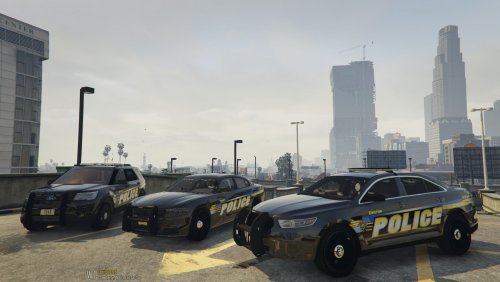 Here is a video that show's this in action. I am really excited to share with you the real life, Chilton pd, skins. These are based off of my hometown of Chilton, WI. The vehicles in the pack are the 2016 Ford explorer, the 2016 Charger, and the 2016 Ford Taurus. I really hope you enjoy using them in your games!
 -
-
-
-
-
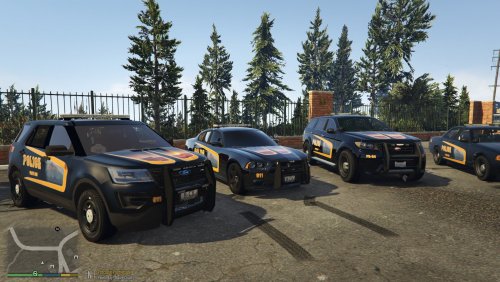 I have been messing around with making my own for a little while now and I just go with the flow when designing. I'm not necessarily looking for realism, but more or less uniqueness. I do appreciate your input though and will keep that in mind when designing in the future! Thanks.
- 6 comments
- 1 review
-
-

- 1
-
-
-
-
-
This video shows off the charger version of the texture. In this pack there are four different textures. A 2014 charger(I used the one from the Bowman SC Dodge Charger v2), a 2016Ford Explorer FPIU(from the all blue lssd pack), a gresley and a stainer(from the vanilla valor pack). I hope that's enough info to help you figure out what these belong on! It was initially made for the charger so it looks the best on it, but I'm still happy with the way it turned out for all of them. Enjoy!
- 6 comments
- 1 review
-
-
- 1
-
-
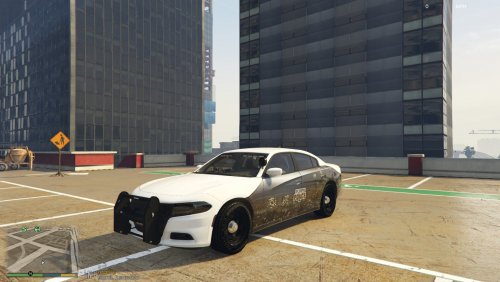 ^Thank you to XTheGreatJamesX and DeputyKriZ for pointing out it's a 2016 charger. I was just going off of notes I found in the readme but I'm terrible with years of vehicles. Thank you again.
 -
Here's a link if you'd like to see it as it is in the game. I decided to take some screenshots of the LS Skyline at night and throw them on a vehicle. This is the magic that happen. I couldn't be happier with the way it turned out. For now it's a finished product but I might always come back and tinker with it. I have included the .png files for openIV but also the .pdn files so you can play around with them and make it your own if you'd like. This is my first time posting on here, but I hope you enjoy!
