


Fred55
Members
-
Joined
-
Last visited
Everything posted by Fred55
-
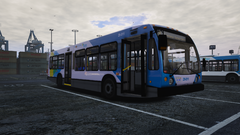 Clean! C'est release ici?
 -
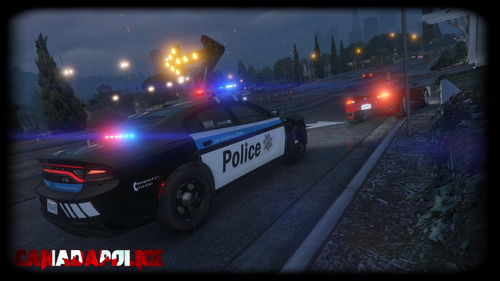 Pas de problème! Si jamais ca te dit je suis pas mal sur que ton pack serait populaire pour la communauté FiveM peut importe le skins utilisé. ELS n'est vraiment pas optimisé sur FiveM c'est la raison pourquoi la plupart des serveurs utilise du NON-ElS. Sinon beau travail quand meme pour ton mini-pack! Assez réaliste coté Sûreté du Québec! 👍
- 64 comments
- 7 reviews
-
-

- 2
-
-
En fait oui ca peut fonctionner NON-ELS avec le coffre de la voiture pour monter la flèche et par la suite les lumières peuvent être activé avec les clignotants (gauche, droite, 4 flashers). Ya déjà des vieux packs de SQ/SPVM qui fonctionnent de cette manière.
- 64 comments
- 7 reviews
-
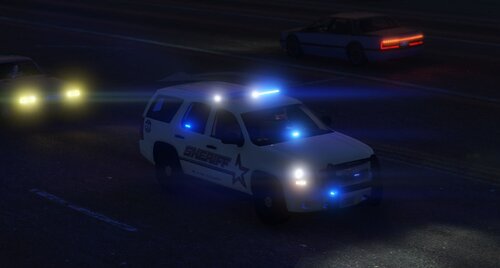 Nice All blue Tahoe model but the FiveM model not working properly....The vehicle disappears few feets away from it. Maybe check your lod to fix this .
 -
-
.thumb.png.2434ced6eeaeeaaf6371f8b8fcd3acd3.png) You should put this under the vehicles textures instead of the vehicles models and link the model that you use... A texture without the model to use it its kind of useless
You should put this under the vehicles textures instead of the vehicles models and link the model that you use... A texture without the model to use it its kind of useless- 10 comments
- 1 review
-
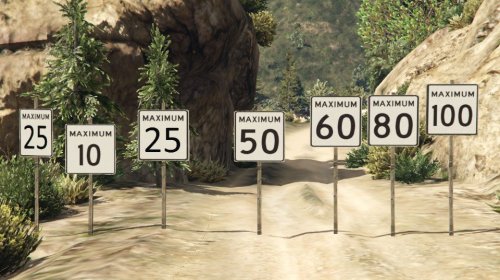 Simple but effective. Perfect if you are using metric radar and scripts. Feels more like home if you're from Canada or Quebec. Manque juste quelques cônes oranges et je vais me sentir comme chez moi a Montréal. Good job
 -
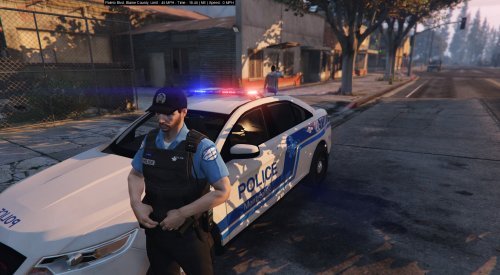 Ca fonctionne tu si on fait juste renommer le EUPClothingMenu.ini en Presetsoutfits.ini ou ca ca va faire bugger les autres peds?
- 38 comments
- 6 reviews

.thumb.png.2434ced6eeaeeaaf6371f8b8fcd3acd3.png)
