




Ofc Down
Members
-
Joined
-
Last visited
Everything posted by Ofc Down
-
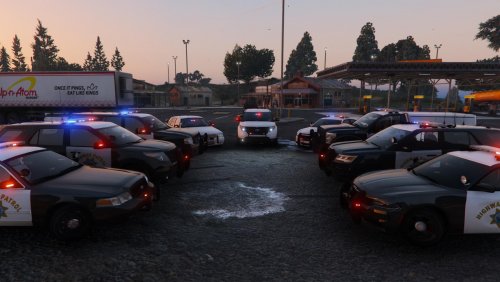 if you want a good non els pack with ease of installation go to captain14's vehicle pack here ... DON'T WASTE YOUR TIME AND EFFORT ON THIS PACK BY THEHURK UNLESS YOU ARE PROFICIENT IN MODDING AS IT IS INCREDIBLY DIFFICULT TO INSTALL ... WILL LEAD TO FRUSTRATION AND HEADACHES IF NOT DONE CORRECTLY ... NOT RECOMMENDED FOR NEW MODDERS !!!
- 501 comments
- 104 reviews
-
-

- 1
-
-
Ok so I'm not a fan of ELS so I was wondering if anyone knows of any good Non ELS LSPDFR Police & Emergency Vehicle Packs?
-
-
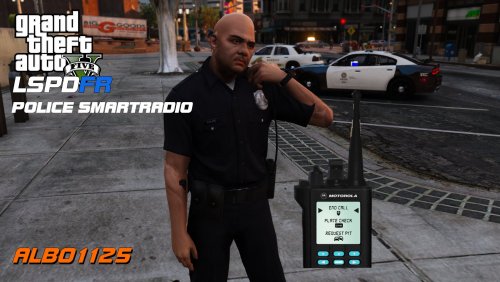 *Update* reinstalled computer+ and is now working ... computer info now matches smartradio info for peds/vehicles thanx for the help and support as well as the awsum mods ... keep up the great (understatement) work
- 1,196 comments
- 127 reviews
-
-
another great release i use all ur mods ... just wunderin why the ped/car info on the radio doesnt match the computer info?
- 1,196 comments
- 127 reviews
-
 is there any ETA on an update for the mod(s) (albo1125.common) ... latest game patch is not compatible with your mods ... getting error msgs that state albo1125.common needs to be updated :(
- 3,646 comments
- 306 reviews
-
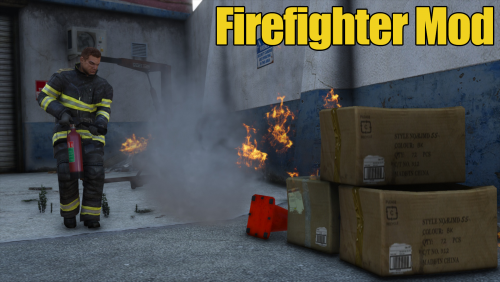 does not work!!! followed all instructions ... this is the only mod i have ever had problems with gettting to work .... cant get it to run at all ... looks promising in the videos so i will give it 1 star (only because i have have to for the review would have given it 0 stars if it was possible) ... not all that impressed ... wasted 2 hours tryin to get this to run with no luck
 -
does not work!!! followed all instructions ... this is the only mod i have ever had problems with gettting to work .... cant get it to run at all ... looks promising in the videos so i will give it 1 star (only because i have have to for the review would have given it 0 stars if it was possible) ... not all that impressed ... wasted 2 hours tryin to get this to run with no luck *EDIT* *UPDATE* Finally got this to run... has some serious potential ... good game play and call outs ... problem is that everytime i pull out fire extinguisher i keep getting attacked everywhere i go including back to the station
-
I would take a look at the link i provided above as some ppl are finding a work around for this problem
-
there is no need to turn back the clock ... you prolly could do it that way (never tried it as i never had to) ... if you cant cant get into the game just log into SC ... chances are that your password has disappeared so you will need to log in for it to hold ... once logged in password should hold disconnect and you are good to go ... im on game patch 757 and online ver 1.34 RPH 0.41 and well past 72 hrs after the update and still playing offline as i dont plan on taking the update OD
-
if your AV controls your firewall you may need to add the permissions ... my av prompts me as it controls my firewall ... if it doesnt you may need to add permissions thru windows firewall in the control panel it seems you are not alone with this error go to this link at the rage forums ... hxxp://forums.ragepluginhook.net/default.aspx?g=posts&t=3503
-
best guess is the quick exit prolly corrupted a file
-
looking at your log it says your on 757 ... try using RPH 0.41 i have retail and using ver 757 with RPH 0.41 running flawlessly ...not sure about patching tho ... 0.41 may not work with latest patch update ... i cant say for sure as i didnt take the update
-
yes it is and you can do it those ways as well ... i only offered the simplest method for those who don't want to do back ups or are not really into messing with the files and\or mods or for those who just don't have the space for back ups etc etc OD
-
i also have a clean version of gta5 backed up to update as well for online usage
-
you need not worry about the mod folder as you are not taking the update if you disconnect from the internet i dont plan on taking the update as my game ver and rph ver are pretty stable ... you will have to update RPH and reinstall mods if you take the update I unplug everytime i play as to avoid any update issues ... easiest way to avoid conflicts until the new RPH is out
-
Before launching RPH you ""MUST"" disconnect from the internet ... this will force you into offline mode thus not allowing a connection to R* servers... this worked for me me ... i'm currently on ver 757 with RPH 0.41 hope this helps OD
-
ok tried a complete reinstall again ... same error msgs ... only mods installed are gta v whelen edge pack non els for gtaiv I know these vehicles work because I used them till I tried installing els 8.5 ... here are the log files for lcpdfr scripthook and advancedhook sorry for the delayed response ... had an emergency come up Thanx BB Diagnostics_4.8.2015_3_36_37.log AdvancedHook.log ScriptHook.log
-
Thanx for the reply bud ... all my files are up to date as well as drivers ... my main gta folder i have it set at full control so i can modify all files ... everything worked previousy until i installed els 8.5 ... kept getting a ctd so i decided to reinstall everything from scratch (gta4, lcpdfr) and started getting those errors so i did a win 7 ultimate reinstall with still the same results ... my copy of gta 4 is legit (2 dvds) mods are as follows vdh police helper vdh mett\coroner vdh tow script traffic flow bravehearts policing script whelen edge gta5 pack non els (for gta4) (cruiser and intercepter only) thanx for the help BB Ps. i cant add scripthook or advancedhook logs atm as im currently out of town till morning ... game is on my desktop and im replying with my laptop right now
-
I have posted my log file ... hope fully someone can address this issue? thanx in advance BB
-
I had that prob as well ... go to your root folder for GTAIV ... make sure that xlive.dll is there ... i never had any luck using dsound.dll
-
thanx bud ... ill try it out BB
-
so now that the police3 files are imported ... the vehicle still does not appear when cycling through them ... suggestions? I was thinkin its the vehicles.ide that needs to modded as well? just a guess
-
ahhh ok ... it wont work with gtaIV only eflc ... thanx openIV?

