
Skip to content
View in the app

A better way to browse. Learn more.

LCPDFR.com

A full-screen app on your home screen with push notifications, badges and more.

To install this app on iOS and iPadOS
  1. Tap the Share icon in Safari
  2. Scroll the menu and tap Add to Home Screen.
  3. Tap Add in the top-right corner.
To install this app on Android
  1. Tap the 3-dot menu (⋮) in the top-right corner of the browser.
  2. Tap Add to Home screen or Install app.
  3. Confirm by tapping Install.

igoomba

Members
  • Joined

  • Last visited

Everything posted by igoomba

  1. oh I didn't see that part sorry but I got that idea from if you go into a game with a premade els car and turn on extras it will blink like one or two LEDs
  2. I might be mistaken but I thought each led or small group of LEDs was supposed to be an extra on its own
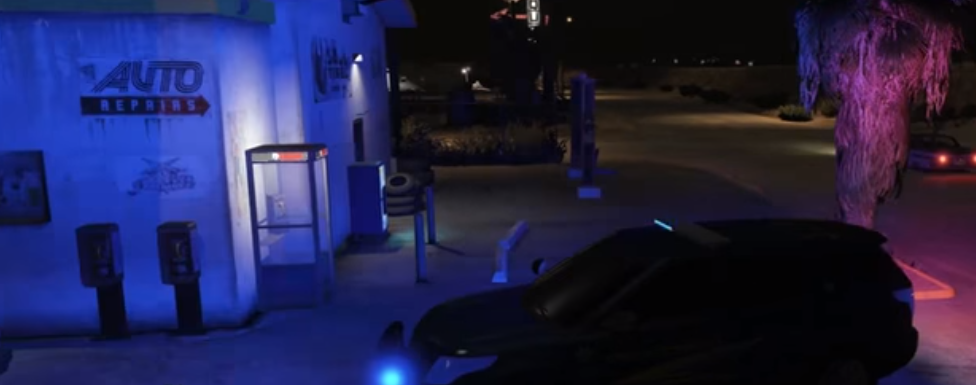
  3. In my game the lights on the left of this picture on the building are very dim and only on the lower half. this is not my game this is what I would like it to look like
  4. I am not good at modeling or developing sorry
  5. I have figured out how to make the ELS LEDs on the cars brighter but how can I make the lights that shine on the surrounding walls brighter? Any help is appreciated Thank You. Notify me if this is the wrong Forum I haven't posted here before.

Account

Navigation

Search

Search

Configure browser push notifications

Chrome (Android)
  1. Tap the lock icon next to the address bar.
  2. Tap Permissions → Notifications.
  3. Adjust your preference.
Chrome (Desktop)
  1. Click the padlock icon in the address bar.
  2. Select Site settings.
  3. Find Notifications and adjust your preference.