


Newmillz
Members
-
Joined
-
Last visited
Everything posted by Newmillz
-
-
-
-
From the album: Newmillz
-
Open your trainer and go to car options and unlock doors
-
V7 Or V8 you should be able to enter the vehicle. If you locked the vehicle then you could have a problem.
-
-
Federal Signal Legend Code 3 Defender
-
Dude i am no genius but i can give you some advice, I think you probably moved something. Try exporting and re-importing sometimes that fixes problems. Heres my guide to solving problems just mess around. i just do stuff and eventually i do something that fixes it.
-
I am in no way advertising for these sites just letting this person know where to find the parts. Alright you can go to lcpdmods.com and many other sites like gtauniverse etc....
-
MSA solves problems.
-
View distance also is intense.
-
Whats it look like in game?
-
I could make a model.
-
I have a few skins in my collection, check my files on my page.
-
Our Government is not bad, the United States is the world power. If something is going on globally people expect the US to do something or else it makes us look bad.
-
-
-
-
-
MODEL OVERVIEW: -NAME: 2009 Ford F-250 FX4 Plow -VERSION: V1 -LIGHTBAR: Whelen Justice -OTHER LIGHTING EQUIPMENT: MiniLeds -INTERIOR EQUIPMENT:N/A -MULTIPLE LIVERIES: Optimized -OPTIMIZED FOR: Polpatriot,FXT -CREDITS: (See Below) -MOD STATUS: Open FULL CREDITS: - Model is original Ford F-250 From Driver SF, modified for and converted to GTAIV by PoliceFanatic - Major model edits and fixes by PFCBarefoot - Converstion from regular F-250 to FX4 by PFCBarefoot -Made to Snow Plow By Newmillz -Plow parts by Tito and partsConverted to GTA IV by NewcastleUtd -Leds by scratch modeled and converted to gta iv by jasonct203, textured by jasonct203 -Whelen Justice Modeled & converted for GTA IV by Bxbugs123 -Main textures made by Bxbugs123 & Lt.Caine -Skin by Newmillz DO NOT THIS RELEASE THIS MODEL/ YOU MAY EDIT TEXTURES.
- 12 comments
- 2 reviews
-
-
Video By Srgt.Scales https://www.youtube.com/watch?v=C2ciVNZLML0&feature=youtu.be
- 4 comments
- 1 review
-
MODEL OVERVIEW: -NAME: 2008 Chevrolet Tahoe "PPD" -VERSION: V1 -LIGHTBAR: Whelen Liberty -OTHER LIGHTING EQUIPMENT: MiniLeds, Avengers Single Cells -INTERIOR EQUIPMENT: Setina BodyGuard 6,7 Partition, Rockwell Collins Laptop -MULTIPLE LIVERIES: Optimized -OPTIMIZED FOR: Polpatriot,Police,Noose -CREDITS: (See Below) -MOD STATUS: Open FULL CREDITS: - Model is original "Chevrolet Tahoe" by 4x4 Full Driver - Hummer H2, converted to GTAIV by Stiopa. - Model improvements & Modified By Bxbugs123 - Wheels By Bxbugs123, Textures by Lt.Caine -Trim Removed By Newmillz -Whelen Liberty By PFCbarefoot and collisions by Lt.Caine -Console By PFCbarefoot -Spotlight By CJ24 -Rockwell Collins Laptop Made & Converted by Bxbugs123 Textures By Bxbugs123 & DoTTGaMMa - Setina BodyGuard 6,7 Partition made by deco. -Avengers By EVI -LED Modules By Jasonct203 -Black Interior By Srgt.Scales -Skin By MichaelV ©LibertyCityCustoms.2014.AllRightsReserved Notes: Black Interior was added after some pictures where taken, some pictures have the black interior. Model Released has the black interior. Spotlight is not on some images, Spotlight is on some of the images. Spotlight is on the Model Released. WFT=1.7MB WTD=3.08MB
- 4 comments
- 1 review
-
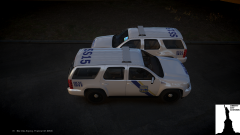
From the album: LIBERTY CITY CUSTOMS WIP/REL



