GodTierIV
Members
-
Joined
-
Last visited
Everything posted by GodTierIV
-
Hey guys I've been playing LSPDFR since .3 came out and I've literally never used ELS vehicles simply because I prefer to play on controller for driving oppose to keyboard. I've saw some people config it so they use ELS with Controller but i've never seem to have gotten it to work. The Non ELS vehicles I use now are basically all of Captian14s vehicle packs (LSPD, Sheriff & FBI Replacement) Ive been trying to find more NON ELS vehicles specifically a nice unmarked 2016 charger but I seem to be very limited, If anyone knows any good NonELS police vehicles please share them with me and if you know how to convert FiveM Ready vehicles into GTA LSPDFR please let me know as I've seen so many people ask and yet it seems like no one really knows.
-
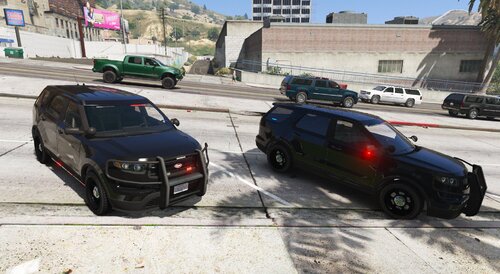 Very easy to install, Wish more people used this way as it's a lot easier for us. The car models are simple and look great in game, The siderunners are really nice, Would get 5 stars if you could make the Rambar as an extra and maybe add a cage or window between the front and the back interior of the car, Other then that the model is beautiful. Edit : He made the Rambar as an extra and even put in the dividers. That was quick 5/5 The model is amazing in game and handles as should.
- 1 comment
- 1 review
-
It's the way it is, Best way is to use CopHolster Plugin and disable the holster action in the LSPDFR Config from the LSPDFR settings to get the most real effect.
-
When you run Rage as admin it looks for all the admin problems and tries to solve them, The first obvious problem that it detects is that your version is on epatch below the current, itll usually tell you to either install the newest patch (0.67 instead of 0.66) which isn't Compatible with the 0.1604, or exit rage, You need to just run it as a window, If you have trouble running your game and want better frames, Get rid of Arrest Manager and LSPDFR+, These consume frames like you wouldn't believe and they can be replaced with interaction+, Ultimate Backup, And Stop The Ped making them basically usless, Next MAJOR frame boost i found was switching your GTA to run on Direct 10, And make it windowed borderless so you can turn off frames(Your game will not screentear with frames off if you're in borderless windowed
-
You need to have manually saved one back before the patch, If you didn't you just have to wait
-
No its just in order to run rage as admin you need to have the latest update which isnt compatible with 1604, If you need help i know some seriously good tricks to boost your FPS while playing
-
If you have a backup version on 1604, You should copy the gta5.exe, GTA5Launcher.exe, And update.rpf (Found in Update folder) from that version and paste it into your GTA that is in your steam directory (If you bought gta 5 through steam) Program Files > Steam > Steamapps > Common > Grand Theft Auto V this will make your steam think its updated but still be on version 1604, DOwnload rage .66 and all your regular plugins and it should work perfect as long as you dont run Rage as admin
-
Glad I could help man!
-
I can say for a lot of people in the community that we love the look of almost all the FiveM ready cars and they are released so frequently and they are also Non-Els which a lot of people like myself prefer because it is more compatable with the controller. Can someone show an in depth Installation of how to install these cars to open IV for LSPDFR because whenever i do something doesn't work whether its the lights or the components, Hope some has the the time and knowledge on how to help, Cheers!
-
If anyone has a backup modded GTA folder that isnt in the steam directory it won't be updated(If you bought gta through steam) and it'll be on version 1604 or lower which is LSPDFR Compatible, This was the case with me i found an old backup with all the game files, The only ones you need to replace from the backup to the Steam verison files are GTA5.exe, GTA5Launcher.exe, And Update.rpf (Found in the Update folder). Replacing this will make your steam think its completely updated but yet still on version .1604, I know this works because im currently playing on it with online mode in steam, The only problem is i cant run RAGE as admin but lspdfr only crasshes 1/10 times and all my plugins work 40-80fps still, Hope this helps anyone that stumbles across an old backup, Took me 4 hours to get this info lol
-
Okay so I found an old backup i made of 0.1604 but its not in the steam directory, It contains all gta files so if i replace the GTA5.exe, GTA5Launcher.exe and Update.rpf from the 0.1604 will it make the newest one in steam 0.1604 as well?
-
.thumb.png.51e2dc8256ede8bd88d06a48dc966b69.png) Where do I put the Data And Streamfolders for them to work, I have the car installed now but i cant get the lights and siren to work
Where do I put the Data And Streamfolders for them to work, I have the car installed now but i cant get the lights and siren to work- 5 comments
- 1 review
-
How do I install this car for LSPDFR Singleplayer, I use MODDING PACK V and put everything in that and when i spawn the car's the lights or sirens don't work, Its not a siren disabled via trainer problem either, Does the LUA file need to be used in SP?
- 5 comments
- 1 review
-
-
 I like the basis of this but in the damage.meta files i see where you made your mistakes, All of his damages are set to do 0.000015 damage, Its very easy to change, Just replace the 15 with zeros and put the damage you want in front, Just needs a small fix!
- 36 comments
- 7 reviews
-
How exactly can you do this, Ive added all the files in like Albo's Modding Pack V said to but i Never get any working lights, Does the LUA need to be dropped somewhere as well?

.thumb.png.51e2dc8256ede8bd88d06a48dc966b69.png)