



Lozano71
Members
-
Joined
-
Last visited
Everything posted by Lozano71
-
From the album: Lozano's GTA IV
No matter how high you fly now ... Remember where you started to crawl. -
From the album: Lozano's GTA IV
No matter how high you fly now ... Remember where you started to crawl. -
From the album: Lozano's GTA IV
No matter how high you fly now ... Remember where you started to crawl. -
Hey guys. What alternative multiplayer I can use for playing with my friend? I need the best sync, because we plan take a ride on one police car. Also we need populated city, just like single play. is the truth about unavailability of official servers for 1.0.7.0/1.1.2.0 users?
-
 Aww, remaking impala! Nice start!
 -
Hi all! I impressed by this track: Also, anybody can recognize what siren used in background?
-
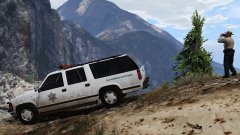 Port Police will be made after release RDE 3.0. Or earlier, If I will have enough time
 -
From the album: Lozano's Workshop
Coming soon.. -
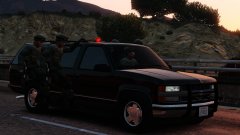
From the album: Lozano's Workshop
Coming soon.. -
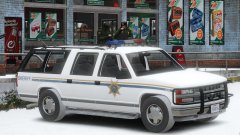 I just ask it, author give it for me.
 -
I will use tint on further screenshots.
-
Planned all impossible versions, from lspd to lifeguard and fire chief vehicles.
-
From the album: Lozano's Workshop
Coming soon.. Yes, SWAT can take a ride on footboard. -
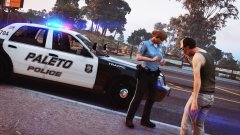 Interesting uniform.
 -
I will create support tread on showroom in the future. Ok, when i upload it yo mediafire - i'll give you link via PM. Thank you for aid!
-
@Cyan So... Today I see max file size is 185mb. Can I use external filehost for my mod? I just upload to lcpdfr.com .txt file with link on it.
-
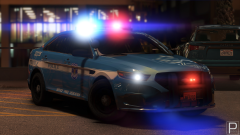 Blue skin nice. Black/white looks ugly.
 -
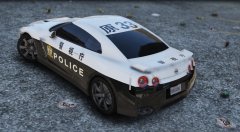 Loooking interesting.
 -
Here three dlc.rpf files with emergency vehicles. Full ready-to-play retropacks. You can install it and can roleplay in any era. 70's set - 246 MB (258 755 182 b) 80's set - 179 MB (188 579 886 b) 90's set - 252 MB (264 731 172 b) All dlc's in one archive - 681 MB (714 893 247 b) But now i have unimaginable situation. I upload all files, but for some reasons size increased during upload ... And on site i see the 90's set size - 357 mb All-in-one - 900+ mb. And when i download and try to open it - error. When i made first version, i have same problem, but i just put file on mediafire and upload on lcpdfr.com only .txt file with link on it. I can go the same way now ( to save my time and nerves), but @Ben say it's not allowed. Site broke my archives at 8/10 times. People just can't open it. But when i upload it on other host (no changes, archive is identical) all work good. You should or give me permission for use text file with link on other host or repair this laggy system, which broken from this summer, at least.
-
I have a problem. I need to upload big files 200+ mb, my max upload speed 1024 kb/s Just today i upload all what i plan, BUT.... All files except one have different size. Archives is broken. 51mb/260mb 57mb/254mb.. What reason of this? Tried again.. Error 200.. This problem already was in june of 2016, but i leave from problem when upload txt file with link to mediafire. In coupe of weeks i made same thing. But Ben speak it is not allowed. What i should do? Browser: Mozilla Firefox (new version).
-
-
-
-
-
Yes, me too. Also I have unlocked Chevrolet Suburban GMT400 1992-1999 and I will do sheriff versions!


