slimjim98
Members
-
Joined
-
Last visited
Everything posted by slimjim98
-
 Very nice! I'd put it in my game for sure! 5/5 @DrDanthrax99 They're not spot-lights mate, they're plate readers. They are on the roof to give them a better view of the plates as cars go by.
- 9 comments
- 4 reviews
-
-

- 2
-
-
-
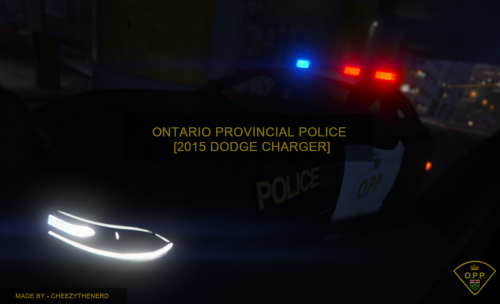 Great job Cheezy. Are you not able to change light-bars as of now? Almost all the cars seem to be modeled differently, but keep the same default light-bar.
- 8 comments
- 2 reviews
-
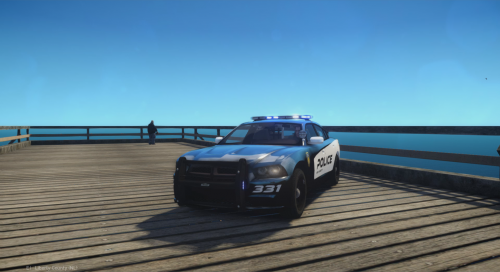 Nice looking skin for the Charger. I'd consider re-naming the title though since that's not a Ford Police Interceptor Utility (Explorer).
- 2 comments
- 1 review
-
Great looking skin, but that's not the Ford Police Interceptor Utility (FPIU) in the screenshot. It's a 2011-2014 Charger. That wouldn't fit at all on a Ford Explorer (FPIU).
- 2 comments
- 1 review
-
-
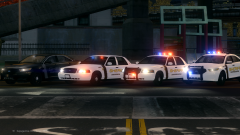 I'd download it in a heartbeat! I love both the marked and slicktop Taurus, it's my favorite car (my mom owns a SHO). My PD just got some, take a look. http://www.gannett-cdn.com/-mm-/1c37c409874c24fa48e371404c811cefa97ee36a/c=216-0-3672-2592&r=x404&c=534x401/local/-/media/2015/07/24/Clarksville/B9318205692Z.1_20150724121319_000_GK7BEHJ8M.1-0.jpg New siren -not sure what siren-, Valor light-bar. These cars feature Ford's black and white logo and come with a push-bar that our old cars don't have. They only have one Utility and one Interceptor Sedan at the moment, I saw the Utility come by my house a few days ago, it was nice!
 -
-
I'm not a big Dodge Ram fan, but this looks amazing. I really love the plow on it. Some clan uses this as their reserve fire unit or something with the plow still on it. I'm sure the asked you first though to use it.
- 3 comments
- 2 reviews
-
-
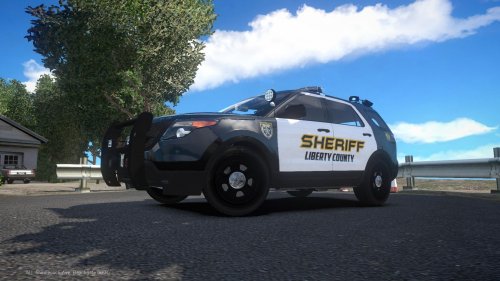 Very basic, but very practical. Sometimes the simplest designs are the best. Great work Fowler 5/5.
- 7 comments
- 1 review
-
-
- 1
-
-
-
Hello! My name's Slimjim98, you can call me Slim for short. My police department recently bought some new cruisers. They recently purchased one Ford Police Interceptor Sedan (Taurus) and one Police Interceptor Utility (Explorer). They use Ford's white and black police paint scheme. I'm looking for someone to create the two based off this picture. It's not the best, but it's the only one out there so far. I've yet to see one come by, so I haven't been able to take a picture of it myself. http://www.gannett-cdn.com/-mm-/1c37c409874c24fa48e371404c811cefa97ee36a/c=216-0-3672-2592&r=x404&c=534x401/local/-/media/2015/07/24/Clarksville/B9318205692Z.1_20150724121319_000_GK7BEHJ8M.1-0.jpg http://www.clarksvilleevents.com/wp-content/uploads/2014/08/21-DSC_3873.jpg http://images53.fotki.com/v1609/photos/4/49373/1859178/cnpca15480-vi.jpg It has a Federal Signal Valor light-bar, which is all blue. The front bumpers have a unit number, which is four digits in this case. The rear says "ClarksvillePD.org". And it too has the unit number. On the left side of the rear is says "Emergency" with "Call 911" on the right side. All of the others that aren't black and white are the current cars. The rear and front are the same, they just use Ford's black and white paint scheme. Everywhere there is text on there, it's on the new one. I.e. the front and side unit numbers and the badge. If you care to help me out and make these based on the first picture, I would really appreciate it. If you have any problems or questions, let me know and I'll answer them to the best of my knowledge.
-
-
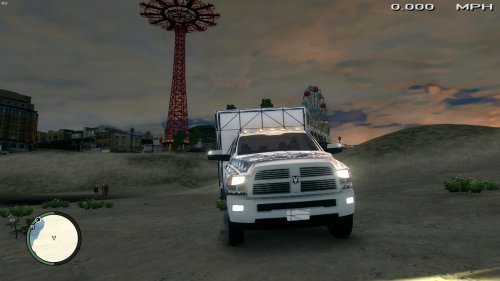 I have. They use Internationals where I live, they're huge, bigger than a 3500 Ram!
- 14 comments
- 6 reviews
-
Where can I find these files? I'm having the same issue, I just don't know where they're located within the game's directory.
-
-
-
 I don't get how that is a real life picture. It's not, it's one from a simulator.
 -
Nice job awesomeburodude.
-
-
-
Ha ha, I love it.
-
Also the lights on the truck are really red and blue.
-
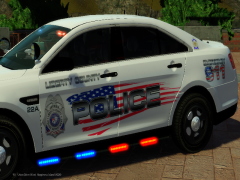 Nice man I am loving it. America! Nice touch with the flag especially in the rear with the word "Police", it looks amazing. You did a phenomenal job 5/5