DARKCODE
Members
-
Joined
-
Last visited
-
-
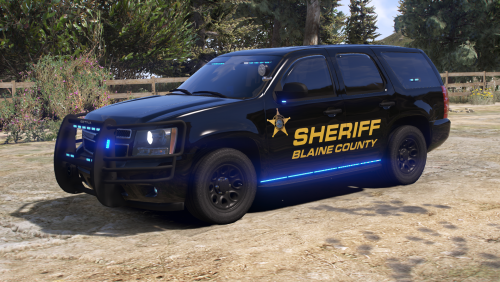 can you make a charger or a touris to match plzz i will give you 5 dolla sucky sucky, sick work tho ma dude but i feel it needs a second a mini pack to go and replace all the bcso cars
- 34 comments
- 8 reviews
-
 wait what does this plugin do? replace the og B backup menu or alow addon cars to join as backup ? someone mind telling me im confused
- 378 comments
- 23 reviews
-
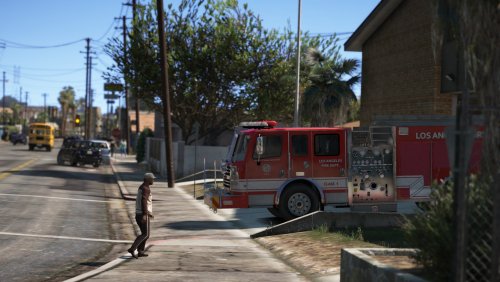 good work so far nothing wrong noticeable so far but will you be finishing all the vehicles in this pack as theres only 5 or so skins and theres at least 10 vehicles in the actually pack please inform me on this if you are going to continue this pack
- 13 comments
- 2 reviews
-
 very cool plugin but honestly useless if i cant even go 5 meters and the tape sags so there's no point literally you can only see the first 2 feet of tape coming from attached surface. i can tell u made this with care the menu and controls are nice, the oiv i don't think is needed after seeing what is installed anyone can do it themselves i don't like oiv as it can make things weird/install it weird textures are cool would recommend giving instruction on how to make a texture for this as its not the same as car texture (i think). but good work but to me useless if it always sags, will this ever be able to be fixes????
- 299 comments
- 26 reviews
-
what pack are you using in the opd videos and what siren please
-
-
 the time and effort put in is tremendous but there is a few things that are keeping it from being perfect one the rotor light bar doesn't spin fast enough so its kinda got this old school feel to it if you have seen a Toronto police car lately u would know that when they turn there lights on the rotors almost move so fast it sorta creates a flash effect these dont do that they just kinda noticeably spin in a circle. (if u could tell me how i can edit that it be great) 2, the rear lights in rear windows are not correct style TP use a skinny led light (roughly 4 large led's or 6 small ones) the ones used are short and thick. 3 there's some small textural issues on a car or two with colours in wrong place (not that noticeable) and last some of the cars (i think just the crown vic) you can see the light under the car like flashing on pavement under the car that shouldn't happen. but honestly its thew closest you could get to TPD in gta v and im not a fan of rotors but im a Torontonian soo i obviously have to use this but it be great if you could tell me how to get rotors to spin faster / flash (the current Toronto cars it looks like they spin and flash hard to tell) overall tho great job just them light bars bug me a little
- 154 comments
- 46 reviews
-
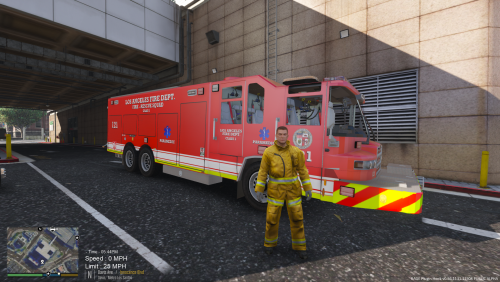 so the 2k version doesnt seem up to par with the logos but i dont know 2k i will try this 4k version, i was unaware of the different resolutions, overall tho it looks great could be refined and considering this is only skin really available for this truck its lit af
 -
-
-
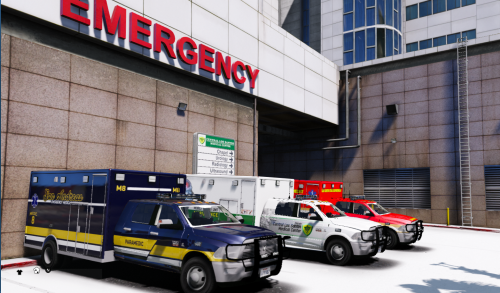 if u play in 4k like i do it doesnt look as smooth as it should just comparing to some other models that have finer curvesandstuff model is good but needs morefinetune on the texture of it (not THEE TEXTURES the 3d model itsself) and lighing pattersare a bit wierd but its not a big deal
- 46 comments
- 7 reviews
-
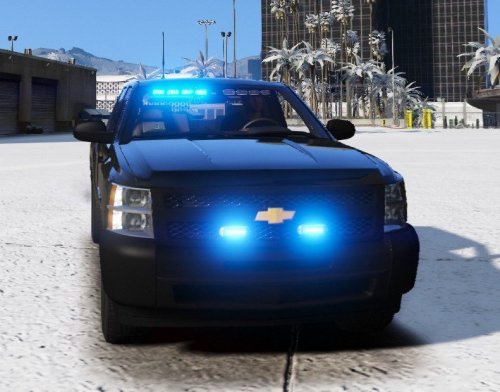 overall its my newfavourite truck i would like to see what every one else is saying fixed and maybe a light bar version or addons for black hub caps and black tool box, maybe a pushbar but i lobve the lighting patterns there sickaF and other than the small things there is its great. ill give u 5 stars if i candrive it properly in first person after updates overal great job (make a verion with side runners too just for us christmas tree peoples)
- 31 comments
- 15 reviews