



YesAviation
Members
-
Joined
-
Last visited
Everything posted by YesAviation
-
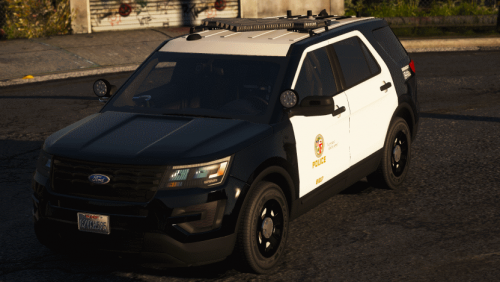 "Donate Now!" Is not something you want to say. Sure a month of Zmod only cost $5 dollars but there is no need for licensing as no one else does it. Putting your cars on this site is solely up to you as you do not need to. Instead of that, say "While donating is not required, anything you choose to donate is solely up to you and we appreciate it." Besides that part, this car looks absolutely amazing! Another car like this in the ranks really shows what the community as a whole really is!. 5 out of 5!
- 42 comments
- 6 reviews
-
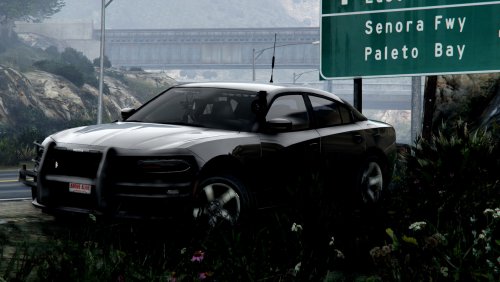 There is not a single thing wrong with this charger! I'm not a fan of blue lighting without a bit of red, but this model changes that! Everything about this model is absolutely amazing. It is exactly what I have been waiting for and as soon as I put it in my game, it was hard for me to take it out! I don't care what people say when it comes to FHP, this is still outstanding and will use every time.
- 15 comments
- 13 reviews
-
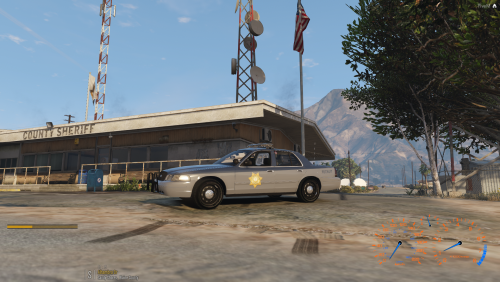 Nice! Could you tell me what model car you had used for the newest charger? I like that a lot!
- 5 comments
- 1 review
-
 I'm with Kallus. I am not a fan of these light bars. I absolutely hate them. However, you pack right here makes me want to strive to like them. Everything about this pack is amazing!
- 114 comments
- 37 reviews
-
-

- 1
-
-
Yes! Once I have everything done, it's going to be released to the public on both here and Github! I keep rethinking the design and layouts so it is taking so much longer. I am also having trouble figuring out what type of stuff you guys would like to see. But by the end of this project, it should look very simular to what a real office MDT would see. I am also rethinking many of the features that are to be involved within it.
-
https://trello.com/b/g6xgUeZq/police-computer Follow all my updates
-
I’ve been working on base code and stuff like that. This is gonna take some time. But im trying every moment i get after school & work. This post was to primarily get suggestions to what I can add.
-
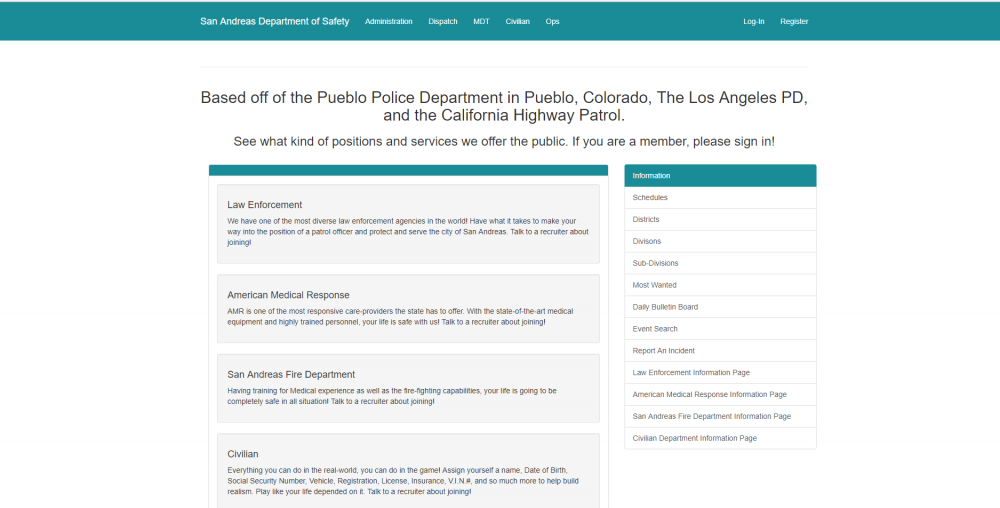
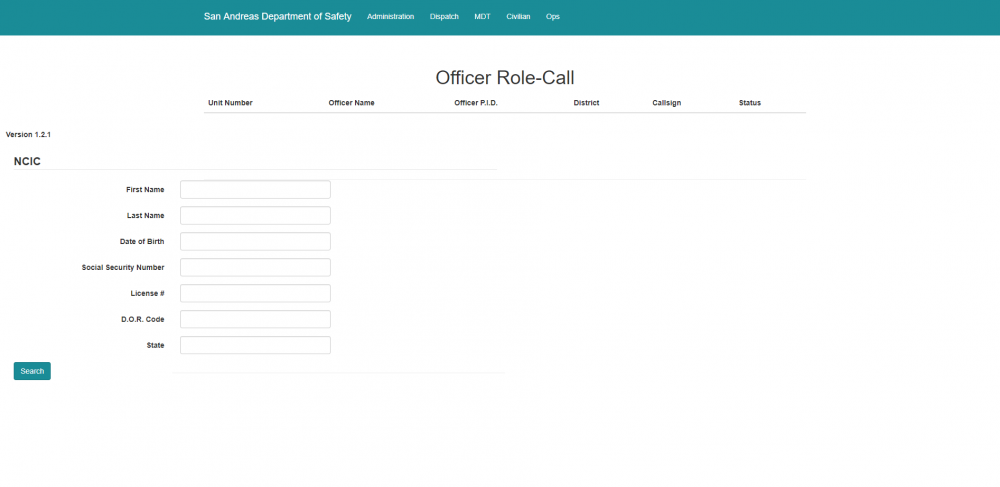
I have recently decided to venture off into the coding world of HTML, CSS, JS, Node.js, and C#. During this adventure, I thought it would be best to create a fully featured and fully functional Community Website. Included in this website is the Police Dispatcher Control Panel and the Officer Mobile Data Computer. Knowing how hard this can be, I need some help and suggestions to what would go into the website. This is by far the hardest project I will be writing, but it is worth the thrill. Features: - Community Welcome Page - Department Descriptions (Main Menu) - Administration Center for Operators (Need suggestions what to put inside) Dispatch: -NCIC Database (User controlled only) - Officer Role-Call ( Unit Status ) - Create Reports & Supplements - Assign/Clear Unit from Ca - Create Calls - **I Need Some Suggestions** Officer MDT: - Ability to search NCIC - View unit locations - Self-init (Set yourself on a call & let dispatch know) - Operations Center (See Municipal Code And Penal/State Law (Dependent on Locations), External Web Forms, Microsoft Word (Writing Supplements/Arrest Reports)) and so much more) - Unit messaging - Call Query - Mobile Field Reporting System ( This is where the officer completes supplements, arrest reports, felony reports, charges people with crimes, and basically everything else for patrol duties Civilian Panel: (W.I.P.) - Add user (Limit to 50/person) - Create Date of Birth - Create social security number - Create Name - Register Weapons - Register Vehicles (Planes, Boats, etc...) - V.I.N. Numbers - Insurance (Coverage & Policy) - Create Criminal Wrap History (Can be added to by Police Officers) - SO much more I do need some suggestions. There by far is more to this web-based application that what I described above. I am also planning to make an integration from this web panel to the game (FiveM or LSPDFR) which makes it incredibly tough but I know there are functions for it ( i think ). It will be the CHP's MDC Computer Layout but different colors and a different set-up! But the same features as the real one! This page is dedicated to the Works in Progress page as well as new features. It will be timestamped accordingly and will also indicate what is new to the Computer; Also contains what I plan on working on. Branch #1: 11/29/2017 California Highway Patrol (CHP) Mobile Data Computer -- Will feature integration with the game (if possible) Patrol Tab: - Displays Radio (Channel/Area/Division/Volume(Integration with Teamspeak & Discord(if possible))) - Lights & Sirens status - Traffic Advisory Directionals - Proximity Listing - Basic Information Screen (View items faster in one box) Lights & Sirens: - Shows current display of active lightbar/directionals pattern - Will display Sirens (Multiple Sirens?) ***If I come up with more features, I will post them here for this tab*** Radar: - Activate/Deactivate Radar - Set speed limit - Select which radar to use (Front/Rear/Both) - Sound Frequency (Option to toggle On/Off Approaching/Distancing Vehicles(Alert for Speed Violators)) - ALPR (Automatic License Plate Reader) *Toggle, Set Mode, Select Camera, etc...* **The ALPR System is going to be integrated with the Radar tab. This is because they both will be scanning constantly. (for as long as you wish, until you turn the system off) One for speed and the other for ALPR Registry. Therefore, It makes a basic connection between the two to share the same system. **In my opinion** AM/FM -- This certain tab will not be integrated. You have the option to control this in-game anyway. This would be rendered useless. MDT (or MDC): *This is where the main logic for the Officers MDT will begin. Inside there will be items such as: - Mobile Field Reporting (MFR) - GPS - NCIC/CCIC Registry (National Crime Information Center/Colorado Crime Information Center(CCIC will be renamed or removed)) - Operations (View Schedules, Municipal Code (Location Dependent), State Law/Penal Codes (Location Dependent), External Web Forms) - Self_init Page (Assign yourself to a call and let dispatch know, or tell dispatch what you are going to do and let them do the work.) - Call Query (View holding non-emergency calls) - Messaging system (Message privately between units & dispatchers) **Many don't recognize what the messaging system is for. Here is a short summary. Talking on the radio should be for certain objectives only. While a channel can be handed to the officer (10-20(priority or focused radio traffic only), to just simply and directly call another unit over the radio takes up time if something important was actually occurring. The messaging tab will allow units to message other units about random stuff, work-related stuff, or whatever else you can think of. This helps focus on certain aspects of radio traffic.** It may not look like the actual California Highway Patrol MDC, but it will provide functions greatly needed to officers. _______________________________________________________________________________________________________________________________________ How will this work? This will require a decent User Interface which can easily be created. There will be a concern on how the visualizations for the Lights & Sirens may work or making a game to web-interface connection have an instance (connections), but that will be explained. First of all, I want to explain that this may not work. This is a pure experiment at this point. Some functions may not be available because they just do not exist in the certain code. However, I can create API's and other content to make it work (somehow and it could not even be available, we will find out), but this will require additional time and more code that can be avoided. The main language of this script will be C#/LUA. With .Lua, I am able to create server-sided and client-sided synchronization scripts to constantly check for key-presses and other user actions. Once that occurs, it will send it across a platform into the language of C# where most of the logic for this project will be located. From Client-Side to Server-Side, across a platform into the main logic base. This is by far going to be the hardest part. These two factors are between you and the website from which this information can be revealed. This means that there should be an instant sync when turning on lights and sirens, directionals, or any other feature to when it will visualize on the web interface. The integration of Discord and Teamspeak is going to be another hard object. Unknown to the powers of the two voice clients, it may not even work at all. But how it should work remains the question. I WANT to believe that, - You have to be connected through the Teamspeak client at all time during connection to the website - Web Address & IP must be the same (Except for Discord) - Your usernames must be the EXACT same way - Clicking to switch channels or communicate from the website to the client must have specific code **This is just brainstorming. Hopefully, it will work** Branch #2: 11/29/2017 Brand new user interface New bootstrap as well as credentials This one is bigger than ever. Just one page of code covers almost 15% of the last U.I. Element. This means that the code located within this single .html page is bigger than 15% of the whole last elements. I hope you guys get that. It confused me at first. Once partially finished with the project, I will release code to you guys. This will allow you guys to build all of the elements and create it as you wish. The above text is my GitHub branch from which I post updates about works in progress. I hope this will make sense to you guys. Half of this as I said is experimental. Everything is works in progress As the screenshots depict, I do base mine on the Pueblo Police Department as well as two other departments. But I need suggestions.
-
Showcasing some of the vehicles I am making for paradise! These skins are excellent and so will the vehicles!


